
Automate asset approval: streamline IT workflows today
TL;DR:
- Manual asset approval processes cause significant delays, reduce productivity, and increase IT support demand across enterprises. Automating approvals with integrated workflows, smart lockers, and comprehensive policies streamlines operations, enforces consistent compliance, and enhances user satisfaction. Long-term success depends on ongoing organizational commitment, data accuracy, stakeholder engagement, and continuous optimization.
Manual asset approval processes are quietly draining productivity across large enterprises. When employees wait days for equipment sign-off, they lose momentum, IT teams drown in email chains, and procurement bottlenecks compound. Inefficient asset approval processes can lead to measurable productivity loss and a surge in avoidable IT support demand. This guide walks IT leaders and digital workplace managers through the complete journey of automating asset approval: from making the business case and gathering prerequisites, to deploying a live workflow and measuring results with confidence.
Table of Contents
- Why automate asset approval in the enterprise
- What you need to automate asset approval
- How to automate asset approval: Step-by-step
- Troubleshooting and common mistakes to avoid
- What to expect: measuring success and ongoing optimisation
- Why real transformation means more than ‘just automation’
- Simplifying automation: Next steps for enterprise IT teams
- Frequently asked questions
Key Takeaways
| Point | Details |
|---|---|
| Automation eliminates bottlenecks | Automated asset approval drastically reduces delays and administrative workload compared to manual systems. |
| System integration is key | Successful automation requires ITSM platforms, asset registries, and smart hardware all working together. |
| Stakeholder alignment accelerates adoption | Involving IT, procurement, and end-users early boosts process buy-in and effective rollout. |
| Continuous improvement drives value | Regularly review metrics and user feedback to refine and optimise asset approval workflows over time. |
Why automate asset approval in the enterprise
Every large enterprise has a version of the same story. An employee submits a request for a replacement laptop. The request lands in a shared inbox, gets missed during a team meeting, resurfaces after a chase email, awaits sign-off from a manager who is travelling, and finally reaches procurement five working days later. By that point, the employee has borrowed a colleague’s device, raised a complaint with IT, and lost several billable hours.
This is not an edge case. It is the default state for organisations still relying on manual approval pathways. The most common bottlenecks include:
- Email-based requests that lack tracking or escalation rules
- Approval chains dependent on a single named approver with no delegation
- No clear audit trail when requests go missing or are informally approved
- Disconnected systems forcing IT staff to re-enter data across multiple platforms
- Inconsistent policy enforcement across sites and business units
The financial and operational consequences are real. Research into automation best practices consistently shows that delays in equipment provisioning translate directly into reduced output and higher IT admin costs. When requests pile up, the secondary effect is a rise in informal workarounds, which introduces security and compliance risks that IT teams spend additional time resolving.
Automation addresses all of this at once. A well-configured automated approval workflow enforces policy consistently, routes requests to the right approver instantly, sends timed reminders without human intervention, and writes every decision to a permanent audit log. Approval turnaround measured in days shrinks to hours. Compliance evidence is always current. IT staff spend their time on work that genuinely requires their expertise.
“The real cost of manual asset approval is not just the time lost on each individual request. It is the compounding drain on team capacity, user trust, and organisational agility.”
Understanding the true cost and risk of manual processes sets the stage for solving these issues. Next, learn what you will need to build an automated flow.
What you need to automate asset approval
Automation does not happen by installing a single tool. It requires the right combination of systems, people, and data. Before you write a single workflow rule, take stock of what you have and what you need.
Core systems and tools
The foundation for enterprise asset approval automation typically includes:
- An ITSM platform such as ServiceNow, capable of managing service requests, approvals, and notifications from a single interface
- An asset repository with accurate, up-to-date inventory data covering device types, locations, quantities, and assignment history
- A workflow engine that can enforce branching logic, escalation rules, and conditional approvals without custom code
- Hardware interfaces such as digital locker technology or smart vending for IT assets, which allow approved equipment to be collected without requiring a technician to be present
Modern IT asset solutions require integration between ITSM platforms, asset management tools, and hardware interfaces like smart lockers to function cohesively at enterprise scale.

Stakeholders to involve
| Stakeholder group | Role in automation project |
|---|---|
| IT operations | Workflow design, integration configuration, testing |
| Procurement | Policy rules, budget thresholds, approval delegation |
| Facilities | Locker/kiosk placement, access control integration |
| HR and line managers | Approver setup, delegation policies, onboarding flows |
| End users | Feedback during pilot, adoption and training input |
Integration readiness checklist
Before engaging a vendor or beginning configuration, confirm that your environment meets these baseline requirements. You will need a stable ITSM instance with API access, an asset catalogue that is clean and accurate, clearly documented approval policy rules, named approvers with defined delegation rules, and a test environment separate from production.
Evaluating test automation platforms early in the project can also help your team validate workflow logic before go-live, catching misconfigured rules before they affect real users.
Pro Tip: Appoint automation champions in each stakeholder group before the project begins. These are colleagues who understand both the process and the people. They become your primary advocates during rollout and your early warning system when adoption hits friction.
Now that you have the foundational pieces identified, it is time to walk through the step-by-step process for automating asset approval.
How to automate asset approval: Step-by-step
With the right systems in place and stakeholders aligned, the actual automation build follows a logical sequence. Here is a practical guide for IT teams moving from design to deployment.
-
Map the current approval pathway. Before automating anything, document every step in your existing process. Identify each decision point, every person in the chain, and every exception that currently requires manual handling. This is the blueprint for your automated flow.
-
Digitise the asset request form. Create a structured digital form in your ITSM platform. Capture device type, urgency, justification, cost centre, and manager details. Structured inputs make downstream automation far more reliable than free-text alternatives.
-
Configure automation rules and approval routing. Define the conditions under which requests auto-approve, require a single approver, or escalate to a second tier. Set spending thresholds, device category rules, and location-based routing. This is where policy becomes code.
-
Enable automated notifications and escalations. Set timed reminders for approvers who have not acted within a defined window. Configure automatic escalation to a delegate after a set period. Ensure requesters receive status updates at every stage without needing to chase IT.
-
Integrate smart lockers or kiosks for fulfilment. Once an approval is granted, the workflow should trigger a locker assignment or vending slot reservation automatically. Automated equipment approvals can be seamlessly orchestrated with ServiceNow and smart locker integrations, enabling employees to collect approved devices using their employee ID or mobile credential, with no technician involvement required.
-
Run user acceptance testing with a pilot group. Before wider rollout, test the end-to-end flow with a representative cross-section of users. Include approvers, requesters, and IT administrators. Capture every failure point and unusual edge case. Refine before scaling.
-
Deploy, train, and communicate. Roll out in phases if your estate is large. Train each user group on their part of the process. Communicate clearly about what has changed, why, and what to do if something goes wrong.
Manual vs. automated approval: outcomes compared
| Outcome | Manual process | Automated process |
|---|---|---|
| Average approval time | 3 to 7 working days | Under 4 hours |
| Audit trail completeness | Inconsistent, email-dependent | Full, system-generated record |
| Policy enforcement | Variable, person-dependent | Consistent and rule-based |
| IT admin time per request | 20 to 45 minutes | Under 5 minutes |
| Employee satisfaction | Low, frequent frustration | High, clear status visibility |
Reviewing IT support automation steps alongside your workflow design helps ensure you are not building asset approval in isolation from your broader IT service delivery model.
Pro Tip: Start your pilot with a single device category, such as peripheral equipment or standard laptops, rather than attempting to automate your full asset catalogue at once. A contained pilot delivers faster learning and builds organisational confidence before you scale.
Understanding the steps and their impact, you are nearly ready. But it is crucial to anticipate, and avoid, common pitfalls in automation projects.
Troubleshooting and common mistakes to avoid
Even well-planned automation projects run into problems. The most common issues at enterprise scale fall into three categories: people, process gaps, and technical misconfiguration.
Common obstacles and how to address them
- User resistance: Employees and managers accustomed to informal approval processes often push back when structured workflows replace the habitual “quick email to a colleague.” Address this by involving end users in the design phase, not just the rollout.
- Failure to map approval exceptions: Every organisation has edge cases: emergency replacements, temporary loans, cross-departmental requests. Automating only the standard path while leaving exceptions in manual limbo creates a two-tier system that undermines the entire project.
- Misconfigured integrations: When your ITSM and asset repository do not share a clean data model, automation logic breaks against real data. Invest in data cleansing before you configure any workflow rules.
- Insufficient testing: Teams under time pressure frequently skip thorough user acceptance testing. This is consistently one of the biggest adoption barriers, alongside overlooked integration gaps that only surface in live conditions.
Clear, structured training makes an enormous difference. When users understand not just how to use the new system but why it works the way it does, adoption accelerates. Schedule training close to go-live rather than weeks in advance, so the knowledge remains fresh.
Reviewing your proactive IT support automation approach alongside your asset approval design will highlight whether your support model can handle the uplift in enquiries that typically accompanies any significant process change.
“Automation does not eliminate the need for human judgement. It frees up human judgement for the decisions that genuinely require it.”
Pro Tip: Do not skip user acceptance testing, even when the project timeline is under pressure. A structured UAT phase with defined pass/fail criteria is the single most reliable way to catch the edge cases that will otherwise become your first wave of post-launch support tickets.
What to expect: measuring success and ongoing optimisation
Once your automated asset approval workflow is live, the question shifts from “does it work?” to “how well does it work, and how do we improve it?” Define your success metrics before launch so you have a baseline to compare against.
Key performance metrics to track
| Metric | What it measures | Target improvement |
|---|---|---|
| Approval turnaround time | Speed from request submission to decision | 70 to 90% reduction |
| Requester satisfaction score | Employee experience with the approval process | Significant uplift from baseline |
| Audit and compliance pass rate | Completeness of approval records | 100% traceability |
| IT admin time per request | Staff hours consumed by approval handling | 80%+ reduction |
| Exception handling rate | Proportion of requests requiring manual override | Reduction over time as rules mature |
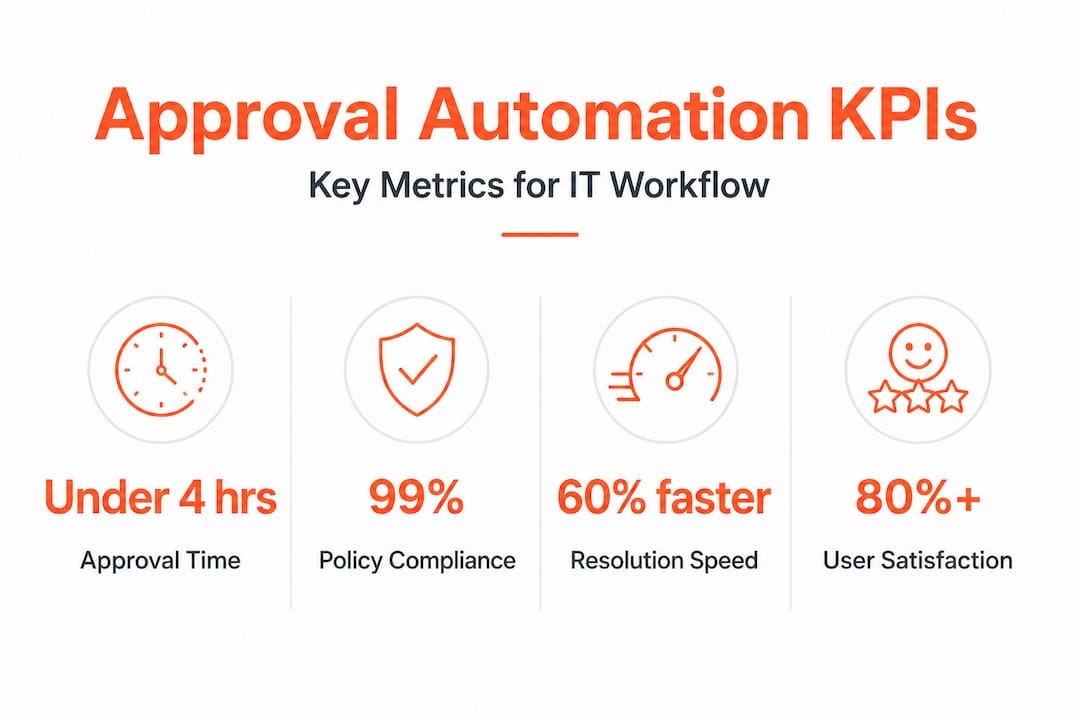
Data from automated systems consistently reveals significant reductions in approval time and fewer equipment bottlenecks when properly configured workflows replace manual processes. Enterprises tracking IT asset efficiency metrics over 12-month periods routinely report approval cycle times falling from several days to a matter of hours.
Continuous improvement requires a structured review cadence. Useful practices include:
- Quarterly workflow reviews to identify rules that are generating excessive exceptions or delays
- Monthly feedback surveys sent to requesters and approvers, kept to three questions or fewer
- Analytics dashboards inside your ITSM platform showing request volumes, approval times, and bottleneck stages in real time
- Annual policy reviews to ensure automation rules reflect current organisational structure and device catalogue
The organisations that achieve the greatest long-term value from asset approval automation are those that treat the initial deployment as the starting point rather than the finished product.
Why real transformation means more than ‘just automation’
Here is an uncomfortable truth that most implementation guides avoid: the majority of enterprise asset approval automation projects deliver disappointing long-term results not because the technology fails, but because the organisation treats automation as a one-time IT project rather than an ongoing capability.
We see this pattern consistently. An IT team invests months configuring a beautiful workflow. It launches, turnaround times drop, everyone celebrates. Then, six months later, the approval rules are out of date because the procurement policy changed. The asset catalogue is drifting because nobody owns data quality. Managers are bypassing the workflow because nobody retrained the team after a reorganisation. The system technically works, but the process has quietly reverted.
Sustainable transformation from following enterprise IT transformation tips requires treating automation as a living capability. That means assigning ownership to specific individuals, not just teams. It means building feedback loops that surface process failures before they become workarounds. It means connecting your asset approval workflow to your broader IT strategy, so that when the business changes, the automation changes with it.
The organisations that achieve lasting gains are those where IT leaders genuinely champion the process, not just the platform. Technology does the heavy lifting, but culture determines whether the gains hold. The most powerful thing you can do after deploying automated asset approval is to keep asking whether it is still solving the right problem.
Simplifying automation: Next steps for enterprise IT teams
If this guide has clarified the path forward, the next step is finding the right tools to walk it efficiently. Velocity Smart Technology works with large enterprises across financial services, healthcare, government, and beyond to deploy automation that does not just look good on a diagram but genuinely transforms how employees access equipment and support.

Our Smart IT Support Kiosk enables real-time remote IT support and equipment exchange at any workplace location, without requiring onsite technicians. Our Smart Locker Software, Velocity Smart Collect, is the only ServiceNow-certified smart locker solution built natively inside your ServiceNow instance, eliminating data duplication and GDPR risk. To explore how these solutions connect to your asset approval strategy, visit Automation Unboxed for practical resources and next steps designed specifically for enterprise IT teams.
Frequently asked questions
What IT systems are best for automating asset approval?
Integrated ITSM solutions like ServiceNow paired with smart lockers or vending enable seamless, policy-driven approvals at scale, providing full traceability and consistent policy enforcement across all sites.
How long does it take to deploy automated asset approval workflows?
Most enterprises can deploy a working automated approval pilot within 8 to 12 weeks, depending on the complexity of existing approval rules and the readiness of underlying ITSM and asset data.
Can automated workflows handle exceptions or urgent requests?
Yes, advanced workflows support conditional logic that fast-tracks urgent requests or routes exceptions to designated senior approvers, ensuring the system remains flexible without sacrificing structure.
What are the main benefits of automating asset approval?
The primary gains include dramatically faster turnaround times, full audit trails for compliance, reduced IT admin workload, and measurably improved employee satisfaction, all of which directly support reduced IT support demand across the enterprise.
Recommended
See what Smart Collect® could save you
Model your savings in two minutes, or book a 60-minute workshop to pressure-test the numbers against your estate.