
IT asset disposal step by step: a complete guide
TL;DR:
- Proper IT asset disposal is vital for compliance, data security, and financial accuracy, requiring a structured process from identification to reporting. This involves thorough asset verification, certified data destruction, correct disposal sequencing, precise accounting, and comprehensive documentation to ensure audit readiness and regulatory adherence. Automating and formalizing handoffs between IT and finance significantly reduces errors, enhances efficiency, and mitigates legal and reputational risks.
Improper IT asset disposal is one of the more consequential oversights in enterprise IT operations, yet it rarely receives the procedural rigour it demands. Data breaches, regulatory penalties, and financial misstatements are all documented outcomes of ad hoc disposal practices. A structured asset disposal step by step process is not a bureaucratic preference; it is a compliance and risk management necessity. This guide walks IT asset managers and technicians through each stage of the disposal process, from initial identification and authorisation through to data destruction, accounting entries, and post-disposal reporting, with practical guidance grounded in real operational experience.
Table of Contents
- Key takeaways
- Asset disposal step by step: preparation and authorisation
- Secure data destruction and disposal method selection
- The operational disposal workflow: execution to accounting
- Compliance, challenges, and audit readiness
- Post-disposal procedures and continuous improvement
- My perspective: where IT asset disposals actually break down
- How Velocity-smart supports IT asset disposal
- FAQ
Key takeaways
| Point | Details |
|---|---|
| Start with formal identification | Record serials, condition, and current book value before any disposal activity begins. |
| Certified data destruction is non-negotiable | Consumer-grade tools are insufficient for SSDs; use enterprise tools compliant with NIST 800-88. |
| Sequence disposal methods correctly | Prioritise sale, then donation, then recycling to maximise recovery and minimise cost. |
| Run depreciation before disposal | Failing to post final depreciation produces misstated net book values and incorrect financial statements. |
| Update registers promptly | Fixed asset registers must be reconciled after journal entries to prevent audit discrepancies. |
Asset disposal step by step: preparation and authorisation
Before any physical device moves or any data is touched, the preparation phase establishes the accuracy and accountability on which the rest of the process depends. This stage covers three distinct activities: identification, authorisation, and valuation.
Identification and inventory requires pulling every candidate asset from your IT asset management system and confirming physical details against the record. Serial numbers, asset tags, model specifications, condition assessments, and current location should all be verified and logged. Assets that cannot be physically located at this stage should be flagged separately and investigated before disposal proceeds. An unresolved discrepancy at identification will compound into a compliance problem later. For organisations with distributed workforces, knowing where assets are is often the first practical challenge to resolve.
Authorisation follows identification. Most organisations define approval thresholds based on asset value, with different sign-off requirements for low-value peripherals versus high-value servers or enterprise laptops. The table below outlines a typical framework:
| Asset category | Estimated value | Approving authority | Documentation required |
|---|---|---|---|
| Peripherals and accessories | Under £500 | IT manager | Asset tag confirmation, disposal request form |
| Laptops and desktops | £500 to £5,000 | IT director | Inventory record, condition report, finance sign-off |
| Servers and specialist hardware | Over £5,000 | CIO or CFO | Full valuation report, board notification |
Valuation determines whether resale, donation, or direct recycling is the most financially sensible path. For higher-value assets, formal appraisals or trade-in quotes from certified refurbishers provide a defensible fair market value. Early disposal planning that begins at least three years in advance can considerably improve tax efficiency and net recovery, particularly for bulk liquidations.
Pro Tip: Use a digital IT asset management platform to generate pre-populated disposal request forms from existing CMDB records. This eliminates manual data entry errors and accelerates the authorisation process.
Secure data destruction and disposal method selection
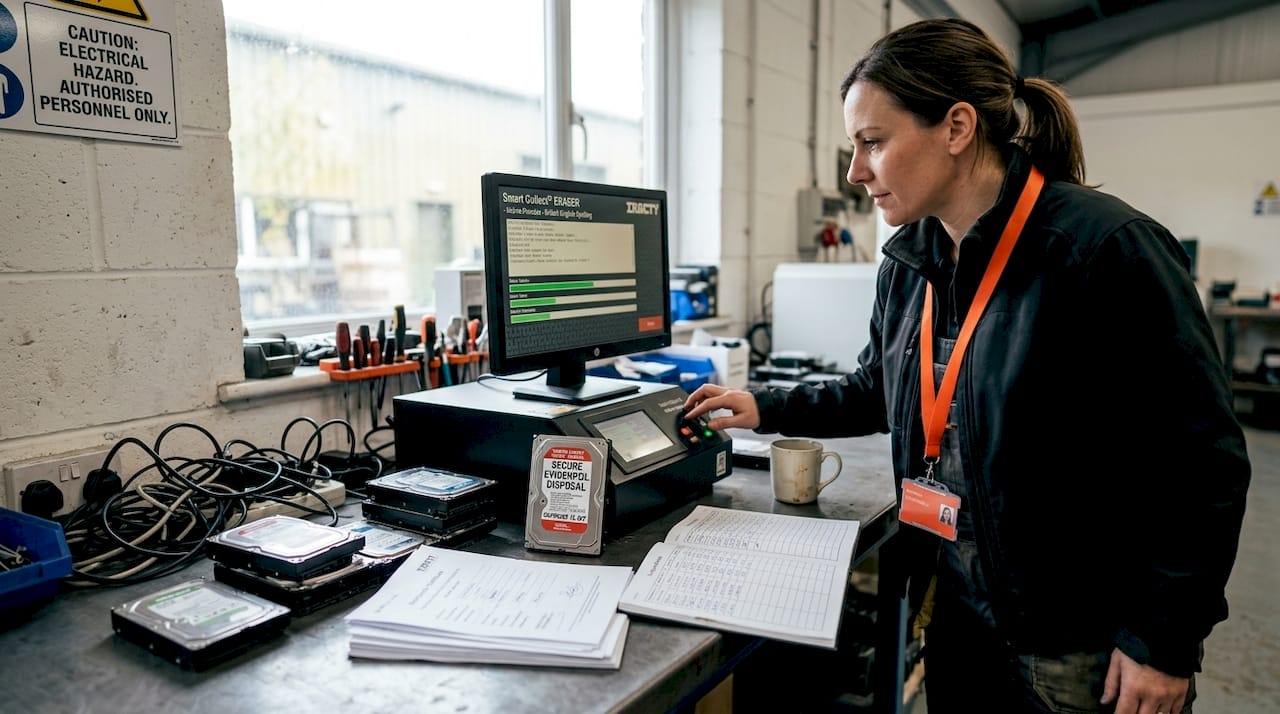
This is the step where organisations either protect themselves or expose themselves. Data destruction must happen before any device leaves your custody, and the method must be appropriate to the storage media type.
Consumer-grade wiping software is inadequate for SSDs; certified enterprise tools complying with NIST 800-88 are required for secure, auditable data destruction. Unlike traditional hard drives, SSDs use wear-levelling algorithms that can retain data in cells inaccessible to standard overwrite tools. The three primary destruction methods are:
- Cryptographic erasure: Destroys the encryption key, rendering data permanently unreadable. Fast and effective for modern encrypted drives.
- Secure overwrite: Multiple-pass overwrite using NIST 800-88-compliant software. Suitable for HDDs and some SSD configurations.
- Physical destruction: Shredding or disintegration. Used for devices with unreadable or irreparably damaged storage, or where maximum assurance is required.
Every destruction event must generate a tamper-proof log tied to the hardware serial number. This forms the chain of custody that regulators and auditors will ask for.
Once data is confirmed destroyed, assets can be evaluated for their next disposition. The optimal disposal sequence is sale first, donation second, and recycling or scrapping last.
| Disposal method | Best suited for | Financial outcome | Compliance considerations |
|---|---|---|---|
| Resale | Functional devices in good condition | Positive recovery; varies by market | Requires data destruction certificate |
| Refurbishment and resale | Partially functional devices | Moderate recovery after refurb cost | Certified partner recommended |
| Donation | Older but operational equipment | Tax deduction possible; nil cash | Verify charity eligibility; data must be wiped |
| Responsible recycling | End-of-life, non-functional devices | Nil to small recovery | Must use certified e-waste recycler |
| Physical destruction and scrapping | Highly sensitive or unrecoverable assets | Cost only | Destruction certificate required |
Note that auctioneer commissions for large-scale liquidation range between 15 and 35% depending on volume and complexity, which should factor into the financial case for bulk resale versus direct disposal.
Pro Tip: Retain destruction certificates and chain-of-custody documentation in a dedicated disposal folder within your ITSM platform, linked to the relevant CMDB record. Auditors will request this; having it pre-organised saves significant time.
The operational disposal workflow: execution to accounting
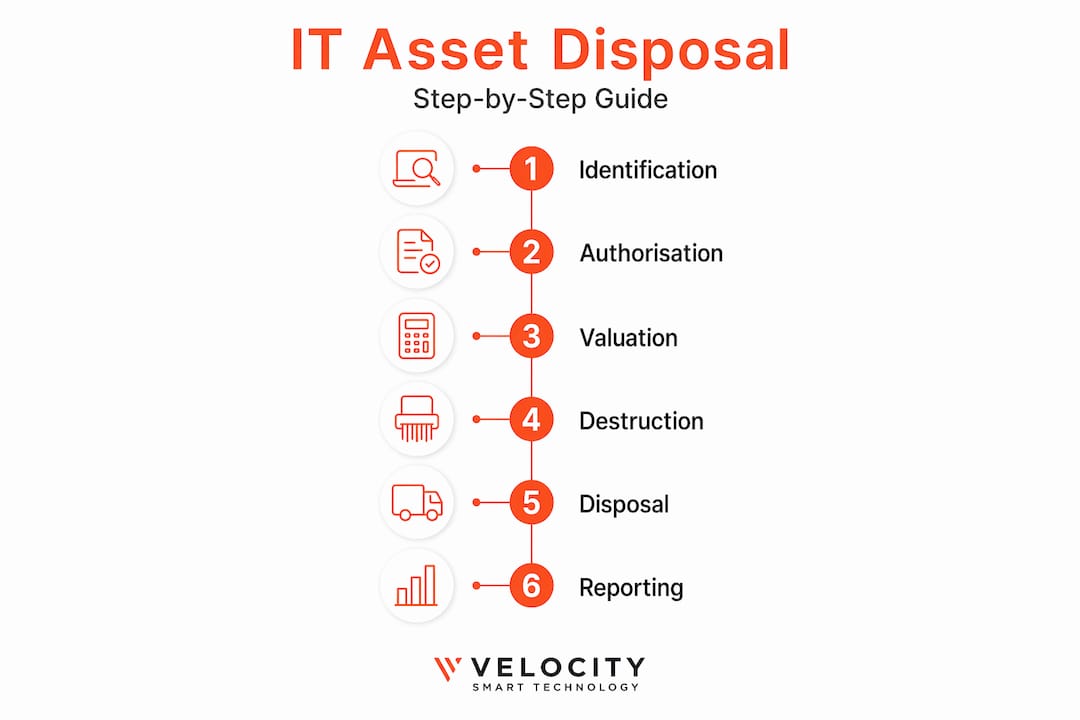
A standard IT asset disposal workflow consists of eight steps, covering identification through to register update. The middle steps, where physical disposal intersects with financial recording, are where most errors occur.
The eight steps in sequence are:
- Physical removal: Collect the asset from its last known location, confirm the asset tag against your disposal request.
- Pre-disposal documentation: Record condition, any accessories included, and confirm data destruction has been completed and logged.
- Run final depreciation: Post depreciation up to the exact disposal date. Failing to run depreciation to disposal date results in incorrect net book values. This is a partial-month calculation in most cases.
- Determine disposal value: Record the proceeds from sale, nil value for recycling, or estimated fair value for donation.
- Post the journal entry: Debit accumulated depreciation and the disposal proceeds (if any); credit the asset cost account. The difference is either a gain or a loss on disposal.
- Recognise gain or loss: Book the variance to the appropriate profit and loss account. Gains are taxable events; losses may be deductible depending on jurisdiction.
- Update the fixed asset register: The fixed asset register requires manual reconciliation if not automatically integrated with the general ledger. Mark the asset as disposed, record the disposal date, method, and net proceeds.
- Remove from CMDB and IT asset management system: The device should be decommissioned in every system of record simultaneously to prevent ghost assets from persisting in reports.
Common errors to avoid during this phase:
- Disposing of an asset before running the final depreciation cycle
- Failing to remove the asset from the CMDB after the financial record is closed
- Recording disposal proceeds to the wrong account code
- Skipping the gain or loss calculation for low-value items
- Leaving the asset status as “active” in the IT asset management system
Integration between your IT asset management platform and your financial system is the most effective way to prevent these errors. For guidance on managing IT assets at enterprise scale, the operational and financial dimensions need to be considered together, not as separate workstreams.
Compliance, challenges, and audit readiness
Even well-designed disposal processes encounter obstacles. Knowing where the common failure points are allows IT asset managers to address them before they become audit findings or regulatory breaches.
The most frequent compliance challenges include:
- Incomplete documentation: Assets proceed to recycling without destruction certificates, leaving the organisation unable to demonstrate compliance in the event of a data protection audit.
- Asset misidentification: Incorrect serial numbers on disposal forms mean the wrong asset is recorded as disposed. This creates phantom assets in the register and can obscure genuine losses.
- Environmental non-compliance: E-waste legislation in the UK and EU requires disposal through certified recyclers. Using uncertified vendors, regardless of cost savings, exposes the organisation to regulatory penalty.
- Data remanence on SSDs and flash storage: As noted earlier, standard overwrite tools do not reliably sanitise solid-state media. This risk is frequently underestimated.
- Broken chain of custody: If a device passes through multiple hands before destruction is confirmed, the chain of custody is compromised. This matters in regulated industries such as pharmaceuticals, financial services, and defence.
“Asset recovery processes must balance enforcement actions with company productivity and legal risk management. Poor sequencing can reduce value and increase legal costs significantly.”
Partnering with vendors who hold recognised certifications, such as ISO 27001 for information security and R2 or e-Stewards for responsible IT hardware recycling, provides a defensible compliance position. Vendor certification shifts a portion of the compliance burden and provides third-party evidence of due diligence for auditors.
Post-disposal procedures and continuous improvement
The disposal process does not end when the device leaves the building. Timely register updates, management reporting, and process review are what separate a mature IT asset management function from one that merely completes transactions.
Key documentation to retain for audit and records purposes includes:
- Signed disposal authorisation forms with approver names and dates
- Data destruction certificates tied to asset serial numbers
- Chain-of-custody records for all transfers between parties
- Final depreciation schedules posted before disposal
- Journal entry references from the general ledger
- Disposal proceeds receipts or donation acknowledgement letters
Once documentation is filed, generate a disposal report for management covering the total number of assets disposed, recovery amounts achieved, costs incurred, and any exceptions or deferred items. This report serves both internal governance and, where applicable, regulatory reporting purposes.
The longer-term value of this data is in planning. Analysing disposal cycles, recovery rates by asset category, and time from identification to disposal completion reveals where the process loses time and value. Organisations that automate device return workflows consistently report fewer documentation gaps and faster cycle times, because the system of record captures events in real time rather than relying on manual updates.
The fixed asset register must reflect disposal status accurately and promptly; any lag between physical disposal and register update creates reconciliation mismatches that consume disproportionate finance team time to resolve.
My perspective: where IT asset disposals actually break down
In my experience, the disposals that go wrong do not fail because the IT team does not know the process. They fail because the handover between IT and finance is either late, incomplete, or simply does not happen in a defined way.
I have seen organisations where data destruction was executed perfectly, authorisation was documented, and the device was responsibly recycled. And then the asset sat on the fixed asset register for eighteen months because no one had a clear ownership of the journal entry step. The finance team did not know the device had gone. The IT team assumed someone had told them. That gap costs real money in phantom depreciation charges and creates material misstatements.
The second thing I would challenge is the assumption that disposal is a low-priority, end-of-lifecycle afterthought. The accounting pitfalls around partial-month depreciation adjustments, gain and loss recognition, and register reconciliation are not trivial. They are the kind of thing that surfaces in external audits and creates remediation work that is far more expensive than getting it right the first time.
What I have seen work consistently is treating disposal as a formal workflow inside your ITSM platform, with defined hand-off points, assigned owners at each step, and automated notifications to finance when disposal is confirmed. Smart locker and automated collection technology adds a useful layer here: when a device is returned through a controlled endpoint, the system records the event against the asset record immediately, triggering the finance notification without any manual step. That is the operational rigour that makes disposal audits uneventful rather than uncomfortable.
— Anthony
How Velocity-smart supports IT asset disposal
Managing the physical return and decommissioning of IT equipment across multiple sites is where disposal processes most commonly break down. Velocity-smart’s Smart Collect platform addresses this directly: assets are returned through smart lockers or vending endpoints that record the event natively inside ServiceNow, updating the CMDB record in real time without manual intervention.

For IT asset managers running disposal programmes at scale, this means every device return is timestamped, attributed, and audit-ready from the moment it enters the collection point. The documentation gaps that generate compliance risk and finance reconciliation delays are closed at the point of physical handover. Explore how Velocity-smart’s ServiceNow-native platform supports end-to-end asset lifecycle management at velocity-smart.com/smart-collect.
FAQ
What are the main steps for asset disposal?
The standard disposal workflow covers eight steps: identification, authorisation, valuation, data destruction, method selection, physical disposal, journal entry, and fixed asset register update. Each step requires documentation to maintain a complete audit trail.
What data destruction method is required for SSDs?
NIST 800-88-compliant enterprise tools are required for SSDs, as consumer-grade wiping software cannot reliably sanitise solid-state storage. Cryptographic erasure or certified physical destruction are the recommended approaches.
Why does depreciation matter in asset disposal?
Running final depreciation to the exact disposal date is required to produce an accurate net book value. Skipping this step results in misstated financials and incorrect gain or loss calculations on the disposal transaction.
What is the correct order for disposing of IT assets?
The recommended sequence is resale first, donation second, and recycling or scrapping last. This ordering maximises financial recovery and minimises unnecessary disposal costs across the asset liquidation process.
What records should be retained after disposal?
Organisations should retain destruction certificates, authorisation forms, chain-of-custody records, depreciation schedules, journal entry references, and proceeds documentation. These form the evidential basis for regulatory and internal audit purposes.
Recommended
See what Smart Collect® could save you
Model your savings in two minutes, or book a 60-minute workshop to pressure-test the numbers against your estate.