Security Lockers: Enhancing IT Compliance And Efficiency

Managing hardware across global offices in cities from London to New York often reveals hidden gaps in security and compliance. As hardware distribution grows more complex, IT Operations Directors face a real challenge: how do you balance convenience, accountability, and strict GDPR rules without slowing your teams down? This article explains how security lockers with advanced RFID technology provide controlled access, seamless audit trails, and integration potential—helping large organisations keep high-value assets safe, improve employee experience, and protect sensitive data from unauthorised use.
Table of Contents
- Security Lockers Defined And Key Functions
- Major Types Of Security Lockers Explained
- Integrating Lockers With Enterprise IT Workflows
- Compliance Requirements And GDPR Considerations
- Mitigating Security Risks And Common Missteps
Key Takeaways
| Point | Details |
|---|---|
| Understanding Security Lockers | Security lockers provide secure asset containment, multiple access methods, and automated audit trails, essential for IT operations in large organisations. |
| Integration with IT Systems | Choosing lockers that integrate natively with ServiceNow enhances efficiency, automates workflows, and ensures accurate compliance records. |
| Varieties of Security Lockers | Mechanical, electronic, and smart lockers serve different needs; selecting the right type is crucial for compliance and operational efficiency. |
| GDPR Compliance Considerations | Locker systems must adhere to GDPR principles, including data protection by design and role-based access controls, to avoid significant penalties. |
Security Lockers Defined And Key Functions
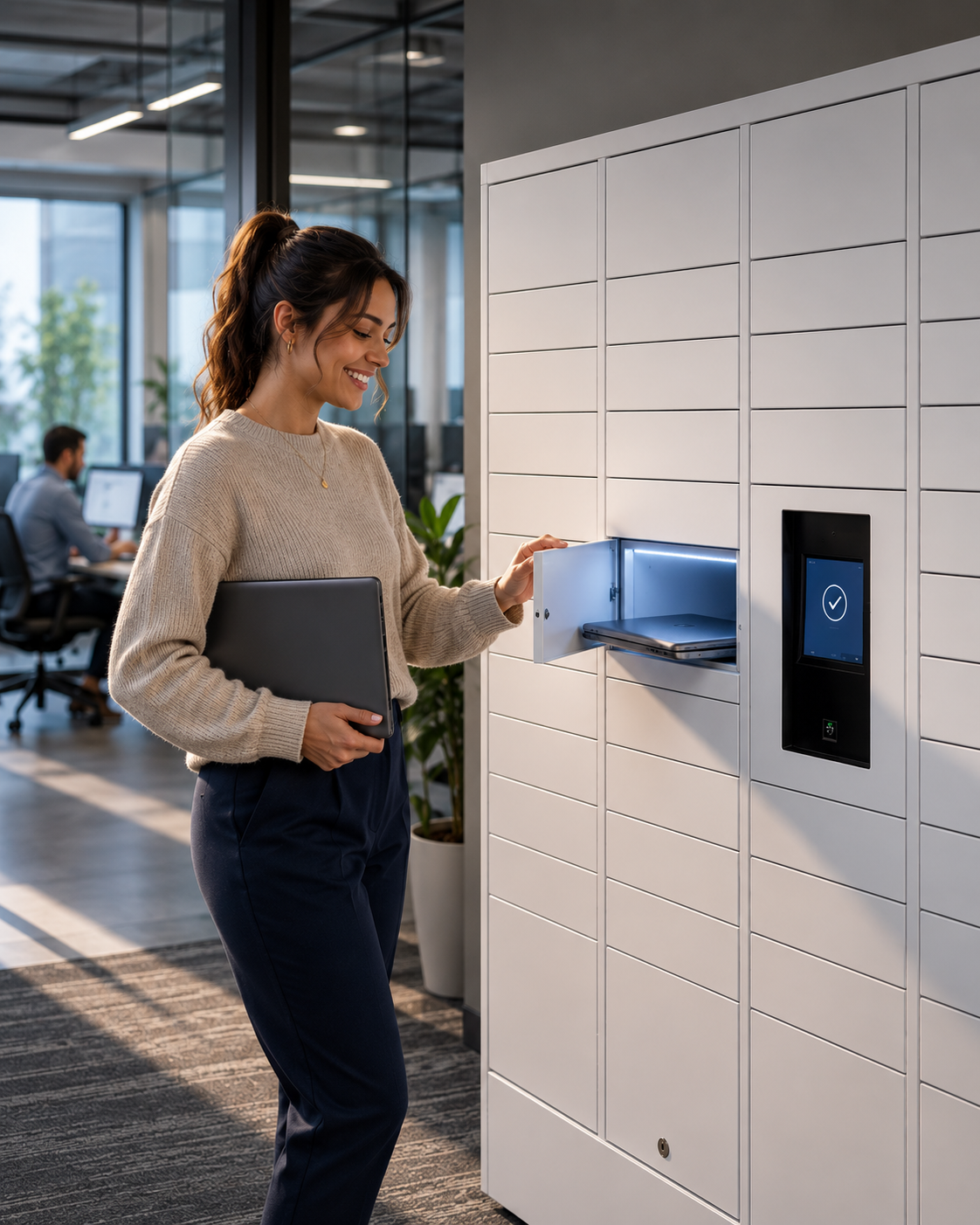
A security locker is a controlled access storage compartment designed to protect valuable assets, devices, and sensitive materials in professional environments. Unlike traditional lockers, security lockers integrate technology to prevent unauthorised access and maintain an audit trail of who removed or stored items and when. For IT Operations Directors managing hardware distribution across large organisations, understanding what security lockers actually do goes far beyond simply storing equipment. They serve as the physical infrastructure that bridges your IT asset management system with real-world compliance requirements, employee experience, and operational efficiency.
At their core, security lockers perform three critical functions that directly impact your IT operations. First, they provide secure asset containment through compartmentalised storage where each section has independent access controls. Rather than one master key opening everything, individual compartments use RFID technology for secure access control, ensuring only authorised personnel can retrieve specific items. This compartmentalised approach means a Finance team member cannot accidentally access an Engineering team’s high-value components, and your compliance team has granular visibility into exactly which assets moved where. Second, security lockers enable multiple delivery and pickup methods, accommodating how your organisation actually works. Employees can collect issued devices during working hours, after hours, or via scheduled retrieval windows. Some organisations use locker networks across multiple office locations, allowing equipment to be picked up from the most convenient point rather than a single centralised distribution hub. This flexibility transforms hardware distribution from a logistical bottleneck into a seamless employee experience. Third, they create automated audit trails and accountability, which is where most IT Operations Directors discover their real value. Every access event gets logged automatically without manual intervention, creating the evidence trail that compliance auditors expect for GDPR, SOX, and internal governance requirements.
When integrated with ServiceNow (which matters significantly since most Fortune 500 organisations run their IT operations on this platform), security lockers move beyond physical security into operational automation. Your workflows automatically trigger when equipment is provisioned, track its journey through the locker system, and update your asset database in real time. No more rekeying data between systems. No more manual reconciliation spreadsheets. The locker becomes a data source for your larger IT operations ecosystem, not an isolated piece of furniture. This integration is particularly valuable for organisations managing hardware refresh cycles, temporary equipment loans, or managing replacement devices when an employee’s equipment fails. Rather than asking IT support to manually update records while an employee waits for a replacement device, the locker system handles both the physical access and the data management simultaneously.
Pro tip: When evaluating security lockers for your organisation, prioritise solutions that integrate natively with your existing ServiceNow instance rather than bolted-on third-party systems, as this eliminates the need for manual data synchronisation and reduces the support overhead that typically undermines return on investment.
Major Types Of Security Lockers Explained
Security lockers come in distinctly different varieties, each designed for particular operational contexts and security requirements. Understanding the differences between them matters because selecting the wrong type can undermine both your compliance efforts and employee experience. The three primary categories—mechanical, electronic, and smart lockers—sit along a spectrum from basic access control to fully integrated IT operations. Your choice depends on what you’re actually trying to achieve beyond simply locking things up.
Mechanical lockers represent the traditional approach that many organisations still use for general storage. These use physical keys or combination dials to control access, requiring manual key distribution and replacement when employees leave or lose access. For most IT Operations Directors, mechanical lockers create more problems than they solve. There’s no audit trail of who accessed what, replacement keys cost money every time someone forgets a combination, and you’ve got no way to integrate them with your broader IT systems. They work fine for a gym changing room, but they create compliance headaches in regulated industries. Electronic lockers step up the security considerably by replacing physical keys with digital codes or access cards. Electronic locks use digital codes or card-based authentication to control compartment access, eliminating the need for physical key management. When an employee leaves your organisation, you simply deactivate their code or card rather than hunting down physical keys. This creates better security and some basic audit capabilities. However, electronic lockers still exist as isolated pieces of hardware—they don’t talk to your ServiceNow instance or your broader IT ecosystem. Managing access across multiple locker locations requires duplicate administrative effort.
Smart lockers represent the modern evolution that transforms hardware distribution into a genuinely integrated operation. These incorporate advanced authentication methods like biometrics, RFID, or online payment systems, and critically, they connect to your IT infrastructure. Rather than operating in isolation, smart lockers function as active participants in your hardware provisioning workflow. When a new employee joins your organisation and their onboarding is approved in ServiceNow, the smart locker system automatically grants them access to collect their laptop and peripherals from the nearest locker unit. When they leave, that access expires automatically without manual intervention. The system tracks every retrieval, logs when items are collected, and updates your asset database in real time. This integration is where the real operational value emerges. Smart lockers also support multiple delivery methods that traditional lockers cannot handle. Some support scheduled pickup windows, after-hours collection for hybrid workers, temporary access for contractors, and even automated replenishment of consumables like USB cables or adapters. This flexibility transforms what was once a logistical constraint into a competitive advantage for employee experience.

When evaluating which type suits your organisation, consider your current operational maturity. If you’re still manually distributing equipment and managing access spreadsheets, moving directly to smart lockers creates the biggest operational lift but delivers the highest return. If you’ve got a solid electronic locker infrastructure already, the incremental step to smart lockers focused on ServiceNow integration delivers faster payback. The security benefits alone—automated audit trails, role-based access control, and integration with your identity management system—justify the investment for any organisation handling sensitive equipment.
Pro tip: When comparing smart locker solutions, prioritise vendors offering native ServiceNow integration over those requiring middleware or manual data synchronisation, as this dramatically reduces implementation complexity and ensures your audit trails remain accurate without ongoing rekeying efforts.
To clarify how each locker type serves different organisational needs, see this comparison:
| Locker Type | Access Method | Integration Potential | Best Use Case |
|---|---|---|---|
| Mechanical | Physical key or dial | Not suitable for IT workflows | General storage, low-risk items |
| Electronic | PIN or access card | Limited, not real-time | Medium-value assets, basic audit needs |
| Smart | Biometric, RFID, digital | Full IT system integration | Regulated industries, asset management |
Integrating Lockers With Enterprise IT Workflows
The real value of security lockers emerges not from the hardware itself, but from how seamlessly they integrate into your existing enterprise systems. A beautiful locker sitting disconnected from your IT infrastructure is merely an expensive filing cabinet. When integrated properly, security lockers become active participants in your hardware provisioning, asset management, and compliance workflows, eliminating the manual rekeying and data inconsistencies that plague disconnected solutions. For IT Operations Directors at Fortune 500 organisations, this integration is where you actually recover your investment.
ServiceNow forms the central nervous system for most enterprise IT operations, particularly amongst large organisations managing complex hardware ecosystems. When your security locker system lives natively within ServiceNow rather than existing as an external tool, several transformative things happen. First, your provisioning workflows trigger automatically. An employee’s onboarding is approved in ServiceNow, a device is assigned to them, and the locker system automatically grants them access to collect their equipment without any manual intervention. Second, asset tracking becomes real-time and accurate. When someone retrieves a laptop from a locker compartment, that retrieval event updates your asset database instantly. There’s no separate log to reconcile, no spreadsheet to manually cross-reference, no audit trail gaps. Third, compliance documentation assembles itself. Every access event is logged as part of your ServiceNow instance, creating the GDPR-compliant audit trail that regulators expect. Your compliance team can run reports directly from ServiceNow without hunting through separate locker systems or manual records. The integration also extends to device lifecycle management. When hardware needs replacement, the locker system routes it back to the correct compartment for technician access, ensuring devices flow through your repair and refresh processes without getting lost in transit or requiring manual tracking.
The authentication layer deserves particular attention because this is where integration security actually matters. Rather than relying solely on a single authentication method, integrated systems support multiple authentication methods including biometric and OTP verification, ensuring operational continuity even when primary credentials become unavailable. If an employee forgets their access card, the system can verify them via fingerprint. If biometric systems fail temporarily, one-time passwords provide backup access. This redundancy prevents situations where your employees cannot access the equipment they need to work because a single authentication mechanism failed. The system also monitors real-time locker status and compartment availability, feeding this information back into your workflows. When all compartments in a particular locker are full, the system automatically alerts your asset management team to arrange collection or processing of items held in transit. When a high-value device is retrieved, the system can trigger additional verification steps or notification to your security team.
Integration patterns also transform how you handle employee offboarding and equipment returns. When an employee leaves your organisation, their access to locker compartments expires automatically at their offboarding date. If they had unreturned equipment, the system flags this instantly rather than requiring manual follow-up weeks or months later. For contractors and temporary staff, you can grant time-limited locker access that expires automatically on their contract end date, eliminating the need for manual access revocation. This automation dramatically reduces your operational overhead whilst simultaneously improving your compliance posture. The system becomes self-healing. Access rights cascade based on your organisation’s directory service, so when someone transfers departments, their access updates automatically rather than requiring manual adjustment.
Pro tip: When implementing locker integration, map your entire hardware lifecycle end-to-end before choosing a solution, identifying all the manual approval steps, email requests, and spreadsheet updates where integration could eliminate overhead, as these friction points represent your true return on investment.
Compliance Requirements And GDPR Considerations
GDPR compliance isn’t something you bolt onto your security locker system as an afterthought. It’s foundational. If you’re operating across Europe or handling data from European residents, GDPR requirements permeate every aspect of how your lockers function, from who accesses them to how long you retain access records. The challenge is that GDPR doesn’t simply mandate security lockers. Instead, it establishes strict requirements around data protection, access control, and accountability that your locker system must satisfy. For IT Operations Directors, this means understanding exactly how your chosen solution meets these mandates, because non-compliance carries fines up to 20 million euros or 4 percent of global revenue, whichever is higher. That’s not a negotiating point with your CFO. That’s a hard floor.
The core GDPR principle that impacts locker systems most directly is data protection by design. This means your security infrastructure must integrate protection mechanisms from the ground up rather than treating them as optional features. When your locker system connects to your ServiceNow instance, that connection itself becomes a data processing activity subject to GDPR rules. You must conduct data protection impact assessments covering processing activities before implementing locker systems that handle personal data like employee names, device serial numbers, or access patterns. You must document your processing justification, establish retention policies that specify exactly how long you keep access logs before deletion, and ensure you have explicit legal basis for each type of data processing. Many organisations make the mistake of assuming that storing equipment retrieval logs is necessary operational data, when in fact GDPR requires you to justify why you’re keeping detailed records of which employee accessed which compartment on which date. Some of this data genuinely needs retention for asset management. Some of it can be anonymised or deleted after a specific period. Your compliance team needs to make these distinctions explicit.

Access controls form another critical compliance requirement. GDPR mandates that you implement measures ensuring only authorised individuals can access personal data. Your locker system must enforce role-based access restrictions so that only people with legitimate business reasons can view access logs showing who retrieved what equipment. Your IT department shouldn’t be able to casually browse employee equipment retrieval patterns out of curiosity. Your HR team shouldn’t have access to detailed device assignment records without specific justification. Integrating security policies into your business processes with real-time compliance violation detection enables your system to enforce these access controls automatically rather than relying on manual policies that people inevitably work around. This is where native ServiceNow integration becomes critical. Your locker system can enforce access rules that cascade automatically from your identity management system, ensuring permissions stay aligned with actual job responsibilities without requiring ongoing manual configuration.
Retention and deletion policies deserve specific attention because this is where organisations frequently stumble. GDPR’s storage limitation principle requires you to keep personal data only as long as necessary for the purpose you collected it. If your stated purpose is managing IT asset distribution, you need access logs long enough to resolve disputes about who returned equipment and when. Once that resolution period expires, GDPR typically requires deletion. But many organisations maintain comprehensive access logs indefinitely, turning their lockers into surveillance systems rather than operational tools. Your legal team needs to define retention periods explicitly. Access logs for recent activity might need two years for audit purposes. Older logs probably need deletion. Your locker system should automate this deletion rather than relying on someone remembering to purge old records manually. Demonstrating that you actually delete data when required is crucial during regulatory inspections. If an auditor asks to see your data retention procedures and you respond that you just keep everything indefinitely, that conversation ends badly.
Data breach notification represents the final critical consideration. GDPR requires notification to supervisory authorities within 72 hours of discovering a personal data breach. Your locker system must be designed so that a security breach is detectable, documentable, and reportable. This means your system needs to maintain audit logs showing access patterns, ideally with integrity protection so you can prove what actually happened if someone claims they didn’t retrieve a particular device. Native ServiceNow integration helps here because your audit logs live within your protected ServiceNow instance rather than in a separate system that might be vulnerable. If your locker system involves third-party vendors, ensure your contracts explicitly address GDPR data processor requirements, breach notification procedures, and your right to audit their compliance.
Pro tip: Before selecting a security locker solution, require your prospective vendor to provide a completed Data Protection Impact Assessment and demonstrate how their system enforces retention policies automatically, as these documents reveal whether they understand GDPR genuinely or are simply using compliance language as marketing.
Below is a summary of GDPR considerations for locker systems in enterprise settings:
| GDPR Aspect | Locker Impact | Key Control Mechanism |
|---|---|---|
| Data Protection Design | Integrated security from outset | Native IT system integration |
| Access Restriction | Controls personal data visibility | Role-based permissions |
| Retention Policy | Defines log storage durations | Automated deletion schedules |
| Breach Notification | Logs and reports incidents | Direct alert to authorities |
Mitigating Security Risks And Common Missteps
Security lockers introduce a new attack surface into your IT infrastructure, and this deserves serious attention. Your locker system is only as secure as its weakest component, which often isn’t the physical compartment but rather the authentication mechanism, communications protocol, or integration points with your broader systems. Many organisations deploy security lockers without understanding the specific vulnerabilities they’re introducing or how to defend against them. The result is expensive hardware that creates false confidence about security whilst actually introducing new risks. For IT Operations Directors managing high-value assets, understanding these risks and the missteps that amplify them is crucial.
The most common vulnerability in smart locker systems stems from weak communications protocols. Cybersecurity weaknesses including unsecured Bluetooth connections and poorly encrypted applications can be exploited to gain unauthorised access to compartments or to intercept sensitive data like employee credentials. A locker system that communicates with mobile apps should use enterprise-grade encryption rather than consumer-grade security. This means AES encryption for data in transit, certificate pinning to prevent man-in-the-middle attacks, and secure API design that doesn’t expose sensitive information in logs or error messages. Yet many organisations purchase lockers and never verify that the vendor actually implements these protections. They simply assume that because the vendor calls their system “secure,” it meets enterprise standards. The first misstep is not demanding technical security documentation before deployment. Request your vendor’s security architecture, their encryption specifications, and ideally a third-party security audit. If they refuse or claim it’s proprietary, that’s a red flag. Your compliance team needs to review this documentation before deployment, not after.
The second major misstep is treating your locker system as an isolated device rather than as an integrated component of your IT infrastructure. When your security locker connects to your corporate network to sync with ServiceNow, that connection becomes an attack vector. If the locker system itself is compromised, an attacker could potentially use it to pivot into your broader network. This is why continuous monitoring, risk assessments, and implementation of cybersecurity standards are essential for defending integrated locker systems. Your locker solution should support real-time threat detection, regular security updates, and integration with your enterprise security monitoring tools. Many organisations buy a locker, set it up, and then never update it because there’s no user-facing interface that reminds them updates are available. Mitigation requires explicit processes. Your infrastructure team should receive security patch notifications automatically, apply them on a defined schedule, and maintain version control records proving what updates have been deployed. Your security team should monitor locker access logs for anomalous patterns, not just rely on the locker’s own internal alerts.
A third critical misstep involves over-trusting authentication methods. Biometric systems can be spoofed. RFID cards can be cloned. Passwords can be compromised. Organisations frequently implement a single authentication method and then feel they’ve secured the system. The mitigation is layered authentication. Your locker should require multiple verification steps for high-value items or unusual access patterns. If someone attempts to retrieve a high-value workstation at 3 a.m., that access should either be denied or require additional verification beyond their standard authentication method. This is where your integration with ServiceNow matters. Your provisioning workflows can define access rules like “this user can only access lockers between 8 a.m. and 6 p.m. on business days” or “senior engineering devices require manager approval before retrieval.” Static access rules fail. Dynamic rules that adapt to context succeed.
Finally, organisations frequently misstep by neglecting physical security in favour of digital security. Your locker compartment might have impeccable encryption and multi-factor authentication, but if someone can simply pry open the compartment with a screwdriver, all that security theatre accomplishes nothing. Lockers intended for high-value equipment should use solid construction that actually resists physical attack, not cheap sheet metal. The compartment locks themselves should be independently verified for durability. And critically, your physical security must integrate with your digital security. When a compartment is forcibly opened, that event should trigger an alert to your security team and be logged in your audit trail. An employee discovering a tampered compartment shouldn’t simply inform IT verbally. Your system should automatically flag that compartment for investigation and generate compliance documentation.
Pro tip: Before deployment, conduct a security threat model specifically for your locker system, identifying how an attacker could gain unauthorised access to high-value equipment or sensitive data, then verify that your chosen solution actually addresses each identified threat rather than assuming security features will magically prevent attacks.
Transform Your IT Compliance And Efficiency With Velocity Smart Technology
Security lockers are no longer just about physical storage. They must seamlessly integrate with your IT workflows, deliver automated audit trails, and uphold stringent GDPR compliance requirements. If you are challenged by manual tracking, fragmented access controls, or complex compliance mandates highlighted in the article, it is time to modernise your hardware distribution with a solution built for today’s enterprise needs.

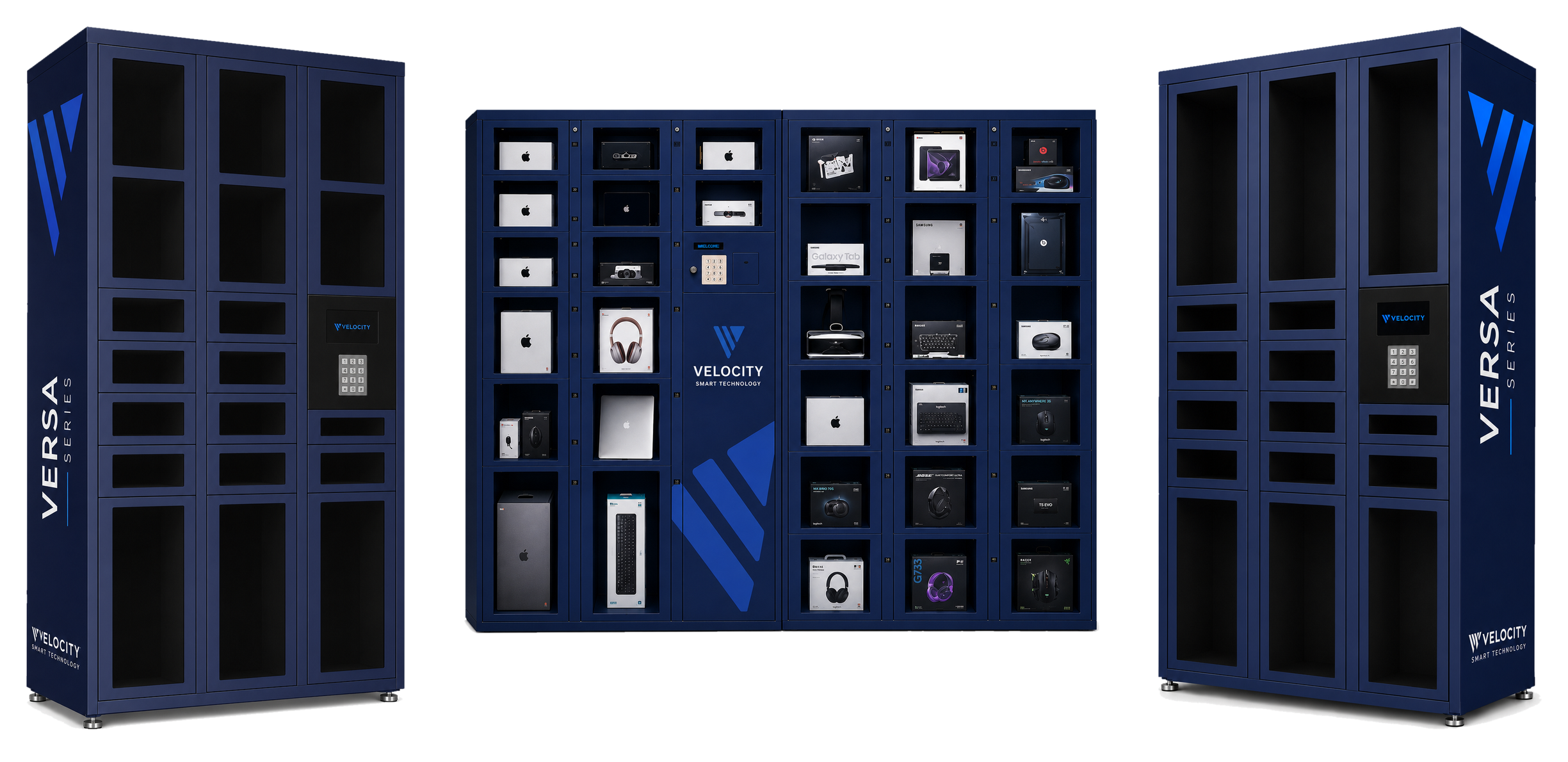
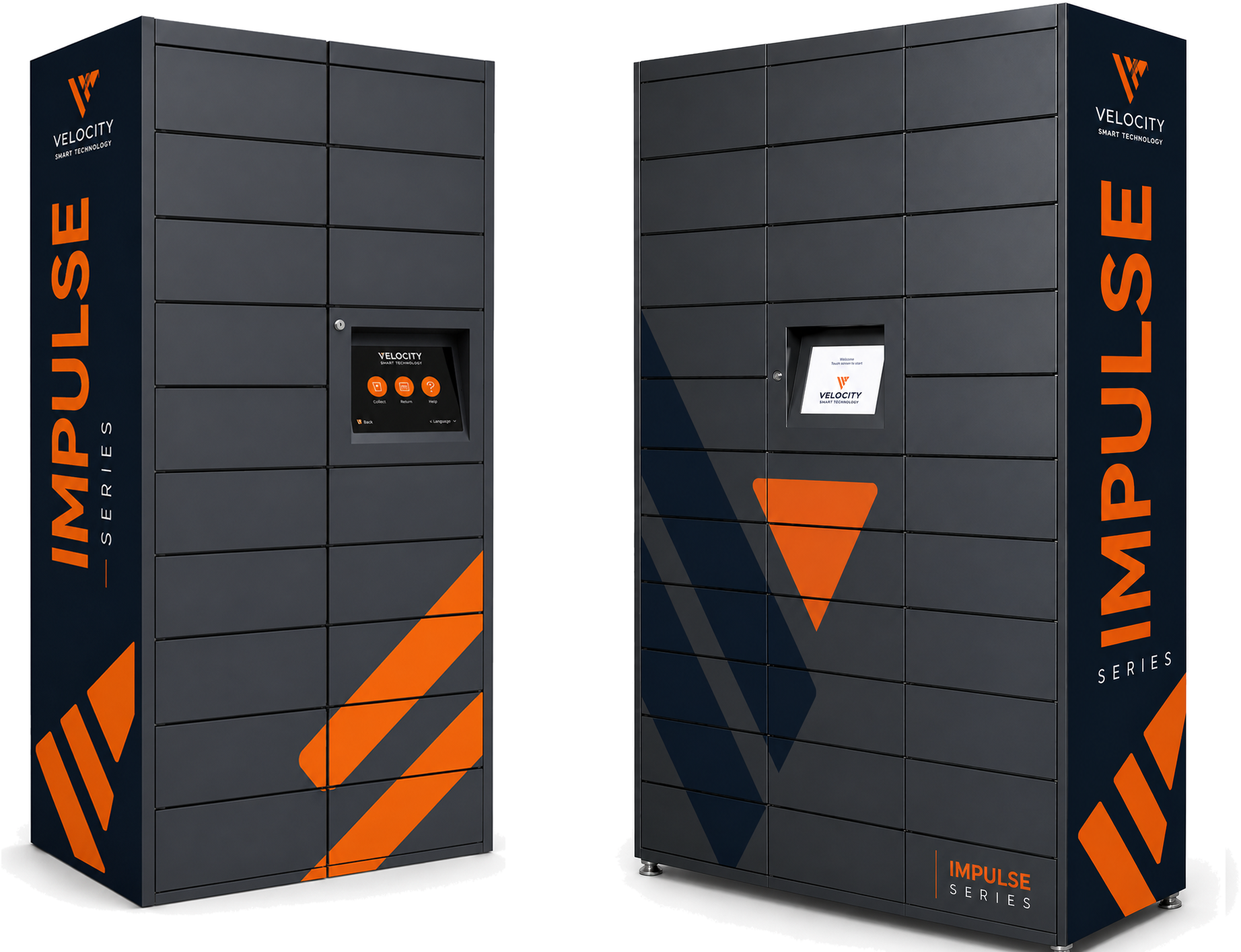
Velocity Smart Technology offers Velocity Smart Collect, the only native ServiceNow-certified smart locker solution designed to eliminate manual data rekeying, enforce role-based access controls, and automate lifecycle asset management within your existing IT ecosystem. By choosing smart lockers that embed security and compliance from the ground up, you reduce operational overhead while empowering your teams with secure, flexible access to the equipment they need. Discover how smart locker integration can elevate your IT operations and compliance posture by visiting Velocity Smart Technology today and taking the first step to future-proofing your enterprise asset management.
Frequently Asked Questions
What are security lockers and how do they function?
Security lockers are controlled access storage compartments that protect valuable assets and sensitive materials in professional settings. They prevent unauthorised access through technology like RFID, creating an audit trail of who accessed which items and when.
How do security lockers enhance IT compliance?
Security lockers help maintain compliance by automatically logging access events, ensuring there is a clear audit trail required for regulations such as GDPR and SOX. Their integration with systems like ServiceNow allows for seamless asset tracking and compliance reporting without manual errors.
What are the main types of security lockers and their differences?
The three primary types of security lockers are mechanical, electronic, and smart lockers. Mechanical lockers use physical keys, electronic lockers use PINs or access cards, and smart lockers offer advanced authentication methods like biometrics while integrating with IT systems for real-time tracking and automated processes.
Why is integration with IT systems like ServiceNow important for security lockers?
Integration with IT systems like ServiceNow is crucial because it automates workflows, ensures real-time asset tracking, and eliminates manual data entry. This reduces operational overhead and enhances compliance by providing a consistent and secure way to manage equipment distribution.