%20(6).webp?width=500&height=118&name=WHITE-%20symbol%20as%20V%20logo-1%20(1)%20(6).webp)

Understanding Why Automate Support Workflows Matters

Support workflows sound like complicated office jargon but they hold the key to keeping businesses running smoothly. Nearly everyone has faced a slow helpdesk and wrestled with never-ending support tickets. Yet, automation changes everything. Organisations using intelligent workflow automation can achieve up to 60% cost savings in their support functions, and that is just the start. Manual processes are quickly becoming a thing of the past and the secret is how much faster and smarter automated systems solve problems before they even become issues.
Table of Contents
- What Are Support Workflows And Automation?
- Why Automating Support Workflows Is Essential?
- The Impact Of Automation On Efficiency And Cost
- Key Concepts In Automating Support Workflows
- Real-World Applications Of Workflow Automation
Quick Summary
| Takeaway | Explanation |
|---|---|
| Automate workflows to increase efficiency | Automating support workflows significantly reduces manual processing time and enhances service delivery speed. |
| Cost reduction through automation | Intelligent automation can lead to cost savings of up to 60%, benefiting administrative functions dramatically. |
| Enhance customer and employee satisfaction | Automated workflows provide rapid, consistent support, greatly improving overall satisfaction for users. |
| Proactive issue resolution | With automation, companies can identify and resolve potential problems before they affect operations. |
| Integration and adaptability is crucial | Successful automation relies on integrating existing systems and adapting to changing organisational needs. |
What are Support Workflows and Automation?
Support workflows represent the structured sequence of processes and tasks that organisations use to manage, resolve, and track support requests across various technological and service environments. These workflows encompass everything from initial problem reporting to final resolution, creating a systematic approach to addressing customer and employee support needs.
Understanding the Core Components
At their fundamental level, support workflows involve multiple interconnected stages designed to streamline service management. Key components typically include:
- Initial request or ticket creation
- Problem classification and prioritisation
- Assignment to appropriate support personnel
- Diagnostic and resolution procedures
- Tracking and reporting of outcomes
Traditionally, these workflows were managed manually, requiring significant human intervention and creating opportunities for delays, errors, and inefficiencies. Modern support workflow automation transforms this approach by leveraging technology to reduce human touchpoints and accelerate service delivery.
The Automation Revolution
Workflow automation introduces intelligent systems that can automatically route, process, and resolve support requests with minimal human interaction. According to Gartner Research, organisations implementing comprehensive workflow automation can reduce operational costs by up to 30% while significantly improving service consistency and speed.
By integrating intelligent automation, companies can achieve unprecedented levels of operational efficiency. Read more about how to do more with less through intelligent automation, transforming traditional support models into responsive, data-driven service ecosystems that adapt rapidly to changing organisational needs.
The transition from manual to automated support workflows represents more than a technological upgrade—it is a fundamental reimagining of how organisations manage, deliver, and continuously improve their support infrastructure.
Why Automating Support Workflows is Essential?
In today’s complex technological landscape, organisations face unprecedented challenges in managing support requests efficiently. Automating support workflows has transformed from a strategic advantage to an operational necessity, addressing critical pain points that traditional manual processes cannot resolve.
Operational Efficiency and Cost Reduction
Support workflow automation directly impacts an organisation’s bottom line by dramatically reducing operational inefficiencies.
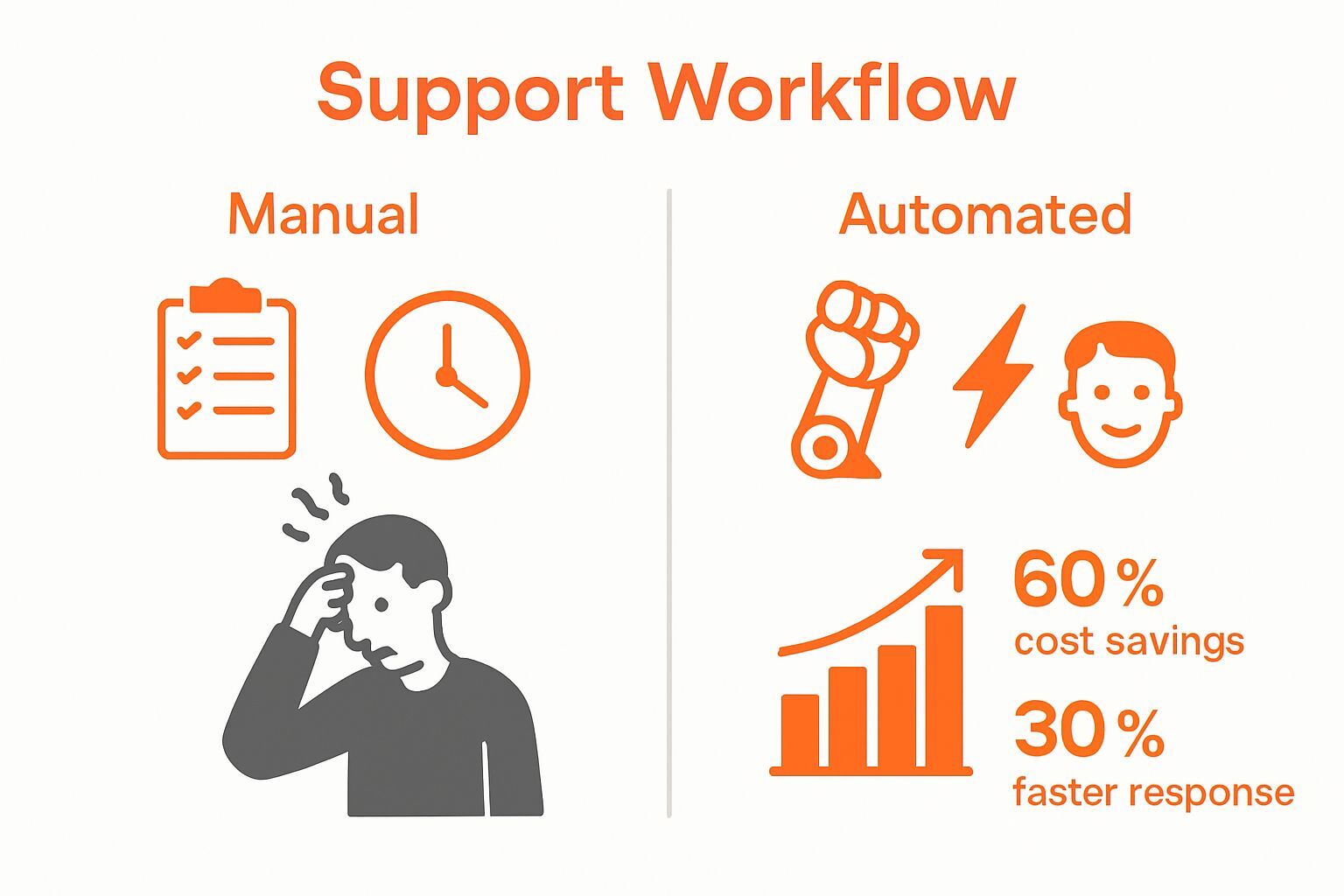 Key financial benefits include:
- Significant reduction in manual processing time
- Minimised human error and associated rectification costs
- Lower staffing requirements for routine support tasks
- Improved resource allocation and productivity
Research from McKinsey suggests that organisations implementing intelligent workflow automation can achieve up to 60% cost savings in administrative support functions.
Enhanced Employee and Customer Experience
Automated support workflows create seamless, rapid response mechanisms that dramatically improve both employee and customer satisfaction. By eliminating manual bottlenecks, organisations can provide instant, consistent support across multiple channels. Learn more about automating a proactive IT desk side support service to understand how technology can transform traditional support models.
Moreover, automation enables predictive problem resolution, allowing support teams to address potential issues before they escalate. This proactive approach not only reduces downtime but also demonstrates organisational responsiveness and technological sophistication.
The critical nature of workflow automation extends beyond mere technological improvement—it represents a fundamental reimagining of organisational support strategies, enabling businesses to remain agile, efficient, and competitive in an increasingly digital world.
For greater clarity, the following table summarises key operational advantages of workflow automation, contrasting them with the drawbacks of manual processes.
| Area | Manual Process Drawback | Automated Workflow Advantage |
|---|---|---|
| Processing Time | Slower service delivery | Accelerated and consistent speed |
| Human Error | High potential for mistakes | Minimised errors through standardisation |
| Staffing Requirement | High due to routine tasks | Reduced; staff focus on value-added work |
| Cost Efficiency | Often more costly due to inefficiencies | Potential cost savings up to 60% |
| Customer Satisfaction | Variable and dependent on staff | Improved, with rapid and reliable support |
The Impact of Automation on Efficiency and Cost
Automation represents a transformative approach to organisational productivity, offering unprecedented opportunities to optimise operational efficiency and dramatically reduce costs. By systematically replacing manual processes with intelligent technological solutions, businesses can unlock substantial economic and strategic advantages.

Quantifying Operational Cost Reductions
The financial implications of workflow automation extend far beyond simple process improvements. Key economic benefits include:
- Reduction of repetitive manual labour costs
- Minimisation of human error related expenses
- Accelerated service delivery timelines
- Enhanced resource allocation and workforce productivity
Deloitte research indicates that organisations implementing comprehensive automation strategies can realise cost savings of up to 40% across support and administrative functions.
Strategic Performance Metrics
Beyond direct financial savings, automation generates measurable performance improvements across multiple organisational dimensions. Support workflow automation enables businesses to track, analyse, and optimise their operational processes with unprecedented precision.
Discover the true costs of IT inefficiency to understand the comprehensive impact of technological interventions.
By providing real-time insights, automated systems help leadership make data-driven decisions, identify potential bottlenecks, and continuously refine operational strategies.
To help clarify the principal architectural elements of automated support workflows, the table below outlines each component along with its primary purpose and descriptive function.
| Component | Primary Purpose | Function Description |
|---|---|---|
| Trigger Mechanisms | Initiates automated processes | Detects events or actions that start the workflow |
| Conditional Logic | Enables dynamic task routing | Determines next steps based on defined criteria |
| Integration with IT Infrastructure | Ensures system compatibility | Enables data flow between existing tools/systems |
| Real-Time Monitoring & Reporting | Provides oversight and transparency | Tracks workflow status and generates reports |
| Intelligent Decision Algorithms | Drives adaptive automation | Uses rules/AI to make support decisions autonomously |
Key Concepts in Automating Support Workflows
Automating support workflows requires a sophisticated understanding of technological integration, process mapping, and intelligent system design. These workflows represent a complex ecosystem of interconnected technologies and strategic methodologies designed to transform traditional support mechanisms.
Fundamental Architectural Components
Critical architectural elements of workflow automation include:
- Trigger mechanisms that initiate automated processes
- Conditional logic for dynamic task routing
- Integration capabilities with existing IT infrastructure
- Real-time monitoring and reporting systems
- Intelligent decision-making algorithms
Research from academic workflow analysis suggests that successful automation depends on comprehensive process mapping and understanding intricate organisational interactions.
Strategic Process Transformation
Effective workflow automation transcends simple task replacement. It represents a fundamental reimagining of how organisations manage, execute, and optimise support processes. By creating intelligent, adaptive systems, businesses can develop support infrastructures that learn, improve, and respond dynamically to changing operational requirements.
Learn more about the cost implications of broken IT workflows, which highlights the critical importance of implementing robust, well-designed automation strategies. Organisations that successfully navigate this transformation can create competitive advantages through enhanced operational responsiveness, reduced human error, and unprecedented process visibility.
Real-World Applications of Workflow Automation
Workflow automation has transcended theoretical concepts, emerging as a critical technological strategy across diverse industries. By transforming traditional support processes, organisations are achieving unprecedented levels of operational efficiency and strategic responsiveness.
Cross-Industry Workflow Transformation
Practical applications of workflow automation span multiple sectors:
- Healthcare patient management and record processing
- Financial services transaction monitoring
- Manufacturing inventory and supply chain coordination
- Human resources recruitment and onboarding
- Customer support ticket routing and resolution
Research in healthcare workflow management demonstrates how intelligent automation can dramatically reduce administrative complexity and improve service delivery across complex organisational environments.
Enterprise-Level Operational Intelligence
Modern workflow automation goes beyond simple task replacement, creating intelligent systems that learn, adapt, and predict organisational needs. These sophisticated platforms enable businesses to transform reactive support models into proactive, data-driven ecosystems. Explore the five things we hate about IT at work to understand the critical pain points that intelligent automation can effectively address.
By leveraging advanced technologies such as machine learning and artificial intelligence, workflow automation provides real-time insights, predictive analytics, and continuous process optimization. This approach enables organisations to not just manage support challenges, but to anticipate and resolve them before they significantly impact operational performance.
Transform Support Efficiency with ServiceNow-Native Automation
You have seen how manual support workflows can slow down your team, increase support costs, and leave employees without the critical equipment they need. The article clearly explains the power of automation to remove bottlenecks and raise satisfaction across your organisation. Yet even with robust workflow design, one key roadblock remains: bridging the gap between digital processes and real-world asset management.

Now is the moment to take the next step. Velocity Smart Technology’s Velocity Smart Collect is the only ServiceNow-certified solution that fully automates the issuing, tracking, and replacement of equipment, consumables, and devices—all natively within your ServiceNow environment. No GDPR worries. No manual data entry. Just seamless automation that unlocks the true potential of your ServiceNow investment. Explore how Smart Locker and Vending can help you deliver instant, cost-effective workplace support and give your workforce the tools they need today. Discover the future of IT support with Velocity Smart Technology. Act now and experience the benefit of workflow automation where it matters most: your people.
Frequently Asked Questions
Why should I automate support workflows?
Automating support workflows enhances operational efficiency and reduces costs by eliminating manual processing time and minimising human error. Start by evaluating the current workflow processes to identify areas where automation can streamline tasks, potentially reducing operational costs by up to 30%.
How does workflow automation improve employee and customer satisfaction?
Workflow automation allows for faster and more consistent responses to support requests, which can significantly enhance satisfaction levels for both employees and customers. Begin by implementing automated ticket routing systems that ensure quicker resolution times and lower frustration.
What are the main components of an automated support workflow?
Key components generally include trigger mechanisms, conditional logic for task routing, and real-time reporting systems. Focus on mapping your existing processes to identify how each component can be integrated into your workflow.
How can I measure the impact of automating my support workflows?
You can measure the impact by tracking performance metrics such as response times, resolution times, and cost savings. Establish a baseline before automation, then analyse these metrics regularly to assess improvements, aiming for measurable gains within 30 to 60 days.
What steps should I take to start automating my support workflows?
To start automating support workflows, first assess your current processes and identify repetitive tasks that can be automated. Then, research and select automation solutions that align with your operational needs to streamline support effectively.
What challenges might I encounter when automating support workflows?
Challenges can include integration issues with existing systems, resistance to change from staff, and ensuring data accuracy. Prepare for these challenges by involving team members in the planning process and providing adequate training on new technologies.