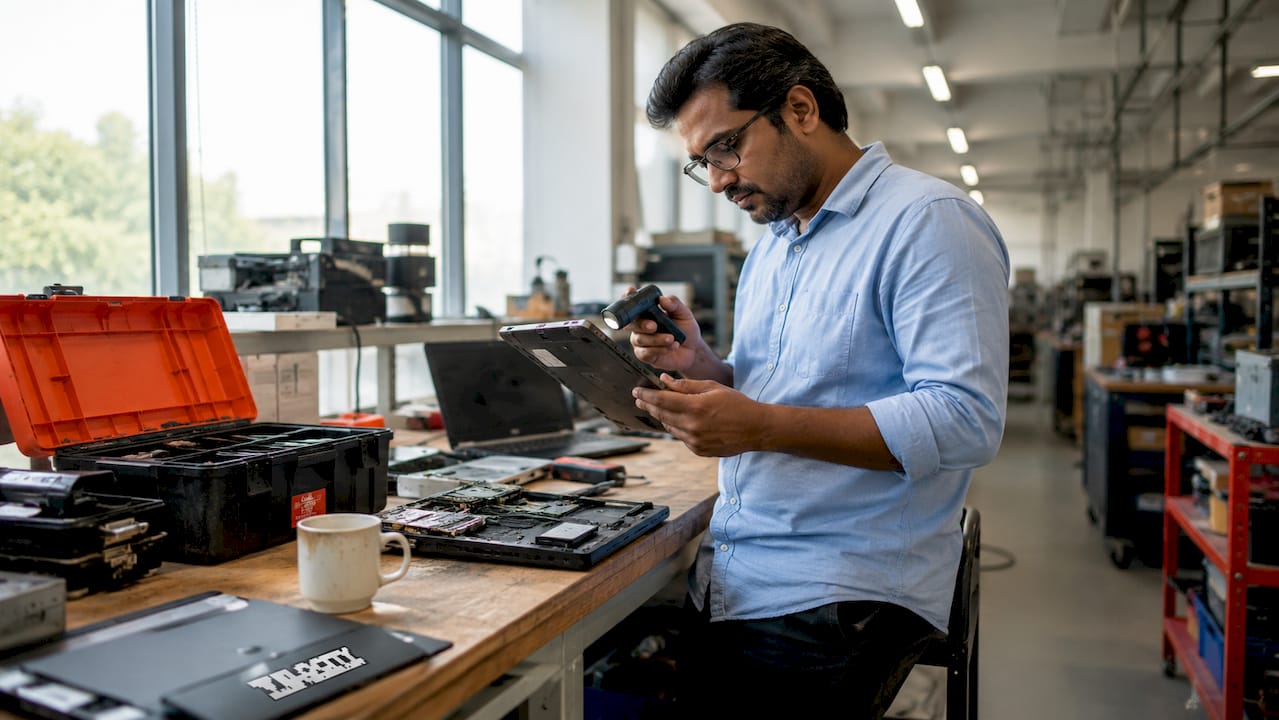
Break fix laptop swap automation: the enterprise guide
TL;DR:
- Break fix laptop swap automation detects failures early, generates tickets automatically, and enables self-service device collection.
- It significantly reduces device downtime from hours to minutes and cuts manual refurbishing efforts with automated pipelines.
Break fix laptop swap automation is the practice of replacing a failed or failing employee device through a fully automated workflow, from fault detection through to physical handover, without requiring an engineer to intervene at each step. The industry term for the broader discipline is automated hardware lifecycle management, and the two concepts work together. Enterprises that have deployed this approach report downtime cut from hours to minutes, with IT staff reclaiming significant portions of their working week. Desktop support tickets already cost roughly three times more than digital ones, and that gap widens as AI collapses the cost of software resolution toward zero. The case for automating the physical layer of IT support has never been stronger.
What is break fix laptop swap automation and why does it matter?
Break fix laptop swap automation replaces the traditional reactive model, where an engineer diagnoses a fault, orders a replacement, and manually hands it over, with a data-driven sequence that runs largely without human touch. The standard industry framing is predictive device replacement, a subset of hardware lifecycle management. Both terms appear in enterprise ITSM literature, and IT decision-makers benefit from understanding both.

The financial argument is direct. Desktop support tickets cost significantly more than digital equivalents, and reactive break fix compounds that cost by adding emergency procurement, lost productivity, and engineer travel time. Automating the swap workflow removes most of those variables. The operational argument is equally clear: a user whose laptop fails at 9AM in a reactive model may not have a working device until mid-afternoon. In an automated model, the same user collects a pre-staged replacement from a smart locker within minutes of receiving an automated notification.
Integrated IT asset management sits at the centre of this model. Without accurate, real-time asset data, automated workflows make costly errors. The CMDB record must reflect the device’s current state, location, and ownership before any automated action can proceed reliably.
What prerequisites and tools are required to automate laptop swaps?
Automation at this level requires several systems to work in concert before a single swap can run without human intervention. The prerequisites fall into four categories.
Device telemetry and compliance data. The automation chain starts with health signals from the endpoint. Battery cycle counts, SSD wear indicators, and OS compliance status feed into predictive compliance rules that trigger replacement workflows before failure occurs. Threshold settings vary by user role: executives and field workers typically carry stricter thresholds than office-based staff with easy access to IT support.
ITSM platform integration. ServiceNow is the dominant platform for enterprise-grade automated ticketing in this space. Automated ITSM workflows connected to telemetry data generate incident or standard-change tickets automatically, route them to the correct fulfilment queue, and update the CMDB without manual input. Velocity-smart’s Smart Collect platform runs natively inside the customer’s ServiceNow tenant, which means asset records, audit trails, and RBAC policies are inherited rather than replicated.
Hardware lifecycle policies. Enterprises need documented thresholds for replacement eligibility. These policies define when a device qualifies for swap, what the refurbishment path looks like for the returned unit, and how exceptions are handled. Without written policy, automation produces inconsistent outcomes.
Physical swap infrastructure and refurbishing tooling. Smart lockers or vending units provide the physical handover point. On the refurbishing side, tools such as Atheris handle automated label removal, reducing that single task from five minutes of manual effort to approximately 20–25 seconds per device. Automated refurbishing stations also handle data wipe, inspection, and repackaging, creating a consistent pipeline rather than a variable manual process.
- Endpoint management platform with telemetry export (battery health, SSD status, OS compliance)
- ServiceNow or equivalent ITSM platform configured for event-driven ticket generation
- Written hardware lifecycle policy with role-based replacement thresholds
- Smart locker or vending hardware for physical device handover
- Automated refurbishing station for returned device processing
- AI diagnostic tooling trained on device-specific schematics rather than generic models
Pro Tip: AI repair assistants perform significantly better when trained on domain-specific datasets such as technical schematics and service manuals. Generic language models produce plausible but unreliable repair guidance. Invest in domain-specific diagnostic tooling from the outset.
How to automate the break fix laptop swap workflow step by step
The automated swap sequence follows a defined operational order. Each step hands off to the next without requiring human approval, except at pre-defined exception points.
-
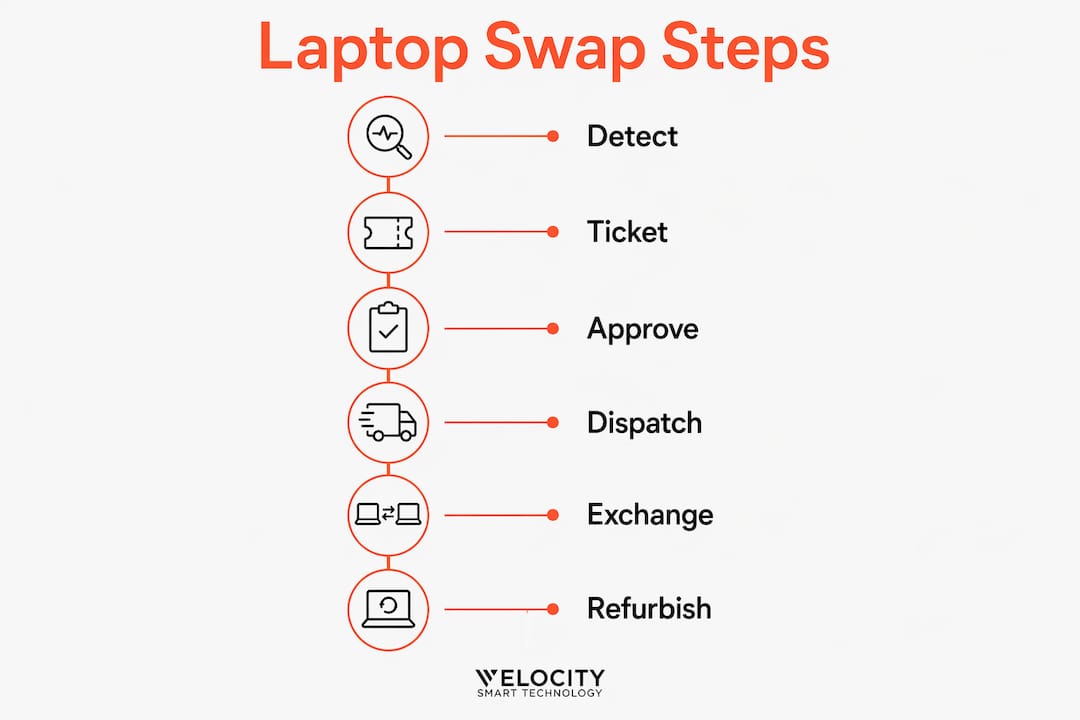
Telemetry alert triggers. The endpoint management platform detects a threshold breach, for example, battery health below the policy minimum or SSD failure probability above the acceptable level. The system logs the event and passes it to the ITSM integration layer.
-
Automated ticket generation. ServiceNow creates a standard-change ticket automatically, populated with the device’s CMDB record, the triggering health metric, and the affected user’s details. The ticket routes to the hardware fulfilment queue without manual triage.
-
User notification. The affected employee receives an automated message explaining that their device has been flagged for proactive replacement, the timeline for collection, and the locker or vending unit location. This communication removes uncertainty and reduces support calls about the process.
-
Replacement device preparation. A pre-imaged replacement unit is staged in the designated smart locker or vending unit. The locker door assignment is written back to the ServiceNow ticket, and the user receives a collection code or badge-access instruction.
-
Physical swap. The employee collects the replacement device from the locker at a time that suits them, 24 hours a day if the locker is in an accessible location. The locker records the transaction and updates the CMDB record in real time.
-
Returned device processing. The failed device is deposited in the return compartment. It enters the automated refurbishing pipeline: end-to-end refurbishment steps including intake, cleaning, label removal, inspection, and data wipe run in sequence, each generating structured data that feeds back into the asset record.
-
Post-swap audit. The CMDB is updated automatically: ownership transfers, device status changes, and the refurbished unit re-enters the available pool or is flagged for disposal based on its condition score.
| Stage | Manual model | Automated model |
|---|---|---|
| Fault detection | User reports failure | Telemetry alert, pre-failure |
| Ticket creation | Engineer logs manually | Auto-generated from health data |
| Device preparation | Engineer stages manually | Pre-staged, locker-assigned |
| Physical handover | Engineer attends | User self-collects from locker |
| CMDB update | Manual entry post-swap | Real-time, automated |
| Returned device processing | Manual refurb queue | Automated pipeline |
Pro Tip: Map your IT inventory management workflow before configuring automation rules. Gaps in asset data at step one produce errors at every subsequent step. A one-week data quality audit before go-live prevents months of exception handling.
How does automation reduce downtime and operational costs?
The downtime reduction is the most immediate and measurable benefit. Transitioning from reactive break fix to predictive replacement cuts downtime from a typical 4–8 hours post-failure to under 30 minutes. That figure reflects the time saved by detecting the fault before it causes a complete failure, staging the replacement in advance, and enabling self-service collection rather than engineer attendance.
The cost reduction compounds across several variables. Automated refurbishing removes the largest single source of manual labour in the returned-device process. Robotic label removal preserves device cosmetic integrity and eliminates the variability introduced by manual processes, producing consistent quality and faster cycle times. At scale, that consistency directly improves the resale or redeployment value of returned units, which improves hardware ROI across the fleet.
The compliance and sustainability dimensions add further financial weight. IT asset management now intersects cybersecurity, financial reporting, and sustainability mandates including NIS2 and CSRD Scope 3 emissions reporting. Automated asset tracking provides the audit trail these frameworks require. Enterprises that rely on manual records face both compliance risk and the cost of retrospective data reconciliation.
The user experience benefit is harder to quantify but operationally significant. Proactive communication, fast self-service collection, and pre-imaged devices that are ready to use on collection eliminate the frustration of reactive break fix. Velocity-smart customers in pharma and energy sectors report substantial reductions in employee downtime and support ticket volume after deploying automated swap workflows.
What are common challenges when deploying laptop swap automation?
Deployment challenges cluster around data quality, integration configuration, and user communication. Each is solvable, but each requires deliberate attention during the implementation phase.
- Telemetry data gaps. Automation is only as reliable as the health data feeding it. Devices without enrolled endpoint management agents produce no signals, which means they fall outside the automated workflow entirely. Audit device enrolment rates before go-live and treat unenrolled devices as a separate exception process.
- Integration misconfigurations. ServiceNow ticket routing errors, incorrect CMDB field mappings, and locker assignment failures are the most common technical issues in early deployments. Each misconfiguration creates a ticket that requires manual resolution, which defeats the purpose of automation. Test the full workflow end-to-end with a pilot cohort before broad rollout.
- User communication failures. Employees who receive no explanation for why their device is being replaced, or who receive confusing instructions for locker collection, generate support calls that add back the labour cost automation was meant to remove. Invest in clear, plain-language notification templates.
- Refurbishing equipment calibration. Calibrated pressure and heat settings in automated label removal prevent cosmetic damage to returned devices. Uncalibrated equipment damages surfaces and reduces resale value. Schedule regular calibration checks as part of the operational runbook.
- Exception handling. Not every swap fits the automated model. Devices with physical damage, missing components, or unusual configurations need a manual fallback path. Define that path before go-live so exceptions do not stall the main workflow.
- Workflow refinement. Accurate, real-time asset data is foundational for effective AI-driven IT servicing. Review analytics from the first 90 days of operation and adjust thresholds, notification timing, and routing rules based on observed outcomes.
Automation does not eliminate the need for human judgement. It relocates that judgement to the design phase, where a single well-considered decision scales across thousands of transactions, rather than the execution phase, where the same decision must be made individually each time.
Pro Tip: Use the 2026 decision guide for automation tools to evaluate whether your current endpoint management and ITSM platforms support the telemetry export and API connectivity that automated swap workflows require. Platform gaps discovered after deployment are significantly more expensive to resolve.
Key takeaways
Break fix laptop swap automation cuts device replacement downtime from hours to minutes by shifting from reactive engineer attendance to predictive, self-service workflows integrated with ServiceNow and automated refurbishing pipelines.
| Point | Details |
|---|---|
| Predictive detection is the starting point | Telemetry thresholds for battery health and SSD status trigger replacement before failure occurs. |
| ITSM integration removes manual triage | ServiceNow auto-generates and routes tickets from health data, eliminating manual logging. |
| Physical infrastructure completes the chain | Smart lockers enable 24/7 self-service collection, removing engineer attendance from the swap. |
| Refurbishing automation preserves asset value | Automated pipelines cut label removal from five minutes to under 30 seconds and remove quality variability. |
| Data quality determines automation reliability | Unreliable CMDB and telemetry data produce errors at every stage; audit asset data before deployment. |
The physical layer is where automation still has to earn its place
I have watched enterprise IT teams invest heavily in ITSM workflow automation and then discover that the physical handover step remains entirely manual. The ticket closes automatically. The engineer still drives to the site. That gap is not a minor inefficiency. It is the point where the cost model breaks down.
What strikes me about the most mature deployments I have seen is that they treat the physical swap infrastructure as a first-class part of the automation architecture, not an afterthought. The locker is not a convenience. It is the execution layer that makes every upstream automation decision real. Without it, predictive detection and automated ticketing produce a well-organised queue of manual tasks.
The sustainability and compliance dimensions of IT asset management are also changing the conversation at board level. CSRD Scope 3 reporting requires enterprises to account for hardware disposal and lifecycle decisions. Automated asset tracking provides the data that manual processes cannot. That shifts IT asset management from an operational function to a governance function, and it changes who in the organisation cares about getting it right.
The enterprises that will lead on this are those that connect the telemetry layer, the ITSM layer, and the physical handover layer into a single workflow now, before agentic AI matures enough to drive the entire sequence end-to-end. The infrastructure investment made today becomes the foundation for fully autonomous IT support within this decade.
— Anthony
How Velocity-smart enables automated laptop swap workflows
Velocity-smart’s Smart Collect platform is the only ServiceNow-native application that connects automated ITSM workflows directly to physical device handover, without middleware or a parallel database. Smart Lockers and Smart Vending units handle the physical swap layer, running 24/7 and updating the CMDB in real time at the point of collection.
For enterprises looking to move beyond reactive break fix, Velocity-smart’s ServiceNow locker and vending platform provides the physical execution layer that completes the automation chain. Customers in pharma, energy, and defence have used it to cut employee downtime by 74%, reduce on-site tickets by 60%, and recover significant IT staff time. The self-service hardware automation guide sets out how enterprises are deploying these workflows at scale.
FAQ
What is break fix laptop swap automation?
Break fix laptop swap automation is the process of detecting a failing device through telemetry, generating a replacement ticket automatically, and completing the physical handover via a smart locker or vending unit, without requiring an engineer at each step.
How much downtime does automated laptop swapping save?
Predictive replacement cuts downtime from a typical 4–8 hours in a reactive model to under 30 minutes, by detecting faults before failure and staging the replacement in advance.
What ITSM platform works best for automated laptop swaps?
ServiceNow is the dominant enterprise platform for this use case. It supports event-driven ticket generation from telemetry data, automated routing, and CMDB updates, all of which are required for a fully automated swap workflow.
How does automation affect returned device quality?
Automated refurbishing pipelines remove manual variability from intake, cleaning, label removal, inspection, and data wipe. Consistent processing improves device condition scores and increases redeployment or resale value.
What is the biggest risk in deploying laptop swap automation?
Poor asset data quality is the primary risk. Unreliable CMDB records and incomplete telemetry enrolment cause automation errors at every stage. A data quality audit before deployment is the single most effective risk mitigation step.
Recommended
See what Smart Collect® could save you
Model your savings in two minutes, or book a 60-minute workshop to pressure-test the numbers against your estate.