
Secure Asset Disposal Guide for Compliant IT Operations
Managing asset disposal can feel like an uphill climb for IT Operations Directors in large enterprises spread across multiple countries. With assets hidden in offices from London to Singapore and complex compliance rules varying by sector, building an efficient disposal programme becomes a strategic challenge. By focusing on comprehensive asset inventory and clear governance protocols, you lay the groundwork for secure, cost-effective, and employee-friendly disposal while meeting global regulatory demands.
Table of Contents
- Step 1: Assess Existing Asset Inventory And Compliance Needs
- Step 2: Establish Secure Disposal Protocols And Workflows
- Step 3: Assign Disposal Roles And Ensure Staff Training
- Step 4: Utilise Automated Solutions For Asset Tracking And Disposal
- Step 5: Verify Compliance And Document Disposal Outcomes
Quick Summary
| Key Point | Explanation |
|---|---|
| 1. Assess IT asset inventory comprehensively | Document all IT assets, including specifications and locations, to identify compliance gaps and ensure sensitive data is protected. |
| 2. Establish clear disposal workflows | Create defined procedures for different asset types to streamline disposal and ensure compliance with regulatory requirements. |
| 3. Automate asset tracking and disposal | Implement automated systems to manage asset inventories and disposal processes, reducing errors and enhancing operational efficiency. |
| 4. Verify disposal outcomes diligently | Ensure every disposal action is documented and verified, including certificates of destruction, to maintain compliance and support audits. |
| 5. Train staff on disposal protocols | Provide targeted training for employees on their disposal responsibilities and compliance requirements to enhance competence and accountability. |
Step 1: Assess existing asset inventory and compliance needs
Before you can dispose of IT assets securely, you need to understand exactly what you have and what regulatory requirements apply to your organisation. This step forms the foundation of your entire disposal programme, because you cannot protect what you don’t know exists. Without a clear picture of your current inventory and compliance landscape, you risk leaving sensitive data exposed or inadvertently breaking regulations that could result in significant fines.
Start by taking stock of all IT assets currently in your environment. This means everything from servers and laptops to mobile devices, storage systems, and even peripheral equipment like docking stations and external hard drives. The challenge most Fortune 500 organisations face is that assets are scattered across departments, offices, and sometimes cloud environments, making visibility incredibly difficult. According to the CIS Control framework, actively managing all enterprise assets including hardware and IoT connected devices helps you understand your inventory comprehensively and identify unmanaged assets that need removal or remediation. You’ll want to document each asset’s specifications, current location, owner or department, purchase date, and current condition. This creates the baseline against which you’ll measure compliance and plan your disposal activities.
Next, identify all the compliance requirements that apply to your specific organisation. Different industries and jurisdictions have vastly different rules. If you operate in financial services, you’re likely subject to regulations like PCI DSS, which has strict requirements for how you handle payment card data on disposed equipment. Healthcare organisations must comply with HIPAA standards for patient data protection. If you have UK operations, GDPR applies regardless of where your headquarters sits. European organisations face additional rules around e-waste and material recovery. Government contractors face their own set of requirements, often including asset certification and documentation trails that stretch back years. The asset inventory guidance developed by federal agencies provides a comprehensive framework for defining scope and objectives, identifying assets, and addressing compliance needs systematically across different asset types.
Once you’ve mapped your inventory against your compliance obligations, you’ll identify gaps between your current state and your required state. Perhaps you’ve discovered laptops in storage that weren’t tracked, mobile devices assigned to employees who no longer work for the company, or servers still running legacy applications that nobody quite remembers. These gaps represent your action items. Document which assets fall under which compliance regimes, because this will directly influence how you dispose of them. An asset containing payment card data requires different handling than a general business laptop. Assets subject to data retention requirements might need to remain in your inventory longer before disposal becomes permissible.
Here is a comparison of key regulatory frameworks that may affect IT asset disposal in different sectors:
| Regulation/Standard | Sector Focus | Main Disposal Requirement |
|---|---|---|
| PCI DSS | Financial services | Secure payment card data destruction |
| HIPAA | Healthcare | Protect patient data during disposal |
| GDPR | All sectors (EU/UK) | Ensure personal data is irrecoverable |
| E-waste Directives | Europe (various) | Environmentally safe material handling |
| Government Contracts | Public sector suppliers | Documented chain of custody for all assets |
Pro tip: Use your existing ServiceNow instance or asset management system to automate this inventory assessment rather than conducting manual spreadsheet reviews. Automated discovery tools can identify assets connected to your network whilst querying your IT service management data reveals the official records, letting you spot discrepancies quickly and create an accurate baseline for your disposal programme.
Step 2: Establish secure disposal protocols and workflows
With your inventory assessed and compliance requirements mapped, you now need to build the operational framework that will guide every disposal decision. Establishing clear protocols and workflows transforms asset disposal from ad-hoc activities into repeatable, auditable processes that reduce risk and demonstrate compliance to regulators. Without documented procedures, you’ll find different departments handling disposal differently, creating inconsistencies that expose you to data breaches and regulatory violations.
Begin by defining your disposal decision tree. Not every asset requires the same approach. Some equipment contains sensitive data and must undergo certified destruction. Other items can be refurbished and redeployed internally or sold to certified recyclers. Still others might require data retention for contractual or regulatory reasons before any disposal can occur. According to the Institute of Asset Management guidance on asset decommissioning and disposal protocols, governance and decision-making processes should be aligned with lifecycle asset management, ensuring consideration of all options throughout the asset lifecycle. Create a flowchart that starts with basic questions: Does this asset contain personal data? Is it subject to data retention requirements? What is its current operational value? Based on the answers, your protocol directs it toward the appropriate disposal path. For instance, a retired server containing customer payment records follows a completely different workflow than a surplus office laptop that was never connected to sensitive systems.

Next, document the actual workflow steps for each disposal category. Your protocols must specify who approves disposal requests, how assets are prepared for their final destination, which documentation must accompany each asset, and how you verify completion. If an asset is being destroyed, your protocol should require certificates of destruction from your disposal partner. If it’s being refurbished, you need evidence of data sanitisation meeting recognised standards. If it’s being retained, your workflow must track when it can be released for disposal. The secure configuration protocols outlined by security frameworks emphasise that disposal workflows must be documented, reviewed, and updated regularly to mitigate risks from default or insecure configurations that could compromise sensitive information during the disposal process. Build these workflows into your service management system so they’re not just documents sitting on a shelf but active processes that guide your team’s daily work.
Incorporate approval hierarchies into your workflows. Different asset types and values might require different approval levels. A laptop worth £1,200 might need department manager approval before disposal, whilst a £30,000 server might require finance approval alongside IT sign-off. Establish clear ownership so nobody wastes time wondering who can authorise a disposal decision. Include mandatory fields in your approval process: business justification for disposal, confirmation of data sensitivity status, evidence that data has been securely removed or will be retained as needed, and the approved disposal method. Make your workflows visible to your team through your ServiceNow instance or other systems they use daily. When disposal becomes a friction-free part of normal IT operations rather than a special request, you’ll see faster asset turnover and better compliance adherence.
Consider building in quality assurance checkpoints. Before assets leave your facility, someone should verify they’ve completed all required steps. Has the data been certified as destroyed or sanitised? Have all required approvals been obtained? Is the disposal partner certified and legitimate? These checkpoints prevent assets from slipping through the cracks and ending up in unauthorised channels.
Pro tip: Integrate your disposal workflows directly into your asset lifecycle management system so that when an asset reaches end of life, the approval request generates automatically based on its classification and compliance requirements. This reduces manual work and ensures nothing gets overlooked.
Step 3: Assign disposal roles and ensure staff training
Your protocols and workflows only work when people understand their responsibilities and know how to execute them properly. Assigning clear roles and investing in staff training transforms disposal from a compliance checkbox into a competent, consistent operational capability. Without proper role definition and training, you’ll encounter delays, mistakes, and security gaps that undermine everything you’ve built in the previous steps.
Start by mapping out every role involved in your disposal process. The scope is broader than you might initially think. You need someone to authorise disposal requests based on your governance framework. Someone else must prepare assets for their final destination, which includes data sanitisation verification and documentation gathering. You need procurement or IT leadership to evaluate whether refurbishment or resale makes sense financially. Finance might need involvement for asset write-offs and revenue tracking. Your compliance or legal team should review protocols periodically. Operations staff execute the physical handoff to disposal partners. Each person needs to understand not just their specific task, but how it fits into the larger compliance and security picture. According to asset decommissioning and disposal guidance, clearly defined staff roles and responsibilities ensure consistent application of security and compliance protocols throughout the disposal lifecycle, with staff trained on governance obligations and practical disposal techniques.
Document these roles explicitly. Create a responsibility matrix that shows who owns what decisions at each stage. Make it visible to your team so they know who to contact when questions arise. For instance, your matrix might specify that IT operations owns data sanitisation verification, procurement owns vendor selection, and the asset owner’s department approves the initial disposal request. When people know their lane and understand why their contribution matters, accountability increases and finger-pointing decreases. Build these role definitions into your service management system so they’re not just buried in a PDF nobody reads.
The following table summaries the roles and their responsibilities in an effective IT asset disposal programme:
| Role | Primary Responsibility | Key Compliance Impact |
|---|---|---|
| IT Operations | Data sanitisation verification | Prevents unauthorised data exposure |
| Procurement | Vendor selection | Ensures certified partners are chosen |
| Department Manager | Disposal request approval | Confirms business justification |
| Finance | Asset write-offs, value tracking | Ensures proper financial records |
| Compliance/Legal | Policy review | Maintains alignment with regulations |
Training is where most organisations falter. They document procedures and assign roles, then assume people will figure out the rest. That approach fails consistently. Your staff need training that covers three distinct areas. First, compliance understanding: what regulations apply to your organisation, what happens if you get it wrong, and how their work prevents violations. Most people take compliance seriously when they understand the real consequences of failure. Second, practical technique: how to actually prepare assets for disposal, what data sanitisation methods meet your standards, how to document evidence of completion, and what to look for in disposal partners. Third, workflow navigation: where do I submit disposal requests in our system, who approves them, what happens next, and how long does it take. According to ICT equipment disposal policies, staff require proper training on secure disposal protocols, compliance with relevant laws, and procedures that minimise data breach risks throughout the equipment disposal process.
Schedule training for new hires and refresh training annually for existing staff. Compliance landscapes change, new disposal partners might come online, and your organisation’s risk profile might shift. Build training into your onboarding process so nobody starts their role without understanding disposal responsibilities. Use real scenarios from your organisation. Instead of generic examples, walk through an actual case of how you disposed of a server containing customer data or how you handled obsolete mobile devices. Real examples make the stakes feel concrete rather than theoretical.
Consider creating tiered training based on role. Operational staff who physically handle assets need deeper technical knowledge about data sanitisation verification and documentation requirements. Managers who approve disposal requests primarily need to understand compliance implications and decision criteria. Finance staff approving write-offs need different information than IT staff verifying sanitisation. One generic training session wastes everyone’s time. Targeted training respects people’s expertise and focuses on what they actually need to know.
Pro tip: Include disposal responsibilities in your IT operations job descriptions and performance reviews so that managing assets through their full lifecycle becomes part of how you evaluate people’s contributions, not an afterthought responsibility nobody feels accountable for.
Step 4: Utilise automated solutions for asset tracking and disposal
Manual spreadsheets and paper-based processes cannot scale to meet the demands of enterprise asset disposal. Automation eliminates the friction that slows down your disposal programme, reduces human error, and creates the audit trails that regulators demand. By implementing the right automated solutions, you transform disposal from a labour-intensive operation into a streamlined, compliant process that runs in the background of your IT operations.
Begin by selecting an asset management system that integrates directly with your existing infrastructure. The best solutions connect to your network to discover assets automatically, communicate with your help desk and service management platform, and maintain a single source of truth for asset information. Rather than manually entering asset details or relying on departments to report what they own, automated discovery tools scan your environment continuously and update your inventory in real time. This live visibility means you know immediately when assets are deployed, when they’re moved between locations, and when they’re no longer in active use. According to the ISO IT asset management standards, automated asset management systems help organisations maintain accurate inventories, track asset locations and lifecycles, and ensure compliance with disposal policies effectively at scale. When your asset database reflects reality, your disposal decisions rest on solid data rather than guesswork.
Connect your automated asset tracking system to your disposal workflows so that end-of-life processes trigger automatically. When an asset reaches retirement age based on your organisation’s depreciation schedule, the system can generate a disposal request that routes to the appropriate approvers. Your disposal workflows then attach the asset’s complete history, sensitivity classification, and required disposal method. This integration means nothing gets lost or forgotten. Assets don’t languish in storage waiting for someone to remember they exist. Instead, they move through your disposal process efficiently because the system drives the workflow rather than relying on someone remembering to submit a request. Your team spends time making decisions and verifying outcomes rather than chasing down information.
Leveraging automated solutions provides several practical advantages that compound over time. First, you gain real-time visibility into your disposal pipeline. You can see exactly how many assets are awaiting approval, how many are currently with your disposal partner, and how many have been completed. This visibility allows you to spot bottlenecks quickly and adjust resources before delays accumulate. Second, you capture complete audit trails automatically. Every action gets logged with timestamps and user information, which satisfies regulatory requirements without requiring anyone to manually document their work. Third, you reduce costs by accelerating asset turnover. Assets spend less time in limbo, which means faster realisation of recovery value from resale or refurbishment programmes. Your disposal partners complete work faster because they receive properly prepared assets with complete documentation rather than having to chase down details. According to IAITAM’s disposal management framework, automated IT asset management solutions maintain accurate, real-time records whilst monitoring disposal workflows and ensuring compliance with regulatory policies, enabling efficient reconciliation and audit trails across the entire IT asset lifecycle.
Consider integrating your automated system with your financial systems as well. When assets are disposed of and removed from inventory, the system should update your asset register and generate the necessary accounting entries automatically. This prevents discrepancies between what IT thinks is owned and what finance has on the balance sheet. It also accelerates your close processes at period-end since asset disposals are already recorded rather than being discovered during reconciliation.
Implement reporting capabilities that show your disposal programme’s health. Track metrics like average time from approval to completion, total recovery value from resale, costs of certified destruction, and compliance exceptions. Share these reports with your leadership team quarterly. When senior executives see that automated disposal processes are reducing costs and accelerating asset turnover, they’re more likely to approve continued investment in the system and staff time for programme management.
Pro tip: Build automated alerts into your system so that if an asset in your inventory hasn’t been accessed for a defined period, the system notifies its owner and IT operations, prompting a conversation about whether the asset is still needed or should be scheduled for disposal.
Step 5: Verify compliance and document disposal outcomes
Disposal doesn’t end when an asset leaves your facility. Your obligations continue through verification that the asset was actually disposed of properly and documentation that proves you met your compliance requirements. Without thorough verification and comprehensive records, you cannot demonstrate to auditors or regulators that you handled sensitive data securely or met your legal obligations. This final step transforms individual disposal actions into an auditable programme that protects your organisation.
Begin by establishing verification checkpoints before assets depart. When your disposal partner arrives to collect assets, have someone from your team present to verify the asset count matches your records and confirm that all assets are in the expected condition. Request that your partner provide a receipt acknowledging receipt of specific assets with serial numbers or asset tags. This simple step prevents disputes later about whether you actually handed over what you claimed. For assets being destroyed, request that your partner provide a Certificate of Destruction within a defined timeframe, typically five to ten working days. This certificate should specify which assets were destroyed, the destruction method used, the date of destruction, and the name and signature of the authorised representative who performed or witnessed the destruction. For assets being refurbished or resold, request evidence of data sanitisation performed, typically in the form of a Certificate of Data Destruction or Secure Erasure Report. These certificates prove that any data on the device was securely removed before the asset was redeployed or sold.
Document everything systematically in your asset management system. Record the disposal decision, who approved it, when it was approved, which disposal partner handled it, the actual date of disposal, and the certificate or proof of completion. According to asset decommissioning and disposal documentation requirements, maintaining clear records, audits, and metrics proves adherence to legal, environmental, and security obligations post-disposal and supports organisational accountability. When this information lives in your system rather than scattered across emails or filing cabinets, it’s searchable, auditable, and readily available when needed. Your team can quickly answer questions like: “Did we properly dispose of that server from the finance department?” or “Can you show me proof that the data on that laptop was destroyed?” Create reports from this documentation that summarise your disposal activities quarterly or annually. These reports demonstrate to your leadership team and external auditors that your programme is functioning as designed.
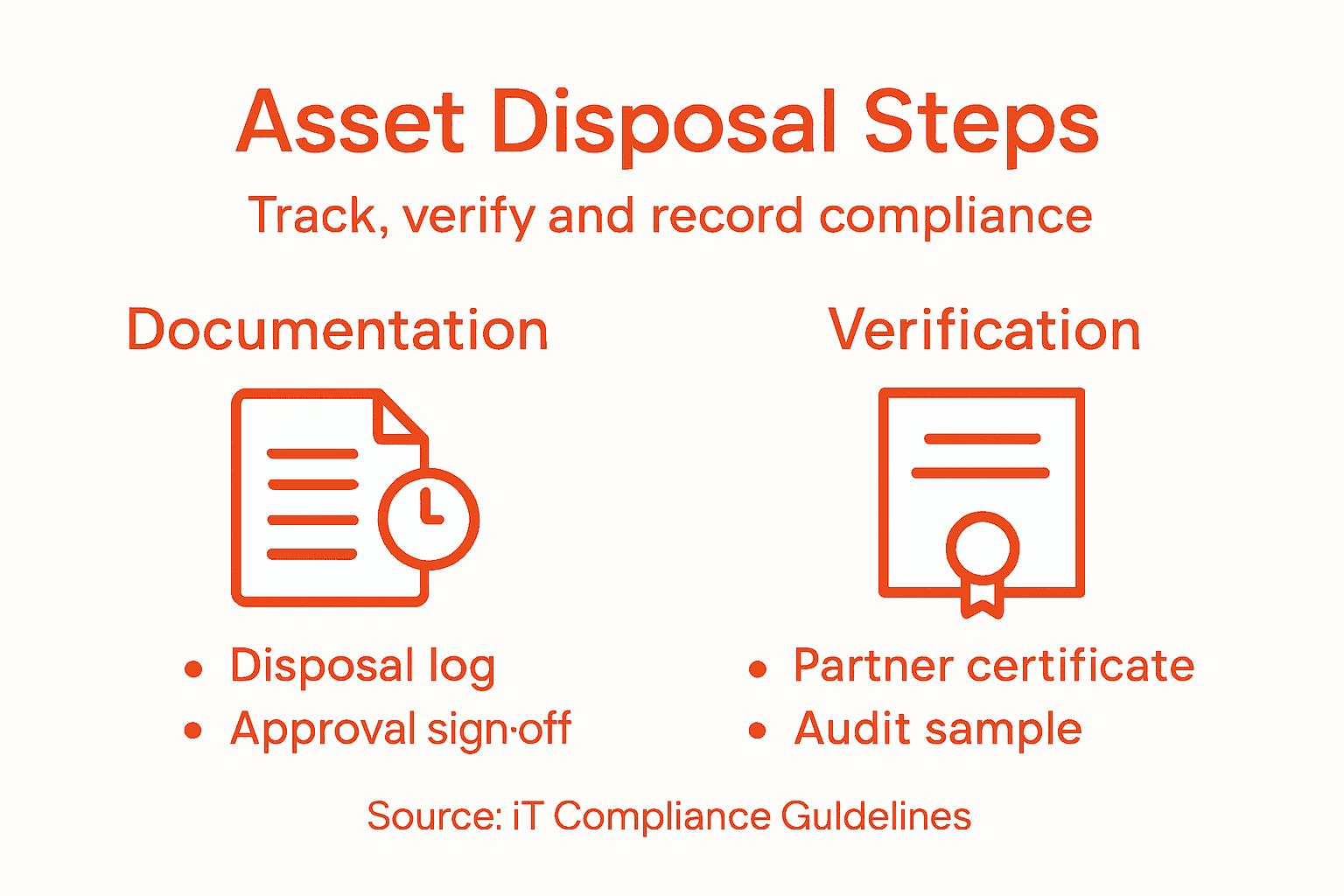
Schedule periodic internal audits of your disposal programme. Select a sample of completed disposals and verify that proper procedures were followed. Did the asset have proper approval before disposal? Was the data sanitisation verified? Did you receive and retain the Certificate of Destruction or sanitisation evidence? Are there any missing steps or documentation gaps? These audits reveal systemic issues before external auditors discover them. Perhaps your disposal partner isn’t returning certificates promptly, or perhaps certain departments are consistently skipping approval steps. Early detection allows you to address problems.
Maintain a disposal register or archive that preserves the complete history of all disposals for a defined period, typically seven years or aligned with your data retention policy. This historical record proves invaluable if you ever face a data breach investigation, regulatory inquiry, or legal discovery request. You can demonstrate exactly when sensitive assets left your control and provide evidence that they were properly handled. According to IAITAM’s comprehensive disposal documentation standards, detailed records enable organisations to prove proper disposition of assets and support audit readiness and risk management. Regulators respect organisations that can produce clear, comprehensive records showing proper asset handling.
Examine your disposal metrics regularly. Track indicators like the percentage of disposal requests completed within your target timeframe, the recovery value realised from resale programmes, the cost per asset for certified destruction, and any compliance exceptions or issues discovered. Share these metrics with stakeholders to demonstrate programme health. When your data shows that you’re disposing of assets faster and more cost effectively than competitors, or that you’ve achieved 100 percent compliance with your protocols, you build confidence in your programme and justify continued investment.
Pro tip: Create a disposal outcomes dashboard in your service management system that automatically updates as disposal activities complete, showing real-time metrics like assets pending disposal, average days from approval to completion, and compliance exception rates so you can identify bottlenecks and address them quickly.
Secure Your IT Asset Disposal with Confidence and Automation
Managing IT asset disposal securely while meeting complex compliance requirements can feel overwhelming. This article highlights critical challenges like maintaining a complete asset inventory, enforcing secure disposal protocols, and documenting every action to satisfy regulations such as GDPR and PCI DSS. Organisations risk costly data breaches and regulatory fines without seamless workflows, clear role assignments, and accurate audit trails.
Velocity Smart Technology offers a transformative solution tailored to these pain points. Our Velocity Smart Collect platform is the only ServiceNow-certified smart locker and vending application built directly inside your ServiceNow instance. It automates equipment issuance and disposal workflows, removes manual errors, and ensures all asset movements are logged in real time. This integration empowers you to enforce strict disposal protocols, maintain a verified audit trail, and align operational processes with compliance demands — all while reducing support costs and improving user experience.
Ready to modernise your IT asset lifecycle management and safeguard sensitive data? Discover how Velocity Smart can streamline your secure IT asset disposal programme today at Velocity Smart Technology. Take control of your compliance obligations with the trusted platform embraced by leading enterprises worldwide.
Frequently Asked Questions
What are the first steps in secure asset disposal for compliant IT operations?
To securely dispose of IT assets, start by assessing your inventory and understanding the compliance requirements that apply to your organisation. Take stock of all IT assets, documenting their specifications, location, ownership, and condition to create a comprehensive baseline.
How do I determine the regulatory requirements for my organisation’s asset disposal?
Identifying regulatory requirements involves researching the specific rules that apply to your industry and jurisdiction. Consult guidelines relevant to your sector, such as PCI DSS for financial services or HIPAA for healthcare, to ensure that your disposal practices align with compliance obligations.
What should be included in the asset disposal workflow?
Your asset disposal workflow should detail the steps for each type of asset, including approval processes for disposal, methods of data sanitisation, and documentation requirements. Create a clear flowchart that includes checks for data sensitivity, retention scheduling, and appropriate disposal methods to streamline operations and ensure compliance.
How can I verify that assets have been disposed of according to compliance standards?
To verify compliance, establish verification checkpoints before assets depart your facility and request Certificates of Destruction or data sanitisation reports from your disposal partner. Document all verification processes and retain these records as evidence of compliance, ensuring your disposal programme is auditable and defensible.
What roles need to be assigned in the asset disposal process?
Assign roles that cover all aspects of the disposal process, such as approval of disposal requests, data verification, and coordination with disposal partners. Create a responsibility matrix to clarify who is accountable at each stage, ensuring everyone understands their tasks to maintain effective compliance and security.
How can automation improve my asset disposal programme?
Automation can streamline your asset disposal programme by connecting your asset management system with disposal workflows, reducing manual errors, and providing real-time visibility into the disposal status. Integrate these systems to track disposal actions automatically and maintain comprehensive audit trails, helping to maintain compliance with regulatory requirements.
Recommended
See what Smart Collect® could save you
Model your savings in two minutes, or book a 60-minute workshop to pressure-test the numbers against your estate.