
Secure device storage explained: Key strategies for enterprise IT
TL;DR:
- Secure device storage ensures sensitive data and cryptographic keys are isolated from unauthorized access through encryption-at-rest and hardware-enforced key separation. It is critical for enterprises to deploy hardware-based solutions like Secure Enclaves and HSMs, as they significantly reduce risks of credential theft and data breaches. Operational practices such as regular key recovery testing and crypto-erase validation are essential to maintaining secure storage and business continuity.
Most IT leaders, when asked about device storage, will immediately think about capacity, file systems, or backup schedules. That instinct is understandable, but it misses the most dangerous gap in enterprise security. Secure device storage is not primarily about where your files live. It is about whether sensitive data and the cryptographic keys that protect that data are genuinely isolated from unauthorised access. Getting this wrong does not just create compliance headaches. It leaves your organisation exposed to breaches that bypass every other control you have invested in.
Table of Contents
- What secure device storage really means
- How secure device storage works: Hardware and software mechanisms
- Enterprise requirements: What makes secure device storage suitable for large organisations
- Common challenges and operational best practices
- Why secure device storage isn’t just an IT issue: The business risk perspective
- How modern secure device storage solutions support IT automation
- Frequently asked questions
Key Takeaways
| Point | Details |
|---|---|
| Encryption is essential | Effective device storage requires encryption-at-rest and key isolation to keep data safe. |
| Hardware matters | Hardware-based security like Secure Enclave and HSMs provide stronger protection than software alone. |
| Plan for recovery | Backup and key recovery mechanisms are vital for operational resilience and compliance. |
| Operational best practice | Testing recovery, crypto-erase, and backup routines prevents costly mistakes. |
What secure device storage really means
Secure device storage, properly understood, is the practice of protecting sensitive data and the cryptographic keys used to encrypt it, using a combination of encryption-at-rest and hardware or OS-enforced key isolation. The Apple Platform Security Guide defines the approach clearly: secure device storage means keeping sensitive data and especially cryptographic keys protected from unauthorised access through encryption-at-rest plus hardware or OS-enforced key isolation. That distinction matters enormously.
Standard storage encrypts files, which is valuable. Secure device storage goes further by controlling who or what can access the encryption keys themselves. If an attacker can reach your keys, the encryption becomes worthless. Enterprise environments handle enormous volumes of sensitive data, from financial records to patient information to proprietary intellectual property. The risk surface is broad.
Key principles behind secure device storage include:
- Encryption-at-rest: All stored data is encrypted, meaning it is unreadable without the correct key
- Key isolation: Cryptographic keys are stored separately from the data they protect, typically in dedicated hardware
- Access control enforcement: Only authorised processes, users, or hardware components can request key usage
- Integrity verification: Mechanisms verify that data and keys have not been tampered with
The role of digital lockers in asset management is expanding precisely because organisations need to track physical device custody alongside cryptographic protection. When a device is checked out, returned, or reallocated, the security posture of its stored data must be managed consistently.
“Secure device storage generally means keeping sensitive data and especially cryptographic keys used to protect that data protected from unauthorised access by using encryption-at-rest plus hardware or OS-enforced key isolation.” — Apple Platform Security Guide
The NIST device storage requirements align with this principle, reinforcing that key management is the foundation, not an afterthought. For organisations deploying devices across smart locker systems for remote workforce locations, ensuring each device meets these standards before leaving a secure facility is critical.
How secure device storage works: Hardware and software mechanisms
Having established what secure storage is, let us look under the hood at how enterprise solutions actually function. The core mechanisms fall into two broad categories: hardware-based solutions and OS or software-based solutions. Both have a role to play, and the strongest enterprise deployments combine them.
Hardware-based mechanisms include Secure Enclaves and Hardware Security Modules (HSMs). Apple devices use a dedicated processor called the Secure Enclave, which operates independently from the main application processor. The Apple Platform Security Guide confirms that the Secure Enclave roots user data encryption keys in entropy stored in secure non-volatile storage accessible only by the Secure Enclave itself. That means even if an attacker fully compromises the operating system, the keys remain out of reach.
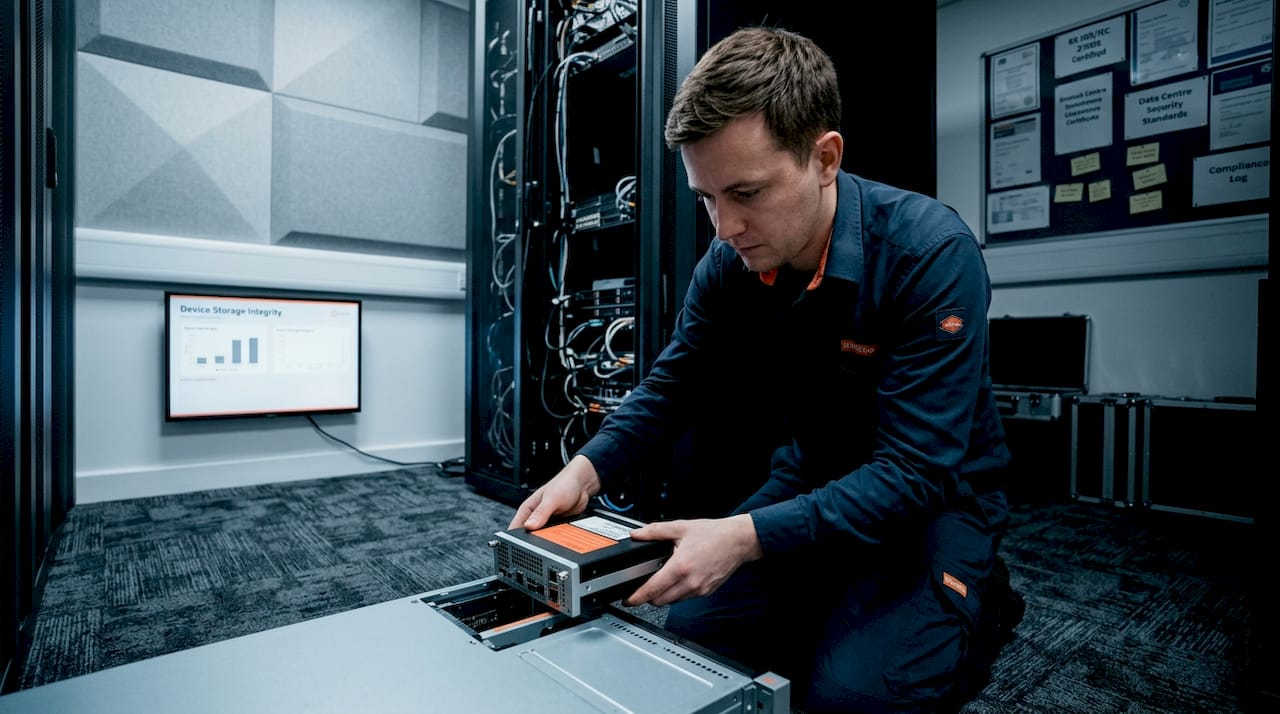
HSMs serve a similar purpose at an enterprise infrastructure level. They are dedicated devices designed to generate, store, and manage cryptographic keys without ever exposing the raw key material to the wider system. HSMs are common in financial services and government environments where locker technology in finance deployments require rigorous auditability for every device asset.
OS-level mechanisms include Windows Data Protection API (DPAPI). DPAPI protects sensitive data by binding encryption to user credentials and profile context. DPAPI master key creation includes domain-backed recovery mechanics on domain-joined machines, which is important for enterprise recovery scenarios but introduces its own complexity, as we will explore later.
| Mechanism | Type | Key isolation level | Best suited for |
|---|---|---|---|
| Secure Enclave (Apple) | Hardware | Very high | Mobile and Mac enterprise devices |
| HSM | Hardware | Very high | Infrastructure, signing, token operations |
| TPM (Trusted Platform Module) | Hardware | High | Windows laptops and desktops |
| DPAPI | OS-software | Medium | Windows credential and secret storage |
| OS-level keystore (Android/Linux) | OS-software | Medium | Mixed device fleets |
One important statistic underlines why hardware-based approaches matter: enterprises with hardware-enforced key isolation experience significantly fewer successful credential theft incidents than those relying solely on software-based controls, according to NIST analysis. The reason is straightforward. Software can be patched, exploited, or circumvented. Hardware barriers require physical access or manufacturing-level compromise, which raises the cost of an attack dramatically.
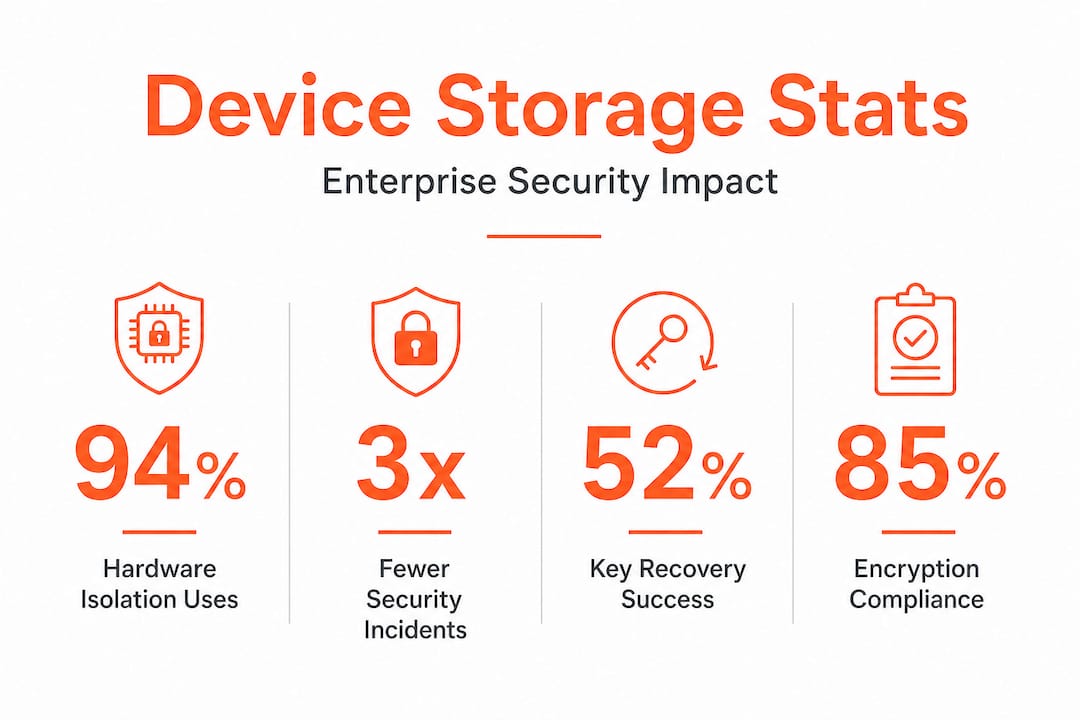
For IT leaders managing mixed fleets across multiple sites, the practical implication is that you need a clear inventory of which devices carry which level of hardware protection. Improving security compliance begins with that visibility, and smart locker systems can provide real-time asset tracking to support it.
Enterprise requirements: What makes secure device storage suitable for large organisations
The underlying technology is important, but what really matters for IT leaders is whether these solutions satisfy enterprise requirements. A device that is technically secure in isolation may still fail to meet the needs of a large, distributed organisation.
NIST IR 8587 sets out specific requirements for organisations operating at moderate and high assurance levels. The key requirement is clear: hardware isolation via HSMs is expected for cryptographic key protection, signing operations, and token management in enterprise-grade systems. Software-only solutions simply do not meet the bar for sensitive government, healthcare, or financial workloads.
Here are the core enterprise requirements to assess when evaluating secure device storage solutions:
- Hardware-based key protection: Keys must be generated and stored within tamper-resistant hardware, not extractable by software processes
- Key backup and recovery: There must be a documented, tested process for recovering keys without exposing them to risk, particularly relevant for DPAPI on domain-joined machines
- Compliance alignment: Solutions must support evidence collection for frameworks such as ISO 27001, GDPR, and sector-specific regulations
- Centralised management: IT teams need a single management plane to audit device storage status across the entire estate
- Crypto-erase capability: When a device is decommissioned or reassigned, it must be possible to render all stored data inaccessible by destroying the encryption keys, not just wiping files
“For enterprise assurance, secure device storage is closely tied to cryptographic key protection requirements such as isolating keys and using hardware-based mechanisms to store and use cryptographic keys for signing and token operations.” — NIST IR 8587
Operational nuances matter too. A large NHS trust or a global financial institution cannot afford a scenario where key recovery fails because a domain controller went offline during a device refresh. Understanding the digital locker security tips that apply to both physical and logical device management helps IT teams build resilience into their processes from the outset.
Cloud hosting and compliance considerations also feed into this picture, especially when enterprises use hybrid environments where some keys are managed on-premises and others are cloud-hosted. Governance over both environments needs to be consistent.
Pro Tip: When assessing vendors, ask them directly to demonstrate key isolation in a sandbox. A vendor who cannot show you where the key lives and who can access it has not properly implemented secure device storage.
Common challenges and operational best practices
Meeting compliance requirements is one thing. Making secure device storage work reliably day-to-day is another challenge entirely. Many organisations invest in excellent technology and then undermine it through operational oversights.
The most common failure points include:
- Key loss without recovery: If a hardware component fails and no key backup exists, data is permanently inaccessible. This happens more frequently than vendors admit.
- Accidental weak links: A single device configured without TPM or Secure Enclave in an otherwise secure fleet can become the path of least resistance for an attacker.
- Crypto-erase not validated: Organisations assume decommissioned devices are wiped, but without verifying that crypto-erase completed successfully, keys may still be recoverable.
- Domain DPAPI key backup failures: On Windows devices, evaluating edge cases like key recovery and crypto-erase behaviour is essential because operational recovery requirements can silently change the security properties of the solution.
| Best practice | Why it matters | How to implement |
|---|---|---|
| Test key recovery quarterly | Validates backup processes before a real failure | Scheduled recovery drills on decommissioned test devices |
| Validate crypto-erase on all device types | Ensures decommissioned devices are genuinely unreadable | Run erase verification tools before asset disposal |
| Audit TPM/Secure Enclave status centrally | Identifies devices without hardware isolation | SIEM or ITSM integration with device inventory |
| Review domain backup configurations | Prevents DPAPI recovery failures during domain events | Document and test domain controller backup chains |
| Restrict key export permissions | Limits blast radius if admin credentials are compromised | Role-based access controls on key management consoles |
The security tips for digital lockers that apply to physical device custody translate directly to logical security: access must be logged, audited, and time-limited. The same discipline applies to cryptographic key access. Every key operation should generate an audit trail.
For enterprises operating across multiple buildings or sites, VPS access for enterprises also needs to be factored into the secure storage picture, particularly when devices connect to virtualised environments that host additional sensitive data.
Pro Tip: Always validate your backup and sanitisation processes on test devices before rolling out to production. A crypto-erase that looks successful in documentation but fails on a specific hardware revision can leave real data exposed.
Why secure device storage isn’t just an IT issue: The business risk perspective
Here is the perspective that most technical guides skip entirely. Secure device storage is consistently framed as an IT team concern, a configuration task to be managed in the background. That framing is wrong, and it creates real business risk.
When a device with weak storage security is lost or stolen, the exposure is not just a technical incident. It is a potential GDPR breach, a regulatory notification event, reputational damage, and in some sectors, a criminal liability. The cost of a single data breach in 2025 averaged over four million dollars globally. For large enterprises in healthcare or financial services, sector-specific fines can multiply that figure significantly.
The uncomfortable reality is that most organisations treat secure storage as a checklist item during device procurement, then forget about it entirely until something goes wrong. But device fleets change constantly. Devices are reassigned, upgraded, temporarily loaned out, and retired. Each of those transitions is an opportunity for the security posture to degrade if there is no systematic process to maintain it.
Reducing asset loss through smart locker and automated device management systems is not just an operational efficiency play. It is a direct contribution to maintaining the integrity of secure device storage across the estate. When you know exactly where every device is, who last used it, and whether it passed its last security check, you close the gaps that attackers exploit.
Business continuity planning rarely includes secure storage scenarios in enough depth. What happens to encrypted data on a device when the key custodian leaves the organisation? What is the process when a hardware failure destroys a Secure Enclave? These are not edge cases for large enterprises. They are regular occurrences that need documented responses. Make secure storage part of your business continuity framework, not just your IT security policy.
How modern secure device storage solutions support IT automation
Bringing it all together, the right technology can make secure device storage seamless for both IT and the wider organisation.
Managing secure device storage at enterprise scale demands more than good hardware choices. It requires automation, visibility, and integration with existing IT workflows. That is where intelligent workplace automation becomes essential.
Velocity Smart Technology’s platform is built to support exactly this kind of operational rigour. Our smart locker and vending software, Velocity Smart Collect, is the only ServiceNow-certified locker solution built natively inside the customer’s ServiceNow instance. This means every device collection, return, and exchange is logged within the same system that manages your ITSM workflows, asset records, and security compliance data. No additional data platforms, no GDPR risk from third-party integrations. Our IT support kiosk solutions extend this capability to remote and distributed sites, enabling secure device diagnostics and exchanges without requiring an onsite technician. Explore our full automation for IT asset storage capabilities to see how Velocity Smart can support your secure storage strategy.
Frequently asked questions
What is the difference between secure storage and normal device storage?
Secure storage uses encryption and key isolation to prevent unauthorised access, while standard storage does not protect data against physical or remote attacks. The critical distinction is that secure storage controls access to the encryption keys themselves, not just the data.
Why is hardware isolation important for secure device storage?
Hardware isolation ensures cryptographic keys remain protected even if the operating system is fully compromised. The Secure Enclave on Apple devices, for example, stores key entropy in hardware that no software process can reach directly.
How do enterprises manage key backup for secure storage solutions?
Enterprises use domain controllers, HSMs, or secure backup protocols to enable key recovery. On Windows devices, DPAPI master key creation includes domain-backed recovery mechanics, making domain controller availability a dependency for recovery.
What operational mistakes should IT avoid with secure device storage?
Neglecting key recovery testing, failing to validate crypto-erase, or overlooking domain backup processes can create serious gaps. Evaluating operational edge cases such as sanitisation and recovery behaviour before procurement prevents these problems at scale.
Recommended
See what Smart Collect® could save you
Model your savings in two minutes, or book a 60-minute workshop to pressure-test the numbers against your estate.