
Workplace self-service: transform IT support with automation
TL;DR:
- Most large organizations assume self-service portals automatically reduce support tickets, but success depends on behind-the-scenes workflows and integrations. Effective self-service extends beyond IT support into various workplace tasks, improving employee experience and operational efficiency through automation and comprehensive system connectivity. Continuous monitoring, proper strategy, and integration are essential for realizing measurable ticket deflection and sustained value.
Most large organisations assume that launching a self-service portal will automatically reduce support tickets. They roll out the technology, notify employees, and wait for the workload to drop. It rarely works that cleanly. Workplace self-service lets employees handle routine IT and workplace tasks without direct agent involvement, but the difference between a portal that deflects thousands of tickets and one that frustrates users comes down to what happens behind the interface, not what employees see on screen.
Table of Contents
- Defining workplace self-service: what it is and how it works
- Common use cases: beyond IT support
- Measuring impact: ticket deflection, KPIs, and value realisation
- Critical enablers: integration, automation, and edge-case management
- Why most workplace self-service projects miss the mark
- Next steps: powering your workplace self-service journey
- Frequently asked questions
Key Takeaways
| Point | Details |
|---|---|
| Integration is crucial | Success relies on linking the self-service portal with ITSM, HR, and identity systems. |
| Measure real outcomes | Validate self-service success with ticket deflection and resolution time data, not assumptions. |
| Automate, but govern exceptions | Edge cases require secure approval and manual governance within the workflow. |
| Broaden self-service scope | Effective workplace self-service empowers users beyond IT, including facilities and booking management. |
Defining workplace self-service: what it is and how it works
Workplace self-service is more than a web portal with a search bar and a list of FAQs. At enterprise scale, it is a complete service delivery model. An employee self-service portal is a digital channel that lets employees perform routine workplace and IT-related tasks and get answers without direct assistance from an IT or HR agent. That definition sounds straightforward, but delivering it reliably across thousands of employees and dozens of sites is considerably more complex.
For IT leaders and managed service providers, workplace self-service typically includes a self-service portal plus integrations to ITSM and HR systems so employees can raise requests, track status, and resolve common issues using knowledge articles and automated workflows. The portal is the front door. The real work happens in the workflows behind it.
What a mature workplace self-service environment typically includes:
- A digital portal or employee service centre with a searchable knowledge base
- Automated chat or virtual agent capabilities for guided troubleshooting
- Integration with ITSM platforms (such as ServiceNow) for case creation and tracking
- Connections to identity and access management systems for password resets and account unlocks
- HR system integration for onboarding tasks, leave requests, and policy queries
- Automated approval workflows for equipment requests, software licences, and access provisioning
Organisations that invest in proactive support automation understand that the portal interface is just the starting point. Workflow coverage, knowledge quality, and integration depth are what determine whether self-service actually resolves issues or simply creates a different route to the same backlog. The good news is that when you automate service workflows end to end, the gains compound quickly.
“The self-service portal is the shop window. Your workflows and integrations are the supply chain. Without the supply chain, the shop cannot function.”
Pro Tip: Before selecting a self-service platform, audit your existing workflows first. If your underlying processes are manual and fragmented, no portal will fix them. Start with workflow mapping and identify which five or six processes, if automated, would deliver the most immediate relief to your service desk.
Common use cases: beyond IT support
IT password resets and incident logging are the most obvious entry points for self-service, but leading enterprises have expanded far beyond these. The ServiceNow Workplace Service Delivery announcement confirmed what many IT and facilities leaders already suspected: workplace self-service extends well beyond IT support into desk reservations, room bookings, catering requests, visitor management, and AV support.
This breadth matters because it shifts self-service from a cost-reduction tool to an employee experience platform. When a consultant arriving at a regional office can book a desk, collect a loaner laptop from a smart locker, and request AV setup for a client meeting, all without speaking to anyone, that is a measurably better experience. It is also a measurably lower operational burden.
Common self-service use cases in large enterprises:
- Password resets and account unlocks
- Incident reporting and service request submission
- Software installation and licence requests
- IT equipment collection and return via smart lockers or vending machines
- Desk and meeting room reservations
- Visitor registration and access provisioning
- Catering and facilities requests
- HR document access and policy queries
- Onboarding task completion for new starters
The table below summarises where self-service delivers the greatest operational impact:
| Use case | Primary beneficiary | Typical deflection potential |
|---|---|---|
| Password reset | IT service desk | Very high |
| Equipment collection | IT asset team | High |
| Desk and room booking | Facilities and HR | High |
| Software licence requests | IT procurement | Medium |
| Incident reporting | Service desk | Medium |
| HR policy queries | HR operations | Medium to high |
| Catering and AV requests | Facilities | Medium |
Investing in flexible workplace technology that serves all these use cases simultaneously is increasingly a strategic priority, particularly as hybrid working patterns make consistent service delivery across sites more challenging. Understanding the full range of technology needs for your workforce is essential before selecting the right self-service model.

Pro Tip: When building the business case for expanded self-service, map each use case to a measurable cost or time metric. Equipment collection delays, for example, directly affect productive working hours. Quantifying that makes the investment case far more compelling to finance leadership.
Measuring impact: ticket deflection, KPIs, and value realisation
Every IT leader who has sponsored a self-service project has been asked the same question six months in: is it working? The answer depends entirely on which metrics you chose to track before go-live, and whether those metrics genuinely reflect operational value.
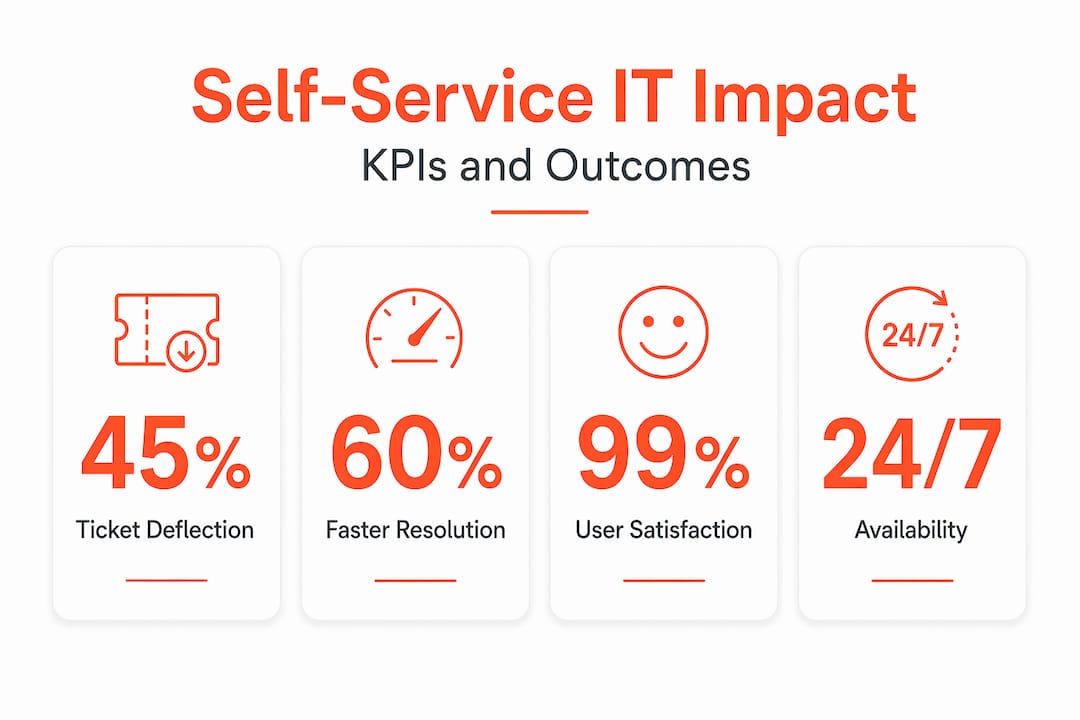
The most commonly cited measure is the ticket deflection ratio. Ticket deflection is the share of requests handled by self-service rather than live agents, measured as a deflection rate or similar self-service score. It is calculated as the number of self-service interactions that do not generate a ticket, divided by total interactions. A higher ratio means fewer tickets reach the service desk.
However, deflection rate in isolation is a misleading metric. A portal that deflects 60% of interactions is not necessarily performing well if employees are giving up and calling the helpdesk anyway, or if the 40% of cases that escalate are disproportionately complex and expensive. You need to look at deflection alongside resolution quality.
A robust self-service KPI framework should track:
- Ticket deflection rate: percentage of self-service interactions that avoid ticket creation
- Case containment rate: how many opened cases are resolved within the portal without agent involvement
- Mean time to resolution (MTTR): average time from request to resolution, split by channel
- Employee satisfaction (ESAT): post-interaction survey scores for self-service versus agent-assisted
- Knowledge article utilisation: how often articles are used and whether they lead to resolution or escalation
- Abandonment rate: how often employees start a self-service journey and abandon it before completion
According to 2024 ITSM benchmark data, automated workflows and AI-enabled self-service can materially reduce resolution time and drive meaningful deflection, with some organisations reporting up to 53% ticket deflection using generative AI powered tools. That figure is achievable, but only when the underlying workflows, knowledge content, and integrations are fully operational.
The future of IT support will increasingly depend on intelligent service points that deliver these outcomes automatically, without relying on employees to find the right portal article at the right time. This is where physical automation, such as smart kiosks and locker systems, becomes part of the self-service picture rather than an afterthought.
Robust integration and asset management practices are essential to making these metrics reliable, because if your asset data is inaccurate, your deflection figures will be too.
Critical enablers: integration, automation, and edge-case management
The organisations that see the strongest self-service outcomes share a common characteristic: they treat integration as the project, not the portal. Successful workplace self-service depends less on the front-end interface and more on end-to-end integration, connecting the self-service experience to ITSM, HRIS, and identity systems so workflows can create and update cases, synchronise status, and apply device, security, and entitlement policies automatically.
Here is a practical sequence for building integration-first self-service at scale:
- Map your core workflows. Identify the ten most common service desk interactions and document the current steps, systems touched, and average resolution time.
- Prioritise integration points. Determine which system connections (ITSM, HRIS, identity management) are required to automate each workflow end to end.
- Build and test workflows in isolation. Automate each workflow fully before exposing it to employees. A partially automated workflow creates more confusion than a manual one.
- Define escalation paths explicitly. Every workflow needs a clear trigger for human escalation, whether that is a failed identity check, a policy exception, or an asset not being available.
- Instrument everything. Attach KPI tracking to each workflow from day one so you have baseline data for continuous improvement.
- Iterate based on abandonment and escalation data. Where employees are giving up or escalating, there is a workflow gap. Fix it before expanding scope.
Edge cases deserve particular attention. Complex incidents, authorisation-dependent actions, and device management steps typically require escalation to humans or controlled approval flows rather than full automation. In large enterprises handling regulated devices or sensitive data, this is not a limitation, it is a mandatory safeguard. Security and compliance requirements mean certain actions must have a human in the loop, and your self-service architecture must accommodate that gracefully.
A critical mistake many teams make is assuming that self-service portal rollouts will automatically reduce ticket volumes. Outcomes depend on knowledge quality, workflow coverage, and how often users encounter cases the portal cannot safely resolve. Treat deflection as an operational KPI and validate it with actual data, not portal analytics alone.
Effective automation steps for IT support take this seriously. Physical automation, including IT asset vending for devices and peripherals, extends self-service to scenarios that purely digital portals cannot address. An employee who needs a replacement laptop at 7am before a client call cannot wait for the service desk to open. A smart locker integrated with your ServiceNow instance can resolve that immediately. Comprehensive asset management automation ties these physical and digital elements together into a coherent system.
“Integration is the engine. Automation is the transmission. The portal is simply the steering wheel. Organisations that invest in the engine first go furthest.”
Pro Tip: For automation trends in IT that large enterprises are actually seeing return on, look to physical automation combined with platform-native integrations. The organisations reducing IT operational costs most aggressively are not just deploying portals; they are deploying smart lockers, kiosks, and vending solutions that sit natively within their ITSM instance.
Why most workplace self-service projects miss the mark
Here is an uncomfortable observation from working with large enterprises across financial services, healthcare, aerospace, and government: the self-service portal almost never fails because of the technology. It fails because of the strategy that surrounds it.
Most projects start with the interface and work backwards. A team selects a portal, builds a knowledge base, trains employees, and then discovers three months later that the deflection rate is stuck at 12% because the workflows behind the portal are still manual. The portal looks modern. The process underneath it is unchanged.
The second most common failure mode is a lack of exception handling. Large organisations have complex approval requirements, security policies, and asset entitlement rules. A self-service journey that cannot accommodate these gracefully will either expose the organisation to risk or push frustrated employees back to the phone queue. Neither outcome justifies the investment.
The third issue is post-launch neglect. Self-service is not a one-time deployment. Knowledge articles go stale. Workflows break when downstream systems are updated. Abandonment rates creep up unnoticed. Without a dedicated operational review cadence, most portals quietly degrade in the months following launch.
The organisations that get this right treat self-service as a living operational system, not a technology implementation. They measure every workflow, review abandonment data regularly, and treat the service desk as a source of insight rather than just a cost centre. When a cluster of escalations appears around a particular workflow, they investigate and fix it within days, not quarters. That discipline, more than any particular technology choice, is what separates the organisations achieving 50% ticket deflection from those stuck at 15%.
Next steps: powering your workplace self-service journey
If the insights in this article have highlighted gaps in your current self-service strategy, the good news is that proven solutions exist to address them systematically.
Velocity Smart Technology specialises in exactly the kind of physical and digital workplace automation that turns self-service strategies into measurable operational results. Our Velocity Smart Collect platform is the leading ServiceNow-certified smart locker and vending solution, built natively inside your ServiceNow instance. This means your device distribution, equipment collection, and asset tracking workflows are fully integrated with your existing ITSM processes, with no additional data platforms, no GDPR risks, and no manual re-keying. Our Smart IT Support Kiosks extend real-time IT support and secure device exchange to any workplace location without requiring onsite technicians, making self-service genuinely available to every employee, everywhere.
Frequently asked questions
What is the primary goal of workplace self-service?
The main aim is to allow employees to handle routine IT and workplace requests without waiting for live support, increasing efficiency and freeing up IT resources. A key performance goal is ticket deflection and case containment, increasing the share of requests resolved without agent involvement.
How does workplace self-service reduce resolution times?
By automating workflows and providing self-help resources, employees resolve common issues independently and quickly. Benchmarks confirm that automated workflows and AI-enabled self-service materially reduce average resolution times.
Can workplace self-service fully automate all IT issues?
No. Complex and security-sensitive cases require human intervention or authorisation, so a hybrid model is essential. Edge cases are inherent and often require escalation to humans or controlled approval flows to maintain safety and compliance.
What systems do self-service portals integrate with?
They typically connect to IT service management (ITSM), human resources (HRIS), and identity management systems to automate workflows and case tracking. Self-service portals connect to these systems via integrations to synchronise status and apply entitlement policies automatically.
What is a good benchmark for ticket deflection rates?
AI-powered self-service can achieve ticket deflection rates of around 53% according to industry benchmarks. Reported deflection rates with generative AI powered self-service reach 53%, though actual outcomes depend heavily on workflow coverage and knowledge quality.
Recommended
See what Smart Collect® could save you
Model your savings in two minutes, or book a 60-minute workshop to pressure-test the numbers against your estate.