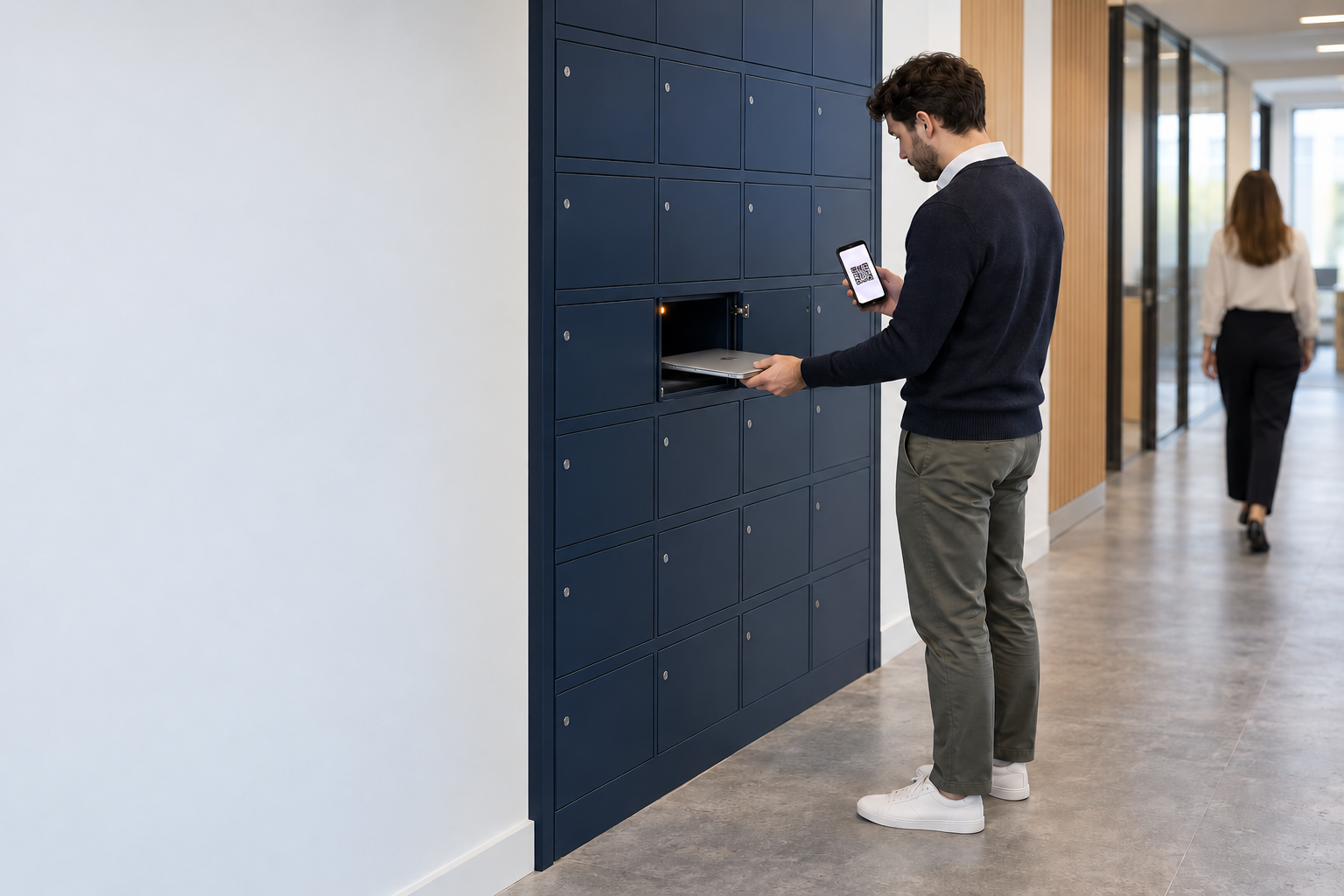
A laptop locker that hands over the machine, and logs every step, without an engineer in the room.
Your team burns hours every week walking laptops to desks, swapping broken machines and chasing loan devices back. A Velocity laptop locker turns each of those into a secure, self-service collection or return: the employee opens one cell with a QR code, barcode or PIN emailed to their ServiceNow-registered work address, takes the provisioned laptop or drops the faulty one, and the whole handover writes itself into ServiceNow. It is the same approach regulated, distributed enterprises like Roche, BAE Systems and Centrica rely on to cut onsite IT support by more than 30%.
What is a laptop locker?
A laptop locker is a bank of secure, electronically controlled cells that lets your people collect a provisioned laptop, or return a broken one, without waiting at a service desk. Each cell is sized for a laptop and its accessories, and every door opens only against an approved request. The employee authenticates with a QR code, barcode or PIN emailed to their ServiceNow-registered work address, the cell releases, and the collection or return is recorded automatically.
Think of it as a laptop storage locker that doubles as a handover point. Instead of an engineer meeting someone to issue a machine, the locker holds the device in a secure cell, ready the moment the employee is. Every movement is tied to a person and a ticket, so your IT team keeps a clean chain of custody without standing over the process. Where you need to dispense peripherals and consumables at volume rather than issue and return specific machines, a smart vending machine is the better fit, and most estates run both.
- Secure, individually controlled cells sized for laptops and their accessories
- Self-service issue and return, opened by a QR code, barcode or PIN
- Every handover logged in ServiceNow, so the audit trail builds itself
How laptop lockers work, from request to logged handover.
The employee never joins a queue and your engineer never leaves their desk. Four steps carry a laptop from the stockroom to the person who needs it, and record every one of them along the way.
The device handovers a laptop locker takes off your team.
Most laptop handovers are logistics problems in disguise. The machine exists and the person exists; the cost is getting the two together with a record that it happened. These are the moments a laptop locker removes that cost.
New-starter provisioning
A configured laptop waits in a cell for day one. The new starter collects it on arrival with a one-time code, and the onboarding ticket closes itself, with no service-desk queue.
Break-fix swaps
A faulty machine goes back through the same door as the replacement comes out, in one visit. The employee is working again in minutes, not waiting for an engineer to be dispatched.
Loan and shared-device pools
Short-term loans and shared laptops are issued and returned against a named person every time, so a pool that used to leak devices now balances itself with a full audit trail.
Leaver and device returns
Returns stop depending on someone chasing. A leaver drops the device into a cell, the asset record updates, and recovery no longer relies on a desk visit that never quite happens.
Field, shift and out-of-hours
People who never see office hours collect and return when they actually work. The locker does not keep a nine-to-five, so night shifts and field teams are served the same as everyone else.
Multi-site and remote offices
A small site with no permanent IT presence gets self-service handover without a local engineer, run and reported centrally from the same ServiceNow workflows as your largest location.
What a Velocity laptop locker system gives you.
A laptop locker is only as good as the control and the record behind it. Velocity runs the whole thing inside ServiceNow, so access, custody and reporting sit in the platform your team already trusts.
Because the laptop locker system is native to ServiceNow, there is no separate directory to maintain and no middleware to reconcile. Access rules follow the identities and approvals you already run. When a request is fulfilled, the ticket closes itself and the CMDB updates, so nobody keys the same movement twice.
Remote cell release, when someone is stuck. If an employee cannot get to their code, or a cell needs opening for support, your team can release a specific cell remotely from ServiceNow. The action is logged like any other, so the audit trail stays intact even on the exceptions.
A laptop locker is only as good as what it plugs into.
Any locker can hold a laptop and open a door. The difference an IT team feels every day is whether the locker is a separate box with its own software to reconcile, or part of the platform that already runs your service desk. Velocity is the second kind, and the only Built On Now certified locker solution in the ServiceNow ecosystem.
A bolt-on locker with its own software
- Keeps a separate log you reconcile against your service desk and asset system
- Needs a second user directory and its own admin console to maintain
- Leaves your CMDB to be updated by hand, or by a nightly sync that drifts
- Turns every audit into a stitch-together job across two systems
Velocity, native to ServiceNow
- The ticket allocates the cell, and the collection closes the ticket
- Access follows the identities and approvals you already run, with no second directory
- The asset record and CMDB update themselves in the same motion
- The audit trail is one clean record, because there is only one system
- Hardware moves boxes; the value arrives when the locker is driven by the platform that runs your IT
- It is the same model behind our ServiceNow smart locker and wider smart lockers range
A chain of custody that stands up to an audit.
For regulated and distributed estates, the value of a laptop locker is as much about the record as the convenience. Because access and logging live in ServiceNow, you get accountability by default rather than as a report someone has to assemble.
What changes for your IT team and your people.
A laptop locker earns its place by taking manual handovers off your team and giving employees their kit without the wait. Here is where each side feels it.
For your IT team
- Zero-touch handover, so no engineer stands at the point of collection
- More than 30% less onsite IT support once self-service collection takes hold
- Between 45 and 60% fewer hardware and service-desk tickets to work through
- A chain-of-custody record that builds itself, ready for audit
For your employees
- A provisioned laptop ready to collect on day one, not days later
- A broken machine swapped in the same visit, not booked in for an engineer
- Collection and return that fit their day, not the service desk's hours
- One code, with nothing new to download or learn
- Regulated, distributed enterprises typically see a return inside year one
- The gains compound as more of the issue-and-return workflow moves to the locker
What a laptop locker returns, in numbers your board will recognise.
The saving is not abstract. When self-service collection takes hold, manual handovers fall away and the tickets that came with them go too. Here is the shape of the return most regulated, distributed enterprises see.
- The gains compound as more of the issue-and-return workflow moves to the locker
- Size the saving against your own ticket volumes with the Velocity ROI calculator
Your steps to a live laptop locker.
You bring the estate and the use cases; Velocity brings the plan and the ServiceNow expertise. Most deployments follow the same short path from first call to first collection.
IT leaders ask us these questions about laptop lockers.
Ready to see a laptop locker running inside your ServiceNow?
Spend an hour with a Velocity ServiceNow architect and you will leave with your issue-and-return workflows mapped, a pilot sized, and the right cell mix chosen for your sites. You bring the estate; we bring the plan.