The real benefits of no-touch IT support for enterprise teams

No-touch IT support cuts cost per ticket, restores hours of lost productivity, and closes tickets around the clock without an engineer walking to a desk. Enterprises running zero-touch and no-touch models report throughput gains exceeding 500% on physical fulfilment tasks alone. The catch: none of it works without disciplined integration and change management behind it.
TL;DR:
- Cost savings in no-touch support mainly come from eliminating on-site visits for routine device swaps, reducing ticket costs by roughly threefold.
- The fastest return on investment occurs with high-volume, low-complexity tickets like new-starter kits and peripheral replacements, not complex repairs.
- Successful implementation depends on disciplined integration and governance, including proper CMDB setup, RBAC, and audit trails within the support platform.
- Employee downtime can decrease by up to 74% and fulfillment speeds can improve by over 80% with effective self-service hardware solutions.
- Security relies on architecture that authenticates device handovers through existing identity providers and directly updates the CMDB, avoiding additional attack surfaces.
Table of Contents
- What are the operational benefits of no-touch IT support?
- How does no-touch and zero-touch IT support actually work?
- What outcomes and KPIs should you expect from a no-touch pilot?
- What are the limits and risks of no-touch IT support?
- How do you plan a no-touch IT support rollout?
- Evidence behind the numbers
- What happens to IT staff roles under no-touch support?
- No-touch IT support vs traditional support models
- What are the security and privacy considerations for no-touch IT support?
- What should IT leaders prioritise first?
- How Smart Collect helps enterprises reach no-touch outcomes
- Sources
What are the operational benefits of no-touch IT support?
Cost falls first, and it falls in a predictable place: desk-side visits. Every time an engineer has to walk to a desk to swap a laptop or hand over a peripheral, that ticket costs roughly three times what a purely digital ticket costs, according to MetricNet benchmarking. No-touch models remove that walk entirely for routine handovers, pushing cost per ticket down without cutting headcount.
Availability changes next, and it changes the maths on resolution time. A locker or vending unit doesn’t clock off at 5pm. An employee on a night shift or in a different time zone can collect a replacement device or a peripheral the moment they need it rather than waiting for the next business day when a technician is on site. That single shift compresses time-to-resolution for an entire category of tickets that used to sit in a queue overnight.

Employee experience and digital experience scores move too, because downtime is the thing employees actually feel. Reported cases show employee downtime falling by 74% once physical fulfilment moved to self-service. CSAT tends to follow that curve, since the frustration of “waiting for IT” is usually what drags satisfaction scores down, not the quality of the eventual fix.
Scalability is the benefit finance teams notice last but value most:
- Peak demand (new-starter waves, office moves, hardware refresh cycles) gets absorbed by existing infrastructure rather than temporary staff.
- Adding a new site means deploying fulfilment hardware, not necessarily growing the support headcount proportionally.
- Multi-country rollouts inherit the same workflows, so governance doesn’t need reinventing per region.
How does no-touch and zero-touch IT support actually work?
No-touch support is not one technology. It’s a stack, and each layer solves a distinct problem.
- Self-service portals and AI agents handle the request itself, triaging what an employee needs and routing it without a human reading the ticket first.
- Policy engines and workflow automation decide what the employee is entitled to and under what approval chain, enforcing the same rules a human agent would apply manually.
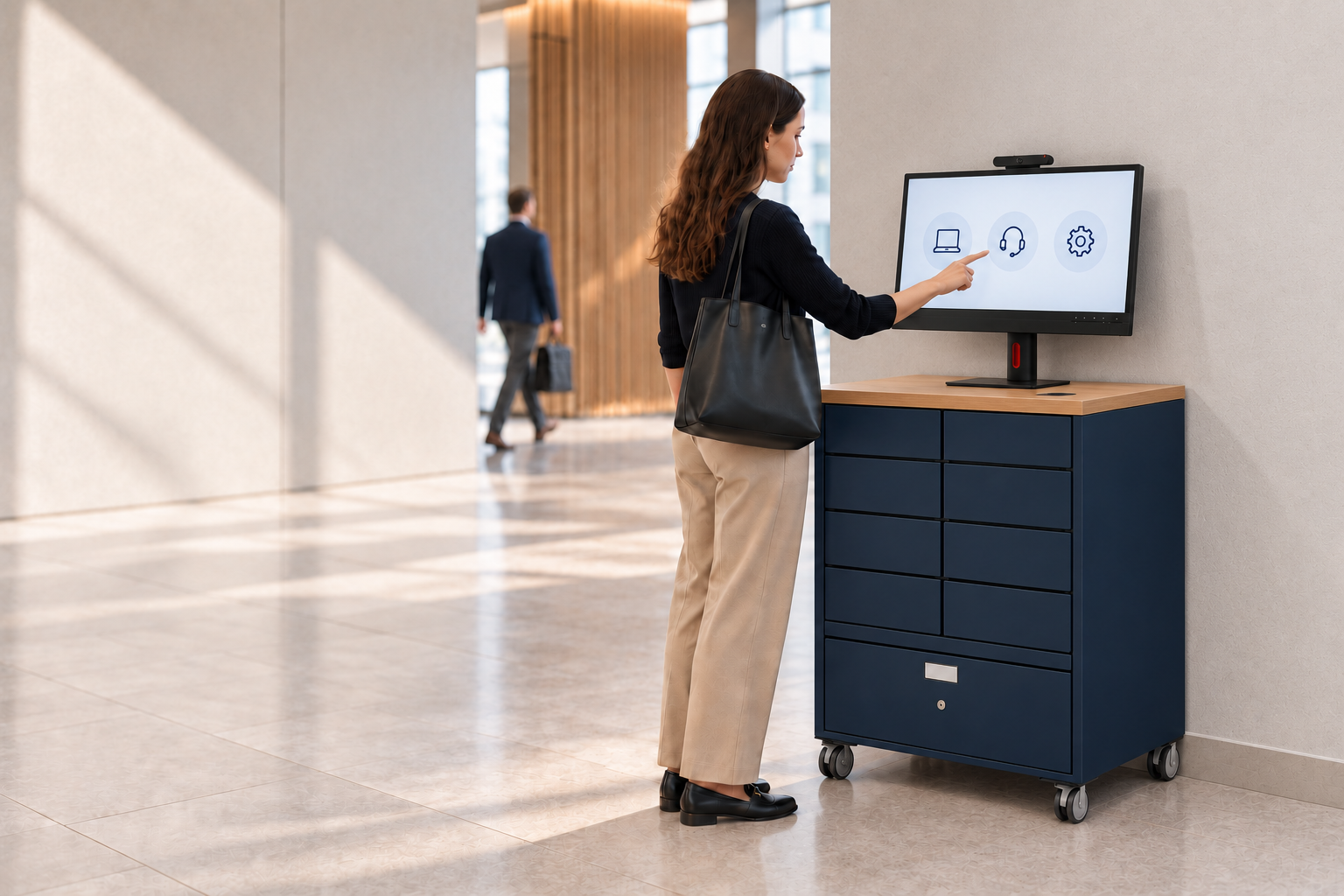
- Fulfilment hardware turns the digital decision into a physical outcome. Smart lockers manage full-device handovers such as new-starter kits or broken-laptop swaps; smart vending dispenses peripherals and consumables on demand; kiosks provide a virtual tech-bar experience for walk-up issues that need more than a locked box.
- Escalation logic hands off to a human the moment a case falls outside the automated pattern, whether that’s a damaged unit needing repair or a bespoke configuration request.
ServiceNow’s own community guidance frames the integration layer as the part organisations most often underestimate: RBAC, CMDB records, and audit trails all need to already exist inside the platform, not bolted on afterwards. Fulfilment hardware only pays off when it inherits that same governance rather than running as a parallel system.
What outcomes and KPIs should you expect from a no-touch pilot?
A global pharmaceutical enterprise recorded a 500%+ uplift in IT service throughput, fulfilment 83% faster, and 74% less employee downtime after moving physical handovers to a self-service model. That’s the ceiling case, not the average, but it shows the scale available when fulfilment hardware is genuinely integrated rather than added as a side project.

Industry-wide figures give a more conservative baseline. Mphasis reports vendors seeing a substantial reduction in tickets after adopting zero-touch models, and Cognizant projects organisations could reach 80 to 90% autonomous resolution by 2030, alongside sizeable reductions in mean time to repair.
For a pilot, track a small set of KPIs from day one so the business case writes itself later:
- Cost per ticket, split between digital and physical categories.
- Fulfilment speed, measured from request to device in hand.
- Employee downtime hours reclaimed per resolved ticket.
- SLA adherence before and after automation, by ticket type.
Baseline these for four to six weeks before switching anything on. Without a “before” number, the finance conversation afterwards is just an assertion.
What are the limits and risks of no-touch IT support?
No-touch support has edges, and pretending otherwise is how pilots fail. Bespoke hardware configurations, physical repairs, and anything requiring diagnosis still need a person. Automating those cases badly produces worse outcomes than not automating them at all.
Security is the second edge. Physical fulfilment means an asset moves without a human confirming identity at the point of handover, which raises legitimate audit questions. The mitigation is architectural: fulfilment hardware that writes directly into the existing CMDB and inherits RBAC, rather than logging events in a separate system a security team has to reconcile manually.
Adoption is the quieter risk. Employees who don’t trust a locker to actually contain the right device will default back to emailing the help desk, undermining the whole model. Skills gap research suggests the same resistance shows up among support staff worried automation removes their role rather than their repetitive tasks.
- Run a visible pilot with a champion team before wider rollout.
- Publish clear SLAs for locker and vending fulfilment so trust builds on evidence, not promises.
- Keep an inventory buffer for high-demand peripherals to avoid stockouts undermining confidence early.
Pro Tip: Stock your pilot locker slightly heavier than forecast demand for the first month. An empty locker on day three kills adoption faster than any technical failure will.
How do you plan a no-touch IT support rollout?
A pilot succeeds or fails on scope discipline, not ambition. Pick one ticket category with high volume and low complexity, such as new-starter kit delivery or peripheral replacement, and resist the urge to automate everything at once.
- Define pilot scope and duration. Choose one site or one ticket type, run for 8 to 12 weeks, and name an owner from IT operations and one from the ServiceNow platform team.
- Complete the integration checklist. Confirm tenant compatibility, map fulfilment assets into the CMDB as native configuration items, and set RBAC permissions before go-live, not after.
- Write the operational playbook. Define escalation triggers, inventory reorder points, and which SLAs apply to which fulfilment channel.
- Decide the scale trigger. Set the KPI threshold, whether that’s cost per ticket or downtime hours, that justifies expanding beyond the pilot site.
A practical guide to desk-side automation covers the integration sequencing in more depth for teams building this checklist for the first time.
Evidence behind the numbers
The throughput and downtime figures cited throughout this article come from documented enterprise deployments, not projections. The clearest is the global pharmaceutical case: 500%+ throughput uplift, 83% faster fulfilment, 74% less employee downtime, delivered through ServiceNow-native fulfilment hardware rather than a bolted-on middleware layer.
Governance matters as much as the numbers. A platform that runs inside the customer’s existing ServiceNow tenant, inheriting RBAC and audit trails rather than duplicating them, avoids the fresh security review that a parallel system would trigger.
- ISO 9001 and ISO 27001 certification signal that the vendor’s quality and information security management meet recognised, audited standards.
- ServiceNow-native architecture means asset records live in the customer’s own CMDB as queryable configuration items, not a shadow database.
- Case metrics of this scale were achieved before agentic AI was driving the workflow end-to-end, suggesting the ceiling rises further as platforms like Now Assist mature.
What happens to IT staff roles under no-touch support?
The engineer role doesn’t disappear under no-touch models. It shifts upward, toward the work that actually needs judgement. Desk-side visits for routine swaps and peripheral requests are the tasks most easily absorbed by lockers and vending, which frees technicians for configuration issues, security incidents, and the bespoke requests automation can’t touch.
This changes hiring and training too. Teams need fewer people whose day is dominated by walking between desks, and more capacity for platform administration: managing the policy engine, tuning escalation rules, and maintaining the CMDB records that fulfilment hardware depends on. Skills gap research from Oxford College points to a broader UK shortage in exactly these higher-value technical skills, which makes redeploying existing engineers toward platform work a more realistic path than hiring a wholly new team.
Service delivery managers also need a new muscle: reading fulfilment data as an operational signal, not just a facilities metric. A locker with unusually high failed-collection rates at one site tells you something about that site’s onboarding process, not just its hardware.
None of this removes the human tier from IT support. It removes the requirement that a human be physically present for every routine handover, which is a different thing entirely.
No-touch IT support vs traditional support models
Traditional support models route almost everything through a person, whether that’s a phone call, a desk-side visit, or a walk-up help desk. Every physical handover requires a technician’s time, which is why physical tickets cost roughly three times what digital ones do and why resolution windows are tied to business hours.
| Dimension | Traditional support | No-touch support |
|---|---|---|
| Physical handover | Requires a technician on site | Self-service via locker, vending, or kiosk |
| Availability | Business hours, typically | around the clock |
| Cost per physical ticket | Higher, driven by technician time | Lower, driven by automated fulfilment |
| Scaling to new sites | Broadly proportional to headcount | Largely infrastructure-led |
| Audit trail | Manual logging, often inconsistent | Native CMDB records if platform-integrated |
The gap that matters most for planning isn’t ticket volume, it’s cost trajectory. As digital resolution costs collapse toward zero through AI-driven triage, the physical layer becomes the cost a CFO can’t stop noticing, simply because it’s the one category that hasn’t moved. No-touch models are the mechanism that closes that gap rather than widening it.
What are the security and privacy considerations for no-touch IT support?
Physical fulfilment without a human present raises a fair question: how do you know the right person collected the right device? The answer has to be architectural, not procedural. A locker system that authenticates against the same identity provider your ServiceNow tenant already trusts, and writes the handover event directly into the CMDB as a native record, gives you the same audit confidence a manual handover would, without the manual step.
The privacy dimension is narrower but still real. Fulfilment hardware typically only needs to know what’s being collected and by whom, not broader employee data, which limits the data footprint if the integration is scoped correctly. The risk sits in poorly scoped integrations that pull in more identity data than the fulfilment workflow actually requires.
The bigger security exposure historically has been the parallel system problem: middleware layers that sync data between a fulfilment vendor’s own database and the enterprise’s ITSM platform. Every sync point is a new attack surface and a fresh vendor security review. A ServiceNow-native application, by inheriting the tenant’s existing RBAC and security posture rather than duplicating it, removes that sync entirely and keeps compliance teams reviewing one system, not two.
What should IT leaders prioritise first?
Most advice on this topic treats no-touch support as a software problem: better chatbots, smarter triage, more autonomous ticket resolution, as explored in how AI accelerates enterprise productivity and transforms work AI accelerates enterprise productivity and transforms work… · Tekkr. That framing misses the part of the workflow that actually resists automation hardest, which is the physical handover. You can automate every decision an IT department makes and still need a human to walk a laptop to a desk, unless fulfilment hardware exists to close that final step.
The conventional advice also tends to sequence this wrong, treating physical fulfilment as a “nice to have” layered on top of digital automation once it’s mature. The evidence points the other way. Physical tickets are already the more expensive category, and that gap widens as digital resolution costs keep falling. Waiting to address fulfilment means waiting to address your fastest-growing cost line.
What I’d prioritise first, based on the throughput and downtime figures across enterprise deployments, is the ticket category with the highest frequency and lowest complexity, not the flashiest use case. New-starter kit delivery and peripheral swaps are unglamorous, but they’re where the volume sits, and volume is where automation pays for itself fastest. Get that right before chasing the harder edge cases.
— Anthony
How Smart Collect helps enterprises reach no-touch outcomes
Smart Collect® runs natively inside your existing ServiceNow tenant, closing the physical fulfilment gap that most no-touch strategies leave unsolved. It orchestrates three hardware patterns, smart lockers for full-device handovers, smart vending for on-demand peripherals, and a virtual smart kiosk for walk-up support, all managed from workflows that already sit inside your platform, inheriting your RBAC, CMDB records, and audit trail rather than duplicating them.
For teams weighing up a pilot, the Global Pharma & Biotech case study shows what a mature deployment looks like across four countries, including the throughput and downtime figures referenced earlier in this article. For a deeper technical and ROI breakdown before committing budget, the Smart Locker Whitepaper covers implementation detail that a case study alone won’t answer. If you’re scoping what fulfilment hardware fits your environment, the IT asset lockers page details the hardware and integration options available. Start by identifying one high-volume, low-complexity ticket category at a single site, and request a scoped conversation about what a pilot would look like on your own ServiceNow tenant.
Sources
- The rise of zero‑touch automation: Revolutionizing help desk operations
- Zero‑touch service desk: Transforming IT support by 2030 with AI agents
- Zero Touch Desk – the rise of autonomous IT service desk (Mphasis)
Recommended
See what Smart Collect® could save you
Model your savings in two minutes, or book a 60-minute workshop to pressure-test the numbers against your estate.
