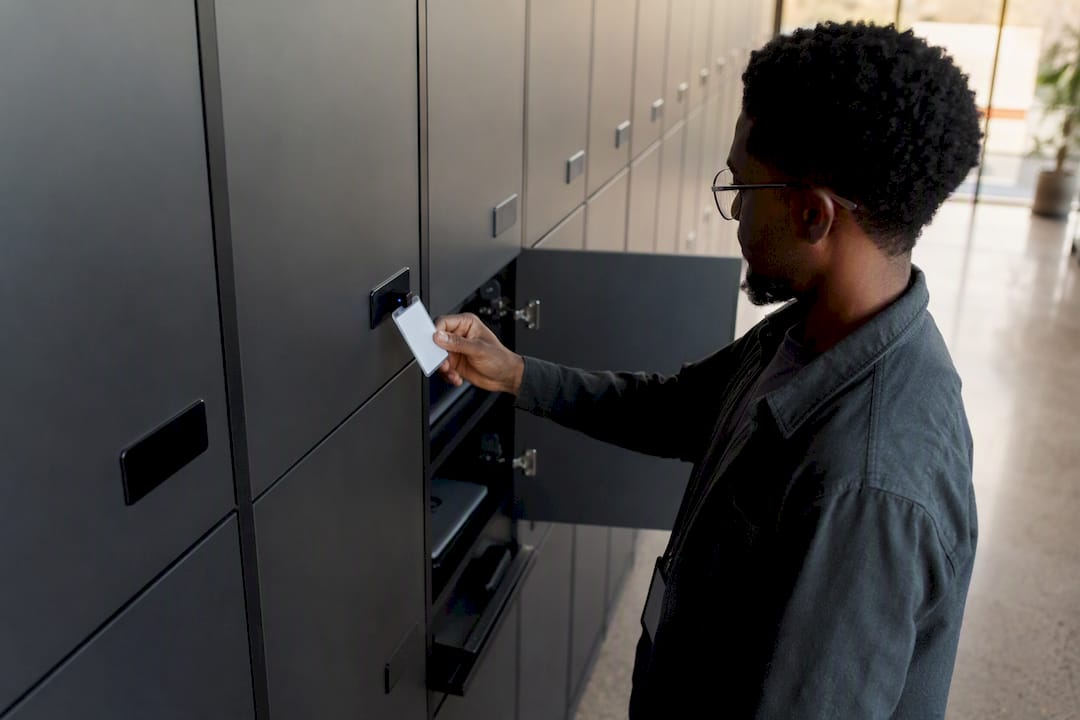
Examples of automation in the workplace, by business function
Workplace automation covers five functions that produce measurable results fastest: office and admin, HR, IT support, sales and marketing, and finance. IBM’s AskHR virtual agent now handles more than 80 distinct HR tasks and processes over 2.1 million employee conversations a year, a scale that would have needed a large service centre a decade ago.
Those two data points sit at opposite ends of the same spectrum. One is a conversational agent completing digital tasks; the other is physical fulfilment, automated inside ServiceNow rather than bolted onto it. Between them sits the practical territory most IT leaders actually need: office scheduling, HR onboarding, sales lead routing, IT ticket handling, facilities booking, and finance reconciliation. Expect the strongest early wins in ticket deflection, staff hours recovered, and faster fulfilment, not in headcount reduction. The rest of this article works through each function with examples you can pilot this quarter.
Table of Contents
- Office and admin automation examples worth piloting first
- HR automation examples that speed up hiring and onboarding
- Sales and marketing automation examples that cut admin time
- IT and internal support automation examples for enterprise teams
- Facilities automation examples that improve space use
- Finance automation examples that speed up payments
- How to pick and pilot workplace automation this quarter
- What enterprise deployments reveal about integration depth
- Industry examples that show automation applies everywhere
- Where to focus your automation efforts this quarter
- Automate the parts of IT support that still need a human hand
- The gap between digital automation and physical fulfilment
- Sources
Office and admin automation examples worth piloting first
Office automation rarely needs a large budget. It needs the right first system to connect and a pilot narrow enough to measure cleanly within a month.
Email triage is the easiest starting point. Rules that auto-sort by sender domain, flag urgent keywords, or route requests to the right queue cut inbox time without touching a single line of code in most mail platforms. Layer an auto-response on top for common queries (“your request has been logged, reference #1234”) and first-response time drops immediately, even before a human reads the message.
Scheduling automation removes the multi-email tennis match of finding a meeting slot. Tools built on Microsoft’s scheduling and booking capabilities let external and internal participants book directly against real availability, which matters more than it sounds once you’re coordinating across time zones or client-facing calendars.
Document generation deserves particular attention from compliance-heavy organisations. Contract templates, NDAs, and compliance letters that pull data automatically from a CRM or HRIS remove the error-prone copy-paste step that causes most document mistakes.
Reporting automation closes the loop. Scheduled exports and dashboards, whether built in Power BI or an equivalent platform, push the same report to stakeholders on a fixed cadence rather than waiting for someone to remember to run it.
- Email triage and auto-response: routes and answers common queries before a person sees them
- Meeting and resource scheduling: removes manual back-and-forth across calendars
- Document generation from templates: pulls live data into contracts and compliance letters
- Scheduled reporting: pushes dashboards to stakeholders automatically on a fixed cycle
Pro Tip: Pick your email or calendar system as the first integration point, not your CRM. It’s the system every employee already touches daily, so the pilot’s impact is visible within a week rather than buried in a quarterly report.
HR automation examples that speed up hiring and onboarding
HR automation now spans the full employee lifecycle, and the gap between a chatbot and an agent matters more here than almost anywhere else in the business. A chatbot answers “what’s my holiday allowance?” An agent actually updates the record, triggers the approval, and confirms it back to the employee, which is the distinction IBM’s AskHR deployment demonstrates at scale, with many HR tasks completed autonomously and very high adoption reported among managers using it.
- Applicant tracking and interview scheduling: integrated ATS platforms auto-screen applications against role criteria and push shortlisted candidates straight into a scheduler, cutting the time recruiters spend chasing calendar slots.
- Onboarding workflows: a new starter’s laptop request, building access, and mandatory training modules trigger automatically the moment a contract is signed, rather than depending on someone remembering each step.
- Payroll and expense approvals: rules-based routing sends expense claims above a threshold to the right approver automatically, and flags policy breaches before they reach a manager’s inbox.
- AI HR agents for routine tasks: agents that can action a request (reset a benefits election, update a bank detail) rather than merely explain the process, which is where measurable time recovery in onboarding actually comes from.
None of this works without governance. Every automated HR action needs a consent trail, an audit log, and a defined retention period, because HR data carries legal weight that a marketing automation workflow doesn’t. Build governance in from day one rather than retrofitting it once an auditor asks where a record came from.
Sales and marketing automation examples that cut admin time
Sellers lose hours a week to admin that automation handles better than a person ever could, largely because the underlying logic is repetitive rule-following rather than judgement.
Lead capture and enrichment sits at the front of the funnel. A form submission that automatically pulls company size, industry, and technology stack from an enrichment tool gives a sales rep context before the first call, instead of five minutes of manual research.
Nurture sequences then keep prospects warm without a human sending a single email. Triggered messaging based on behaviour, a whitepaper download, a pricing page visit, a demo request, moves leads through the funnel on their own timeline rather than the sales team’s.
- Lead capture and enrichment: auto-populates firmographic data the moment a form is submitted
- Behaviour-triggered nurture sequences: sends relevant content based on what a lead actually does, not a fixed schedule
- Follow-up and quote automation: generates and sends quotes from a template the moment a deal stage changes
- Invoicing on deal close: triggers billing automatically rather than waiting for a rep to remember
- Campaign scheduling and reporting: publishes content on a calendar and rolls up performance without a manual export
The compounding effect matters more than any single automation. A rep who no longer builds quotes manually or chases invoice sign-off gets that time back for the parts of selling that still need a human: negotiation, objection handling, and relationship-building.
IT and internal support automation examples for enterprise teams
IT support automation splits cleanly into two categories that get conflated far too often: digital resolution and physical fulfilment. Confusing the two is why so many automation projects stall the moment a ticket needs a hand to actually touch a device.
On the digital side, the critical distinction is between a chatbot that answers “how do I reset my password?” and an agent that resets it. Zendesk’s guidance on agentic AI makes the point directly: agents that complete multistep actions need deep integrations and governance, and shallow chat wrappers routinely fail once they hit a permissioned, audited environment. Automated ticket classification and routing sits alongside this, sorting incoming requests by urgency and skill category before a human technician ever sees the queue.
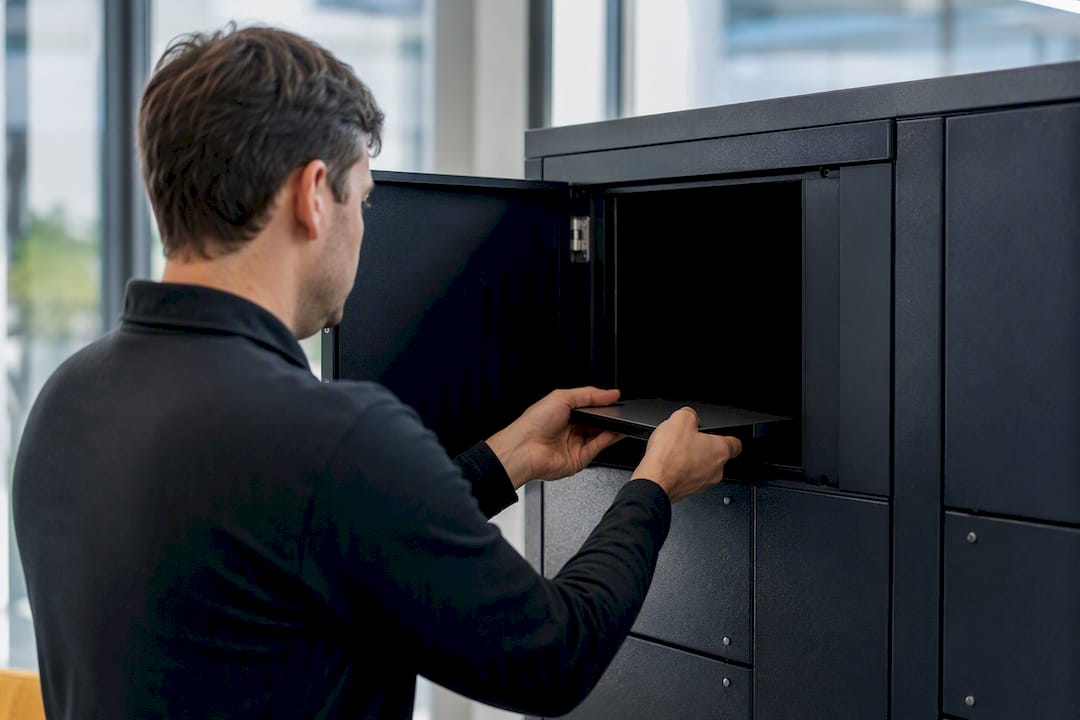
Where digital automation stops is the moment a workflow needs a physical object in someone’s hands: a replacement laptop, a spare monitor cable, a returned device. That’s where smart lockers and smart vending come in. A locker handles full-device handovers, new-starter kit, a broken-laptop swap, a loaned peripheral, through a self-service touchpoint that logs the transaction against the employee’s record automatically. Vending machines handle the smaller, higher-frequency stuff: cables, headsets, adapters, dispensed on demand without a stockroom visit. Walk-up kiosks add a third layer, a virtual tech bar where an employee gets AI-assisted triage for an issue that would otherwise mean booking a desk-side visit.
- AI agents that execute tasks: password resets, access changes, and account unlocks, completed rather than merely explained
- Automated ticket classification and routing: sorts and assigns tickets by urgency and category before human triage
- Smart lockers for device handovers: self-service swaps, loans, and returns logged automatically against the CMDB
- Smart vending for peripherals: 24/7 dispensing of cables, headsets, and consumables without a stockroom trip
- Walk-up kiosks for AI-assisted triage: replaces the in-office help desk queue for common issues
The KPIs worth tracking are deflection rate (tickets resolved without a technician), fulfilment time (how fast a device physically reaches the employee), and IT staff hours recovered. None of these numbers mean much if the underlying platform sits outside ServiceNow, because every handover then needs a separate reconciliation step against the CMDB.
Pro Tip: Before automating anything physical, check whether your current ticket data even tracks fulfilment time separately from resolution time. Most ServiceNow instances conflate the two, which hides exactly where the physical bottleneck sits.
Facilities automation examples that improve space use
Facilities automation tends to get less attention than IT or HR, largely because the savings are quieter, spread across square footage rather than staff hours. That doesn’t make them smaller.
- Room and desk booking systems: prevent double-bookings and surface real-time availability across floors
- Occupancy and energy sensors: adjust heating, cooling, and lighting based on actual usage rather than fixed schedules
- Digital signage workflows: push room schedules, wayfinding, and emergency alerts automatically from a central feed
- Automated maintenance requests: route a broken-fixture report straight to the right vendor or in-house team without a manual dispatch call
The common thread is data that already exists, badge swipes, sensor readings, booking records, being used to trigger an action rather than sitting in a report nobody reads until the quarter ends.
Finance automation examples that speed up payments
Finance automation earns trust fastest when it removes the manual keying that causes most reconciliation errors in the first place.
- Invoice OCR and approval routing: extracts line items automatically and routes for approval based on amount thresholds
- Expense claim automation: enforces policy limits at submission rather than during a manual review weeks later
- Automated reconciliation: matches transactions against bank feeds without a spreadsheet cross-check
- Scheduled payment runs: executes approved payments on a fixed cycle instead of a manual batch job
Most finance automation pilots pay back within two to three months, though the productivity gains from automation adoption tend to show up unevenly across teams, faster in accounts payable than in forecasting. The common pitfall is skipping the policy-enforcement step and automating approval routing alone, which just moves the error further down the pipeline instead of catching it.
How to pick and pilot workplace automation this quarter
Picking the right first automation matters more than picking the most impressive one. Start with frequency, manual time cost, and error rate, not with whatever vendor pitched you last.
- Score candidate tasks: rank by how often the task happens, how many hours it consumes weekly, and how often it goes wrong. High frequency plus high error rate beats high visibility every time.
- Set a baseline before you build anything: measure current ticket volume, fulfilment time, or approval turnaround for two to four weeks so the pilot has something real to compare against.
- Run a small, bounded pilot: one site, one team, or one ticket category, never the whole organisation on day one.
- Check the integration checklist: HRIS, ITSM, CMDB, payroll, and CRM all need to talk to the automation layer directly. A tool that sits outside these systems creates a second source of truth, which is precisely what Brookings’ research on automation and labour markets flags as the difference between automation that complements a workforce and automation that just adds friction.
- Build governance in from the start: RBAC, logging, and data retention rules should exist before the pilot goes live, not after an audit asks for them.
- Measure and iterate: track time saved, tickets deflected, throughput uplift, and employee satisfaction, then decide whether to scale, adjust, or kill the pilot.
Pro Tip: Start agent-based automation with read-only retrieval, answering questions rather than taking action, and only progress to task execution once the integration and governance are proven in production. It’s a slower start, but it avoids the failure mode where an agent takes an unauthorised action in a system it wasn’t fully cleared to touch.
What enterprise deployments reveal about integration depth
The gap between a promising automation pilot and one that survives three years of audits almost always comes down to where the platform sits relative to the system of record. A ServiceNow-native approach to physical fulfilment, smart lockers and vending included, inherits the customer’s existing RBAC, audit trail, and CMDB rather than building a parallel database that someone has to reconcile manually every quarter.
When a pharmaceutical customer running Smart Collect across multiple countries saw a 500%+ uplift in IT service throughput and 74% less employee downtime, the workflow was still traditional ITSM, not agentic AI. That’s the floor these deployments start from, not the ceiling. As Now Assist and equivalent agent frameworks mature, the outcomes already on the table get multiplied by end-to-end agentic orchestration, not created by it.
Both results came from the same principle: keep the transaction inside ServiceNow so every locker opening, vending dispense, or kiosk interaction becomes a native CMDB record, not a synced copy.
Smart lockers and vending make the most sense as a complement to digital automation, not a replacement for it, specifically wherever a workflow terminates in a physical object changing hands.
Industry examples that show automation applies everywhere
Automation examples read differently once you cross sectors, though the underlying pattern (repetitive task, clear rule, measurable outcome) repeats everywhere.
Retail environments lean on occupancy sensors and digital signage to adjust staffing and promotions in real time. Utilities and energy operators, often running critical infrastructure across dispersed sites, use automated ticket routing and physical fulfilment together, since a field engineer needing a replacement device can’t wait for a courier. Legal and financial services firms, both bound by strict recordkeeping obligations, lean heavily on document generation and audit-trail automation because the compliance cost of a manual error is disproportionately high compared with other sectors.
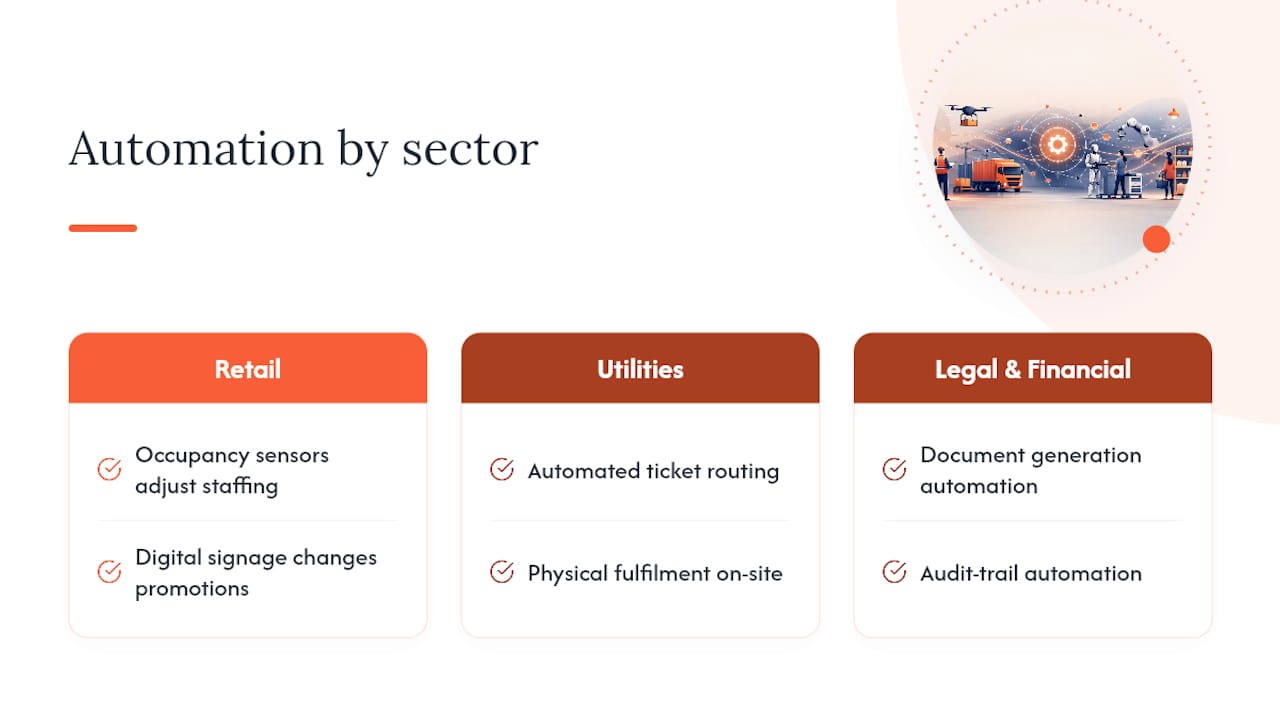
The common thread across every one of these examples, whether it’s a university library, a nuclear plant, or a law firm, is that automation works best when it’s built into the system already governing that workflow, rather than sitting beside it as a separate tool nobody fully trusts.
Where to focus your automation efforts this quarter
Workplace automation delivers its fastest, most defensible wins when it’s scoped to a single function, measured against a real baseline, and built on top of the system of record rather than beside it.
| Point | Details |
|---|---|
| Start narrow | Pick one function (email triage, ticket routing, expense approval) and one system to integrate first. |
| Separate digital from physical | Chatbots answer questions; agents and physical fulfilment tools like smart lockers complete tasks. |
| Baseline before building | Measure current volume, error rate, and turnaround for two to four weeks before piloting anything. |
| Integration depth decides durability | ServiceNow-native or CMDB-aware automation avoids the parallel-database problem that kills pilots at scale. |
| Governance from day one | RBAC, audit logging, and retention rules need to exist before launch, not after the first audit request. |
Automate the parts of IT support that still need a human hand
Most of the automation examples above run entirely in software, and that’s precisely why the physical layer keeps getting overlooked in planning conversations. A ticket that resolves itself with an AI agent still needs a laptop swapped, a monitor delivered, or a badge collected in a meaningful share of cases, and that’s the layer digital-only automation strategies leave exposed.
Velocity-smart built Smart Collect for exactly that gap. It runs natively inside a customer’s ServiceNow tenant, not as an integration layered on top, so every locker handover, vending dispense, or kiosk interaction inherits existing RBAC, audit trails, and CMDB records without a separate security review. For IT leaders scoping a pilot this quarter, the Smart Collect product overview walks through the three hardware form factors, lockers, vending, and virtual kiosks, and how each maps to a different fulfilment pattern.
The gap between digital automation and physical fulfilment
Most workplace automation coverage treats “automation” as synonymous with software, chatbots, RPA scripts, scheduling tools, and stops there. That’s a real gap, and it’s the one this article has tried to close by walking through every function from admin to finance with examples that are genuinely piloted inside enterprises today, not theoretical.
The conventional advice, automate the digital layer and physical support will sort itself out, doesn’t hold up once you look at where desktop support cost actually sits. A ticket that needs a hand-delivered device costs meaningfully more than one resolved on a screen, and that gap doesn’t shrink as AI gets better at resolving software issues; it widens, because the digital side gets cheaper while the physical side stays exactly as expensive as it’s always been.
What the reader should prioritise first isn’t the flashiest agent deployment. It’s mapping which of your current tickets terminate in a physical action, then asking whether that action runs inside the same governed system as everything else, or bolted on beside it. Get that answer wrong and every other automation investment inherits the same blind spot.
— Anthony
Sources
- IBM AskHR
- Understanding the impact of automation on workers, jobs, and wages | Brookings
- Automation and its effects (NBER working paper)
- AI agents for employee service: Use cases, benefits, and implementation | Zendesk
Recommended
See what Smart Collect® could save you
Model your savings in two minutes, or book a 60-minute workshop to pressure-test the numbers against your estate.