Onboarding automation software: a ServiceNow-native buyer’s guide
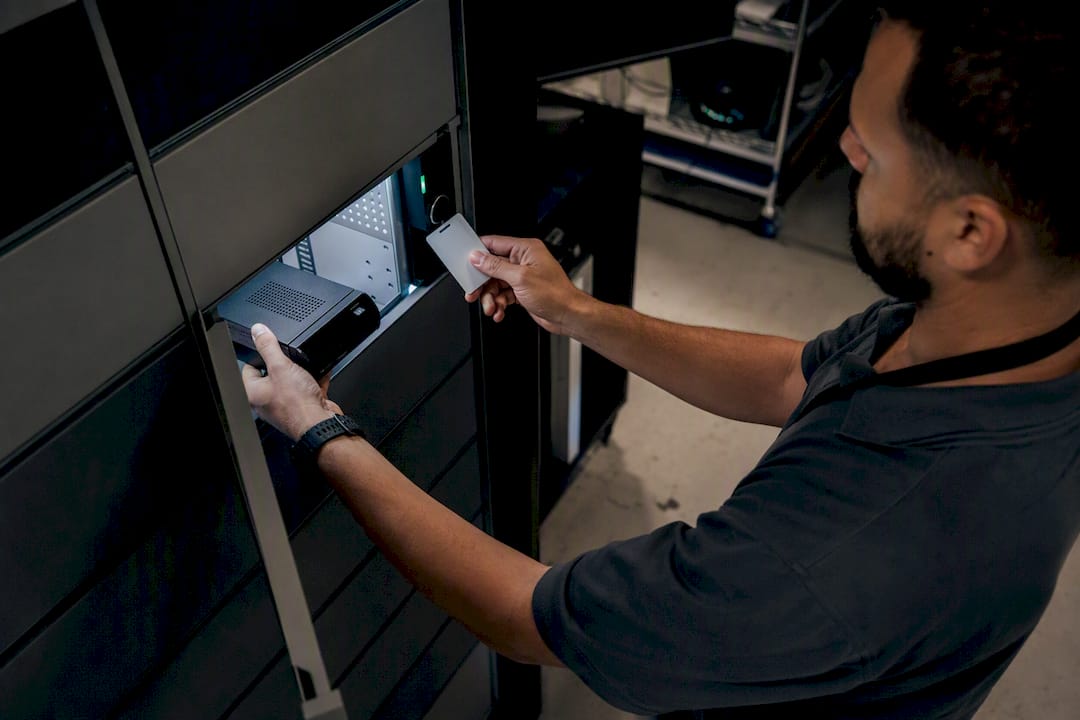
Onboarding automation software for enterprise IT must do one thing without exception: move a new hire from an HR lifecycle event to a device in their hands, with every step recorded as a CMDB transaction and no manual ticket in between. Favour platforms that run natively inside ServiceNow rather than bolting on through middleware, because native architecture inherits your existing role-based access control, audit trail and Hardware Asset Management data model instead of duplicating it. Smart Collect® is one such ServiceNow-native form factor worth putting on your shortlist for the physical handover layer specifically.
Three proof points to anchor your evaluation:
- ServiceNow HR lifecycle events (Hire, Transfer, Termination) should trigger provisioning automatically, not through a service desk ticket.
- CMDB and HAM integration must create and update asset records natively, with no synchronisation lag.
- UEM enrolment through Microsoft Intune, Apple Business Manager or Samsung Knox Manage should complete before the device ships, not after.
Key Takeaways
Onboarding automation software succeeds when it runs natively inside ServiceNow, writes directly into the CMDB, and orchestrates both digital provisioning and physical handover from a single audit trail.
| Point | Details |
|---|---|
| Favour native architecture | Choose apps that run inside your ServiceNow tenant and inherit RBAC and audit trails, not middleware. |
| Confirm CMDB write-back | Verify asset records update in real time, not through nightly synchronisation batches. |
| Check UEM coverage | Ensure support for Microsoft Intune, Apple Business Manager and Samsung Knox Manage before shortlisting. |
| Track fulfilment KPIs | Measure time-to-device, desk-side ticket reduction and reclaimed IT staff hours from day one. |
| Consider Smart Collect® for handovers | Velocity Smart Technology’s ServiceNow-certified platform orchestrates lockers, vending and kiosks with native CMDB records. |
Table of Contents
- What does onboarding automation software actually need to do?
- How does an automated onboarding process actually run end to end?
- What KPIs prove onboarding automation is working?
- What should be on your pre-procurement checklist?
- What questions should you ask vendors during evaluation?
- How long does deployment take and what drives the cost?
- Why ServiceNow-native architecture should decide your shortlist
- Where Smart Collect® fits in your evaluation
- Sources
What does onboarding automation software actually need to do?
Feature parity matters more than feature count. A shortlist of five vendors will often show the same six or seven capabilities described in different marketing language, and the job of an evaluator is to strip that language away and check what’s actually running natively versus what’s stitched together through an integration layer.
Start with HR lifecycle integration. The platform must consume events from your HRIS as they land in ServiceNow’s HR lifecycle module, so a Hire event fires provisioning without anyone raising a ticket. Second, it needs UEM and enrolment support: Microsoft Intune, Apple Business Manager and Samsung Knox Manage each handle zero-touch configuration differently, and your platform should speak to all three without custom scripting per tenant.
Third, CMDB and HAM integration has to be automatic, not a nightly batch job. ServiceNow’s Hardware Asset Management treats the CMDB as the single source of truth, and any onboarding platform worth buying writes into that structure directly rather than maintaining a shadow database.
Beyond that, look for:
- Physical handover orchestration across smart lockers, vending and kiosk form factors, not just software licensing steps.
- Procurement and stockroom orchestration that reserves stock and raises purchase orders automatically when inventory runs short.
- Role-based device catalogues with approval routing, so a graduate hire and a director don’t see the same menu.
- Audit trails and SLA reporting that satisfy your compliance team without a separate export process.
How does an automated onboarding process actually run end to end?
The sequence matters as much as the components, because every handoff between systems is where automation historically breaks down.
- HR event fires. A Hire or Transfer record in ServiceNow’s HR lifecycle module triggers a provisioning workflow, tagged with department, role and location.
- Asset allocation runs. An AI provisioning agent checks precedent allocations for that role, reserves available stock and, when nothing is available, automatically raises a purchase order rather than escalating to a human.
- UEM enrolment completes. The device is enrolled through Apple Business Manager, Intune Autopilot or Knox Manage before it ever leaves the warehouse, so it arrives pre-configured.
- VAR or carrier fulfilment. A value-added reseller ships direct to a smart locker, vending unit or the employee’s site, following the model ServiceNow itself uses for zero-touch laptop provisioning.
- Physical handover. The employee collects the device from a locker, vending unit or kiosk, authenticated against their own identity.
- CMDB record closes. Ownership, serial number and location write back into the CMDB as a native configuration item, completing the transaction.
AI agents handle allocation and stockout PO generation well; approvals for high-value assets or unusual role requests still warrant a human sign-off. Dashboards tracking order-to-activation time keep procurement, HR and IT operations looking at the same numbers rather than three different spreadsheets.
What KPIs prove onboarding automation is working?
The metrics that matter to a CFO and the metrics that matter to an end-user computing lead overlap more than most people assume. Fulfilment throughput, time-to-device and desk-side ticket reduction all roll up into the same story: fewer manual touches, faster resolution, lower headcount pressure on IT operations.
Deployments run on ServiceNow-native locker and vending platforms have reported outcomes including a 500%+ uplift in IT service throughput and 83% faster fulfilment at a global pharmaceutical customer, figures that came from a documented case study rather than a vendor slide. Track these in your own business case:
- Time-to-device from HR event to physical handover.
- Desk-side ticket volume reduction, month over month.
- IT staff hours reclaimed from manual fulfilment and chasing late returns.
- Return and late-return rates for loaned equipment.
CMDB-native records also compress audit preparation, because asset history sits where your auditors already look, rather than requiring a separate export from a bolted-on tracking tool.
What should be on your pre-procurement checklist?
Most onboarding automation failures aren’t software failures. They’re integration and operations gaps that nobody flagged until pilot week.
On the technical side, confirm whether the platform is a genuine in-tenant ServiceNow application or middleware wearing a ServiceNow skin, because that distinction determines whether you inherit RBAC and audit trails or rebuild them. Check CMDB model alignment, the exact HRIS event payloads it consumes, and whether procurement APIs support your existing VAR drop-ship routing.
Operationally, you need a role-based device catalogue designed before rollout, not improvised during it. Warehouse footprint, local logistics and customs handling for multi-region deployments deserve their own line item, and locker placement has to account for power and network connectivity, which is a more common oversight than most IT teams expect.
Security and compliance items to verify:
- RBAC inheritance from your existing ServiceNow tenant, with no separate permission model to maintain.
- Audit-trail continuity from HR event through to physical handover.
- ISO 27001 and ISO 9001 evidence from the vendor, not just a compliance statement.
- Identity provider and SSO integration for locker and kiosk authentication.
Training matters more than most procurement teams budget for. HR needs to understand what triggers a provisioning event, procurement needs visibility into automated purchase orders, and IT needs a runbook for exceptions. The Samsung SDS analysis of enterprise device onboarding makes the point plainly: deployment complexity spans procurement, logistics, configuration, identity and communication, and a failure in any one domain stalls the rest.
Pro Tip: Verify a device’s enrolment state in Intune, Apple Business Manager or Knox Manage before it ships, not after. Teams that skip this check routinely find themselves troubleshooting a locker handover for a device that was never actually enrolled.
What questions should you ask vendors during evaluation?
A demo will always look polished. The questions below are designed to get past that.
- Is the application ServiceNow-native and tenant-run, or does it depend on middleware and a separate database?
- Does it inherit your existing RBAC and audit trails, or does it require a new permission model?
- How does it update the CMDB and HAM, and is that write-back real-time or batched?
- Which UEMs and enrolment programmes does it support, specifically Microsoft Intune, Apple Business Manager and Samsung Knox Manage?
- What APIs exist for procurement systems and warehouse operations, including VAR drop-ship routing?
On the operational side, press for turnaround SLA on fulfilment, support SLA tiers, hardware warranty terms for lockers and vending units, and whether local warehousing is available in your regions.
Build your contract around measurable acceptance criteria:
- Fulfilment SLA and order-to-activation time, stated in hours or days, not “as soon as possible.”
- Accuracy threshold for correctly assigned assets by role.
- Audit log completeness, verified against a sample transaction set.
- Remediation SLA for mis-assignments or failed enrolments.
Score ServiceNow-native options above middleware-dependent ones on your shortlist. The architecture decision made early is far cheaper to live with than one corrected after a global rollout.
How long does deployment take and what drives the cost?
Budget in phases, not a single lump timeline, because each phase has a different bottleneck.
- Discovery and CMDB alignment — mapping your existing configuration items against the platform’s data model.
- Tenant app installation and configuration — the ServiceNow-native install itself, typically the fastest phase.
- UEM and HRIS integration — connecting Intune, Apple Business Manager or Knox Manage, and your HR system’s event payloads.
- Procurement and logistics setup — VAR drop-ship routing, warehouse allocation, local customs handling for multi-region rollouts.
- Pilot — one region or site, long enough to surface exception cases.
- Global roll-out — phased by region, respecting local logistics constraints.
- Optimisation and SLA handover — tuning thresholds and formally transferring support ownership.
Complexity in your CMDB, the number of UEM tenants you run, and local customs or warehousing constraints all stretch timelines more than the software configuration itself.
Cost concentrates in four areas: the software licence, typically priced per device or per site; hardware for lockers, vending units and kiosks; integration professional services for HRIS and UEM connections; and ongoing support and maintenance SLAs. Local warehousing and VAR drop-ship fees add a variable that’s easy to underestimate in a first-pass budget.
- Reserve pilot inventory separately from your production stock forecast.
- Budget a local warehousing reserve for each region in scope.
- Include change-management training costs for HR and procurement, not just IT.
Why ServiceNow-native architecture should decide your shortlist
Most vendor comparisons in this category get seduced by the AI story and skip past the architecture question that actually determines whether the AI story holds up. An agent that allocates assets by role or raises a purchase order on stockout is only as trustworthy as the system of record it’s writing into, and if that system is a shadow database syncing back to ServiceNow on a schedule, you’ve built an audit gap into your onboarding process from day one.
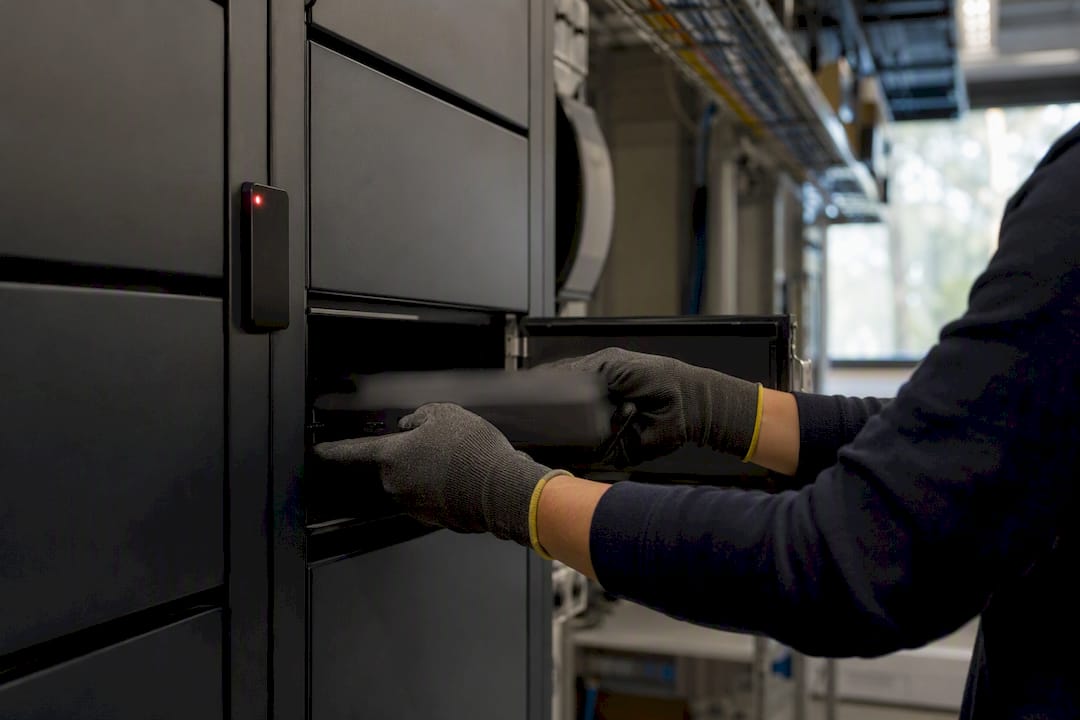
The conventional advice tells buyers to focus on AI capability first and integration second. That ordering is backwards for a regulated enterprise. ServiceNow’s own zero-touch provisioning work shows what’s achievable when ordering, tagging and delivery all write directly into a single CMDB, and that outcome depends entirely on the architecture being native, not on the AI layer sitting on top of it.
What you should prioritise first is unglamorous: confirm RBAC inheritance and CMDB write-back before you evaluate a single AI feature. Everything Now Assist and agentic workflows promise for physical handovers depends on that foundation being solid. Get the architecture right, and the AI capability arrives as a multiplier rather than a patch job.
Where Smart Collect® fits in your evaluation
If your shortlist so far has been software-only vendors promising AI-driven provisioning with no answer for the physical handover, Smart Collect® closes that specific gap. It’s the ServiceNow-certified application that orchestrates smart lockers, vending and kiosks from inside your own tenant, writing every handover transaction into your CMDB as a native record, with your existing RBAC and audit trail inherited automatically rather than rebuilt.
That matters most for CIOs running regulated, multi-site operations where a device handover has to be as auditable as any other configuration item, not a spreadsheet update that happens outside ServiceNow. Read the Smart Collect® product overview to see how locker, vending and kiosk form factors map onto your own onboarding workflow, or pull the Smart Locker Whitepaper if you’re building a business case with ROI modelling attached. For teams evaluating installation logistics alongside software, Installer is a useful reference on operations tooling for deployment at scale. The next step is straightforward: request a walkthrough of Smart Collect® against your own CMDB model before you finalise your shortlist.
Sources
- How We Automated Day-One IT Provisioning with AI on ServiceNow - CtrlAltNow
- IT Asset Management Using Zero Touch
Recommended
See what Smart Collect® could save you
Model your savings in two minutes, or book a 60-minute workshop to pressure-test the numbers against your estate.