<img src="https://secure.intelligence52.com/795135.png" style="display:none;">
Velocity Blog

Audit Ready IT Self Service for Regulated Enterprises

By Anthony Lamoureux
Employee retrieving sealed IT equipment case

Audit Ready IT Self Service for Regulated Enterprises

Employee retrieving sealed IT equipment case

IT self-service is the practice of letting employees or customers resolve technical issues, request equipment, or complete service tasks themselves through a portal, knowledge base, or virtual agent, rather than waiting on a help desk agent. It covers both customer-facing tools (order tracking, returns, billing queries) and internal IT tools (password resets, software requests, access changes). The business case is straightforward: faster resolution, lower cost per ticket, and support teams freed up for work that actually needs a human.


TL;DR:

  • Self-service portals must have accurate, searchable content and a clear service catalog to ensure high user trust and adoption.
  • Integrating self-service with ITSM and configuration management database systems minimizes data silos and maintains asset ownership accuracy.
  • Metrics such as ticket deflection, fulfillment time, and throughput are essential for proving the tangible value of self-service implementations.
  • Successful deployment depends on disciplined content ownership, compliance checks, and a well-planned operational runbook from day one.
  • AI-powered self-service will increasingly handle complex requests autonomously, but physical asset delivery still requires manual or specialized automation processes.

Velocity-smart
Connect Self Service To Physical IT
Velocity Smart brings physical handovers into ServiceNow, with native asset records, audit trails and self-service workflows for regulated enterprises.
Explore Velocity Smart

Table of Contents

What does self-service actually mean, in customer and IT terms?

Cambridge Dictionary defines self-service plainly: a business or machine “operated without employees to help you, so that you take items for yourself and then pay someone for whatever you have taken.” That retail-era definition still holds the core idea, but enterprise IT has stretched it considerably. Self-service technologies, or SSTs, is the academic term covering any interface that lets a person complete a service task independently of direct staff assistance, from an ATM to an airport check-in kiosk to a corporate IT portal.

Self-service is not the same as automation, though the two overlap constantly. Automation is what happens behind the scenes, a workflow engine provisioning an account or a script resetting a password. Self-service is the front door the user walks through to trigger that automation. You can have automation with no self-service (a script that runs on a schedule, invisible to end users), and you can, in theory, have self-service with weak automation behind it (a request form that still routes to a technician who manually actions it). The strongest deployments pair both: a simple front end with genuinely automated fulfilment underneath.

In customer service, self-service usually means FAQs, help centres, and increasingly, AI-driven virtual agents that handle billing questions or order changes without a phone call. In IT, self-service refers to a portal where staff resolve their own technical requests, request new equipment, or find answers in a knowledge base, without opening a ticket with the help desk.

Within modern service delivery models, IT self-service sits at the front line, ahead of tiered support:

  • Tier 0: self-service portals, knowledge bases, and virtual agents handle the request directly.
  • Tier 1: human agents step in for anything the portal cannot resolve.
  • Tier 2/3: specialist technicians or engineers handle complex or physical issues.

Getting Tier 0 right determines how much volume ever reaches a human agent at all.

What are the main types of self-service technology?

Self-service technology spans a wider range of channels than most people assume, and each one suits a different kind of task. Recognising which channel fits which job is half the design problem.

  1. Web and mobile portals. The workhorse of IT self-service. A portal presents a service catalogue, a knowledge base, and request forms in one place, and most employees now expect one before they will call anyone.
  2. Chatbots and virtual agents. Conversational interfaces that interpret a request in natural language and either answer directly or route it. Modern versions increasingly draw on generative AI rather than scripted decision trees.
  3. Interactive Voice Response (IVR). Older technology, still common in customer service call centres, letting a caller navigate menus or complete simple transactions without an agent.
  4. Kiosks. Physical, walk-up terminals used for tasks like account lookups, badge printing, or basic diagnostics, common in retail, healthcare, and increasingly in corporate offices.
  5. In-app workflows. Self-service embedded directly inside another application, such as requesting elevated access from within a collaboration tool rather than switching to a separate portal.

Certain tasks are practically made for self-service: password resets, standard software requests, checking the status of an existing ticket, and basic troubleshooting guided by a knowledge base. These are high-volume, low-complexity, and rule-based, exactly the profile that lends itself to clean automation.

Not everything should be automated end to end, though. A hardware failure, a security incident, or an unusual access request often needs human judgement, and forcing these into a rigid self-service flow tends to frustrate users and generate rework. A 2024 literature review on self-service technologies recommends hybrid models, where AI-enabled self-service handles routine volume but a person remains reachable for exceptions. That hybrid principle turns up again and again in mature deployments, and it is worth designing for from day one rather than retrofitting later.

How does IT self-service actually work under the hood?

The visible portal is the smallest part of the system. What makes IT self-service function is the machinery behind it, and this is where IT managers earn or lose the business case.

The functional core is the service catalogue, a structured list of requestable items and services, each tied to an automated workflow. Request a new laptop, and the catalogue entry should trigger approval routing, asset allocation, and fulfilment steps without a human touching a spreadsheet. A self-service portal without a well-maintained catalogue behind it is really just a glorified ticket form.

Several other components have to work together for that to hold up at enterprise scale:

  • Identity and authentication. The portal needs to know who is asking, tied to the organisation’s identity provider, so requests carry a verified identity rather than an anonymous form submission.
  • Role-based access control (RBAC). Not every employee should see every catalogue item; a finance director requesting a server change is a governance failure waiting to happen.
  • ITSM and CMDB integration. Requests, approvals, and fulfilment need to write back into the same IT service management platform and configuration management database the rest of IT operations relies on.
  • Audit trails. Every request, approval, and fulfilment action should be logged against the asset and the requester, not sitting in a separate system nobody reconciles.
  • Routing and escalation logic. When a request falls outside standard parameters, it needs to convert cleanly into a human-assigned ticket, with the context already attached.

That CMDB link matters more than it might look. Enterprise platforms that skip it end up with self-service data sitting apart from the rest of IT operations, and asset ownership records drift out of sync with reality, which becomes a real problem the first time an auditor asks who has custody of a specific laptop. Desktop-level support tickets already run several times the cost of a purely digital one to resolve, according to industry benchmarking cited across ITSM vendor research, so any self-service design decision that quietly pushes volume back onto in-person support erodes the economics the whole programme was built to capture.

Pro Tip: Before building a single workflow, map which catalogue items can fulfil entirely inside the portal versus which ones will always need a human or a physical action at the end. Design the handoff for the second group before you launch, not after complaints start.

What benefits and measurable outcomes should you expect?

The value of self-service is not abstract. It shows up in a handful of concrete numbers, and any credible business case should be built around them rather than around vague claims of “efficiency.”

The core metrics worth tracking are:

  • Ticket deflection rate, the percentage of requests resolved without ever reaching a human agent.
  • Fulfilment time, from request submission to completed resolution.
  • Throughput, the total volume a service desk can process in a given period without adding headcount.
  • Downtime reduction, particularly for issues that previously required waiting for an available technician.

Industry guidance on IT self-service portals is consistent on one point: measure outcomes, not activity. A dashboard full of login counts tells you adoption exists, not whether it is saving anyone money. As one practical framework puts it:

Deflection, fulfilment time, and throughput are the metrics that prove return on investment, not vanity indicators like page views or login counts. A clear baseline before launch is what makes any of these numbers meaningful afterwards.

That baseline is the part organisations skip most often. Without knowing average fulfilment time or ticket volume before launch, there is no credible way to prove the portal moved the needle six months later. Recommended practice is to set a reporting cadence, monthly at minimum for a new deployment, quarterly once the programme stabilises, and to report the same handful of KPIs every cycle rather than switching metrics to chase a good-looking chart. Case-study evidence across ITSM vendors and enterprise deployments consistently points to the same pattern: portals with a maintained catalogue and clear escalation paths outperform those launched as static FAQ pages, largely because users trust them enough to actually use them for anything beyond the simplest request.

How do you actually roll out self-service well?

A self-service programme succeeds or fails on details most project plans treat as afterthoughts: content quality, ownership, and the operational discipline to keep both current. The sequence below reflects what separates portals that get adopted from ones that quietly die after launch.

  1. Start with searchable content. Every knowledge base article and catalogue entry needs plain-language titles and keywords that match how employees actually describe their problem, not how IT documents it internally.
  2. Design a clean service catalogue. Each entry should state exactly what will happen, how long it takes, and what approval it needs, before the user commits to submitting it.
  3. Reduce friction in the interface. If a request takes more than a couple of minutes to submit, expect people to skip the portal and call someone instead.
  4. Assign content owners. Every catalogue category and knowledge article needs a named owner responsible for keeping it accurate, with a fixed review cadence, quarterly is a sensible default for most enterprise environments.
  5. Build in compliance checks. Anything touching access, hardware allocation, or regulated data needs a defined approval step baked into the workflow, not a manual afterthought.
  6. Write the operational runbook before launch. Monitoring, escalation playbooks, and maintenance responsibilities should exist on day one, not get improvised after the first outage.
  7. Train users deliberately. Adoption rarely happens organically; a short onboarding push at launch, reinforced through manager communication, consistently outperforms a “build it and they will come” assumption.

Pro Tip: Assign a single named owner to the service catalogue as a whole, not just to individual entries. Catalogues maintained by committee drift out of date fastest, because no one person feels accountable when an entry goes stale.

Governance and content strategy deserve equal billing with the technology itself. A workplace self-service programme built on solid automation but stale content will still frustrate users, and frustrated users go straight back to phoning the help desk.

Where do self-service programmes usually go wrong?

Most self-service failures trace back to a small set of recurring mistakes, and nearly all of them are avoidable with the right groundwork.

  • Poor search and content discoverability. If employees cannot find the right catalogue item or knowledge article within a search or two, they abandon the portal and revert to old habits.
  • No integration with ITSM or CMDB. A self-service tool that runs apart from core IT systems creates a parallel record of requests and assets, and that data silo becomes a real liability the moment an audit or an incident review needs a single source of truth.
  • Weak authentication. Skipping proper identity verification opens the door to unauthorised requests, particularly for anything touching access rights or physical assets.
  • Governance lapses. Without a defined owner and review cycle, catalogue entries and articles go stale within months, and users learn quickly that the portal cannot be trusted.
  • No adoption plan. Even a well-built portal will underperform if nobody actively promotes it or trains staff to use it as the default first step.

How will AI and Web 4.0 change self-service next?

Agentic AI is the most consequential shift heading into IT self-service over the next few years. Rather than a chatbot that answers a question and stops, an AI agent can interpret a request, check policy, take action inside connected systems, and close the loop, extending automation into ticket types that previously needed a human decision. Recent research on self-service technologies points to increasingly personalised, AI-enabled systems as the clear direction of travel, while still recommending that organisations keep a human safety net for exceptions and edge cases.

That expansion brings a data architecture question IT managers cannot ignore. As more systems make autonomous decisions, keeping a single, governed record of identity, entitlements, and asset state becomes harder, not easier, and decentralised or loosely federated systems risk exactly the audit and ownership gaps that already plague poorly integrated portals.

One planning consideration tends to get overlooked in AI-and-self-service conversations: physical handover. An AI agent can approve a new laptop request, check stock, and generate a fulfilment order in seconds, but somebody or something still has to put a physical device into an employee’s hands. As digital resolution accelerates, that physical last step increasingly stands out as the one part of the process AI cannot complete on its own.

IT self-service workflow ending in physical handover

Rolling out self-service at scale in regulated enterprises

Enterprise deployments in regulated sectors, pharma, defence, financial services, teach a consistent lesson: auditability and access control cannot be an afterthought bolted onto a self-service portal after launch. They have to be designed in from the first workflow, because a regulator or an internal audit will eventually ask who requested what, who approved it, and where the asset sits now. Verifiable outcomes cited across enterprise ITSM deployments, meaningful reductions in fulfilment time and IT staff hours reclaimed, tend to come from programmes that treated governance as core scope rather than a compliance checkbox.

If you are evaluating a pilot, start narrow. Pick one high-volume, low-risk catalogue category, get the RBAC and CMDB integration right for that single category, then expand. Trying to automate everything at once is how governance gaps happen.

— Anthony

When self-service meets physical fulfilment

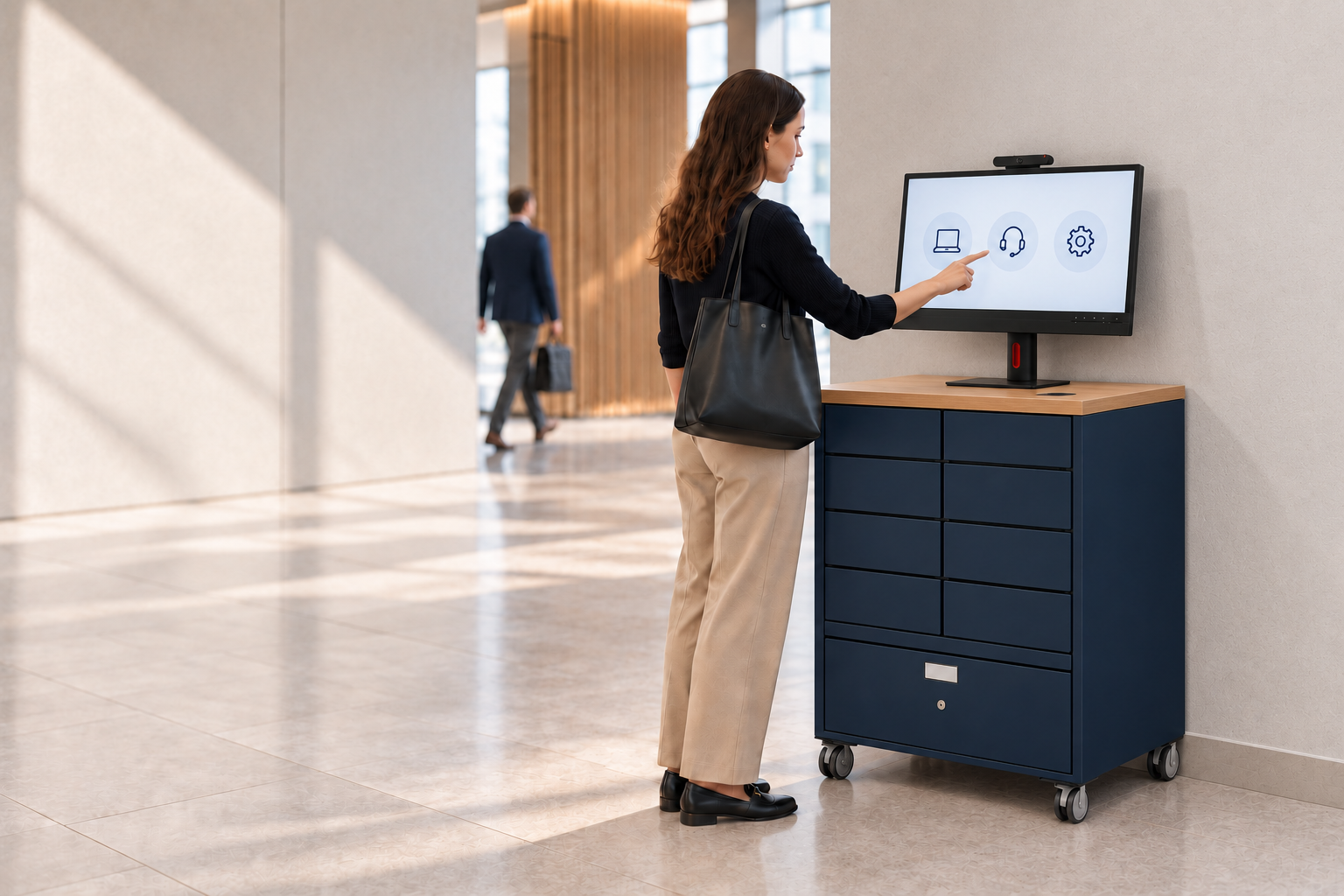
Everything above covers the digital side of self-service, portals, chatbots, knowledge bases, automated workflows. But there is a gap that digital self-service alone cannot close: when the resolution to a ticket is a physical object, a replacement laptop, a peripheral, a returned asset, someone still has to move that object from a store cupboard into an employee’s hands. That gap is exactly where Velocity-smart operates, as a ServiceNow-native platform that automates physical IT handover, smart lockers for device swaps, smart vending for peripherals, and a virtual kiosk for walk-up support, all running inside the same ServiceNow tenant, CMDB, and RBAC structure your digital self-service programme already depends on.

Velocity-smart

That native integration is the point: no middleware, no parallel database, no separate security review, just the same governance model extended to the physical layer. For IT managers who have already built a solid digital self-service catalogue and are now staring at the one category of tickets that still needs a person to walk to a locker, this is worth a look. Explore how IT self-service hardware closes that gap, or check the IT asset locker page to see how automated handover fits alongside your existing service catalogue.

Further reading and primary sources

Sources

FAQ

What exactly does self-service mean?

Self-service means completing a task, buying something, resolving an issue, requesting equipment, without direct help from an employee, using a portal, kiosk, app, or automated system instead.

How do I access a self-service portal at work?

Most organisations provide a self-service portal link through the intranet or IT communications; you typically log in with your existing corporate credentials, which the portal verifies against the company’s identity provider before showing your available services.

What is self-service in IT?

IT self-service lets employees resolve common technical issues, request software or hardware, or check ticket status through a portal, without contacting the help desk directly, using a service catalogue and automated workflows behind the scenes.

What is self-service service, and how does it differ from a normal help desk?

A self-service model puts resolution directly in the requester’s hands through automated tools, while a traditional help desk routes every request to a human agent first; most mature organisations run both, with self-service handling routine volume and staff reserved for exceptions.

Does self-service cover physical IT requests too?

Digital self-service covers the request and approval, but physical fulfilment, delivering a laptop or collecting a broken device, has traditionally needed a person; platforms like Velocity-smart automate that physical step directly inside ServiceNow.

Anthony Lamoureux
Share LinkedIn X Email

See what Smart Collect® could save you

Model your savings in two minutes, or book a 60-minute workshop to pressure-test the numbers against your estate.

Smart Locker Buyer's Guide

Nine smart locker suppliers, compared on the things that actually differ.

Architecture, economics, ServiceNow integration and a twelve-question buyer's checklist. Every claim traced to the supplier's own published material.

Method and sources published in full, so you can check us.