 Self service device collection: the enterprise IT guide">
Self service device collection: the enterprise IT guide
TL;DR:
- Self-service device collection automates IT equipment handover, significantly reducing staff time per transaction.
- Successful deployment relies on correct hardware, software integration, and pre-configured permissions for accurate tracking.
Self service device collection is the process by which employees authenticate at a secure smart locker or device drop-off kiosk to collect or return IT equipment without onsite staff present. The industry term for the broader practice is automated device handover, and it sits at the intersection of ITSM workflow automation and physical asset management. LocknCharge data shows that transitioning to smart locker pickups cuts staff time per transaction by 93%, from 30 minutes to under 2 minutes. That single figure reframes the business case: this is not a convenience feature, it is a cost-reduction mechanism with measurable, auditable outcomes. For global enterprises managing thousands of devices across distributed sites, the operational argument is clear.
What does self service device collection actually require?
Effective automated device handover rests on three layers: hardware, software integration, and pre-configured permissions. Get any one wrong and the system fails at the locker door.
Hardware prerequisites
- Identity-verified smart lockers with PIN, QR code, or corporate credential authentication
- A device drop-off kiosk or break/fix locker for returns and exchanges
- Network connectivity at each locker unit for real-time ITSM synchronisation
- Optional: secure packaging kits for remote employees using reverse logistics programmes
Software and integration prerequisites
- An ITSM platform such as ServiceNow or equivalent, connected to the locker management system
- Active Directory or equivalent identity provider to validate user credentials at point of collection
- A cloud portal for remote exception handling, audit reporting, and override management
- Automated notification workflows to alert users when devices are ready for collection
Organisational prerequisites
- Permissions and device assignments configured before a user arrives at the locker
- A defined return loop covering damaged devices, late returns, and missing equipment
- Clear ownership of exception handling, typically assigned to a remote IT operations team
Pro Tip: Align locker authorisation logic with your identity provider and ITSM platform before go-live. Missing locker authorisation is the single highest-friction failure point in self-service deployments, and it is entirely preventable with upfront configuration.
The table below summarises the core integration dependencies and their function in the workflow.
| Integration layer | System examples | Function in workflow |
|---|---|---|
| ITSM platform | ServiceNow, Jira Service Management | Triggers device assignment, tracks ticket state |
| Identity provider | Active Directory, Okta | Authenticates user at locker or kiosk |
| Locker management | LocknCharge, Velocity-smart Smart Collect | Controls physical release and logs transactions |
| Remote logistics | Device Europe Device in a Box | Manages secure returns from remote employees |
| Cloud portal | Vendor-specific dashboards | Handles exceptions, overrides, and audit reporting |
How does the self service device collection process work step by step?
The workflow follows six discrete stages. Each stage produces a logged record, which is what makes the process auditable rather than reliant on an honour system.
- IT pre-configures the assignment. Before the user arrives, IT creates a device assignment in the ITSM platform. The locker system receives the authorisation and holds the device in a named compartment.
- User authenticates at the locker. The employee presents corporate credentials, a QR code, or a PIN at the locker terminal. The system validates identity against the connected directory service in real time.
- Device releases automatically. Only the pre-assigned compartment opens. The user cannot access any other device. The transaction is timestamped and logged with user identity and device serial number.
- User collects and confirms. Some deployments require the user to confirm receipt via the locker interface or a mobile notification. This closes the collection leg of the ticket in the ITSM platform.
- Return is verified, not assumed. When the employee returns a device, the locker system verifies the return before marking the asset available. Verified returns trigger state transitions: the device moves out of the available pool pending inspection, and any damage exceptions are flagged automatically.
- ITSM ticket closes or escalates. If the device passes inspection, the ticket closes. If damage is detected or a device is overdue, the system raises a new incident automatically. No IT staff member needs to be physically present at any stage.
Pro Tip: For break/fix scenarios, iLockerz-style locker systems create automated ITSM incidents at the point of return, not after manual review. Configure this trigger before deployment to avoid a backlog of uninvestigated returns.
The table below maps each workflow stage to its audit output, which is the data that satisfies compliance and chain-of-custody requirements.
| Workflow stage | Audit output | Compliance value |
|---|---|---|
| Pre-configuration | Assignment record in ITSM | Proves intent and authorisation |
| Authentication | Timestamped identity log | Confirms who collected the device |
| Device release | Compartment open/close event | Verifies physical handover |
| Return verification | Return timestamp and condition flag | Closes custody chain |
| ITSM ticket update | Ticket state transition log | Links physical event to service record |
What operational models exist for automated device drop-off?
Three distinct models cover the full range of enterprise deployment scenarios. Most global enterprises need at least two of them running in parallel.
On-site authenticated smart locker collection
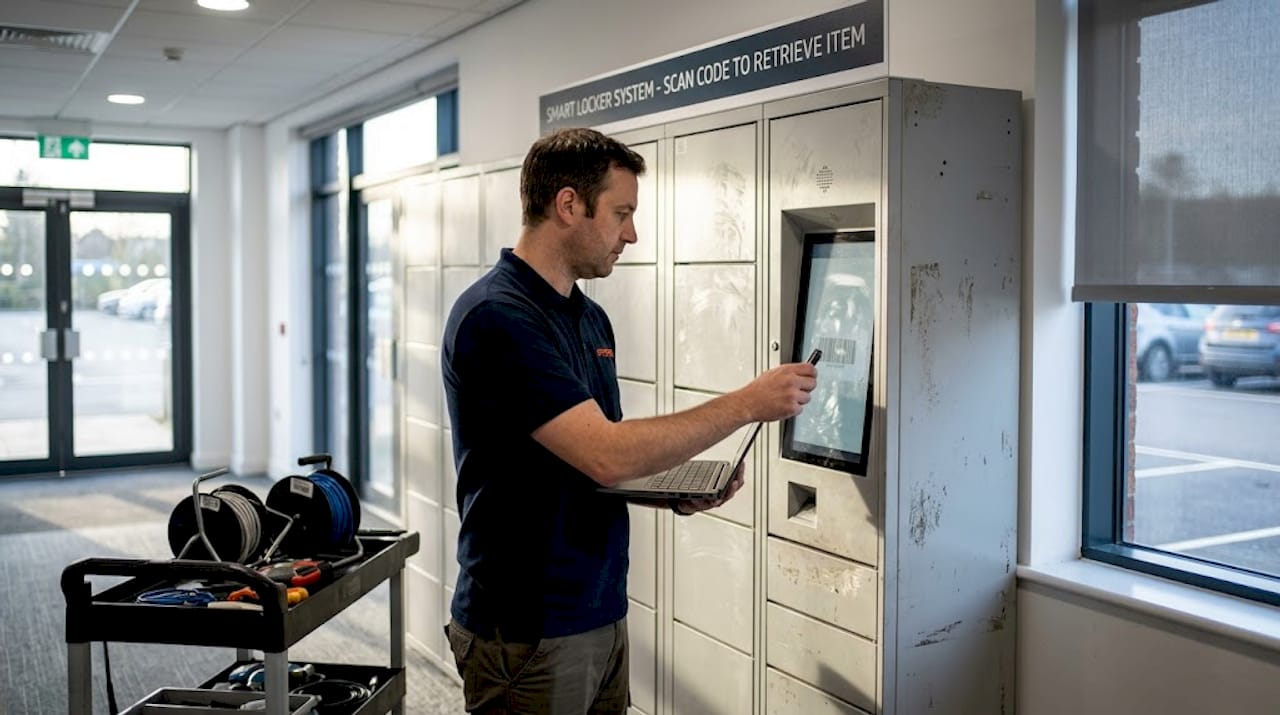
This is the baseline model. Smart lockers sit in office lobbies, IT rooms, or shared workspaces. Employees collect pre-assigned devices at any hour without waiting for IT staff. Smart locker systems reduce physical IT support burdens significantly in this configuration, particularly for new-starter kit delivery and equipment loan programmes. The audit trail is complete from assignment to return.

Break/fix locker exchange
This model targets device failure scenarios. An employee deposits a faulty device in a designated compartment. The locker system creates an ITSM ticket automatically and releases a pre-staged replacement from a separate compartment. The exchange completes in minutes, at any time of day, without IT staff involvement. Organisations running 24/7 operations, such as those in energy, defence, or healthcare, gain the most from this model because device failure does not respect business hours.
Remote reverse logistics
Remote and hybrid employees present a different challenge. They cannot walk to a locker. Device Europe’s Device in a Box programme addresses this by combining secure tracked shipment with remote data wiping and certified final destruction. The employee receives packaging materials, ships the device, and receives a compliance certificate. This model supports both technology recycling station requirements and regulatory data destruction obligations.
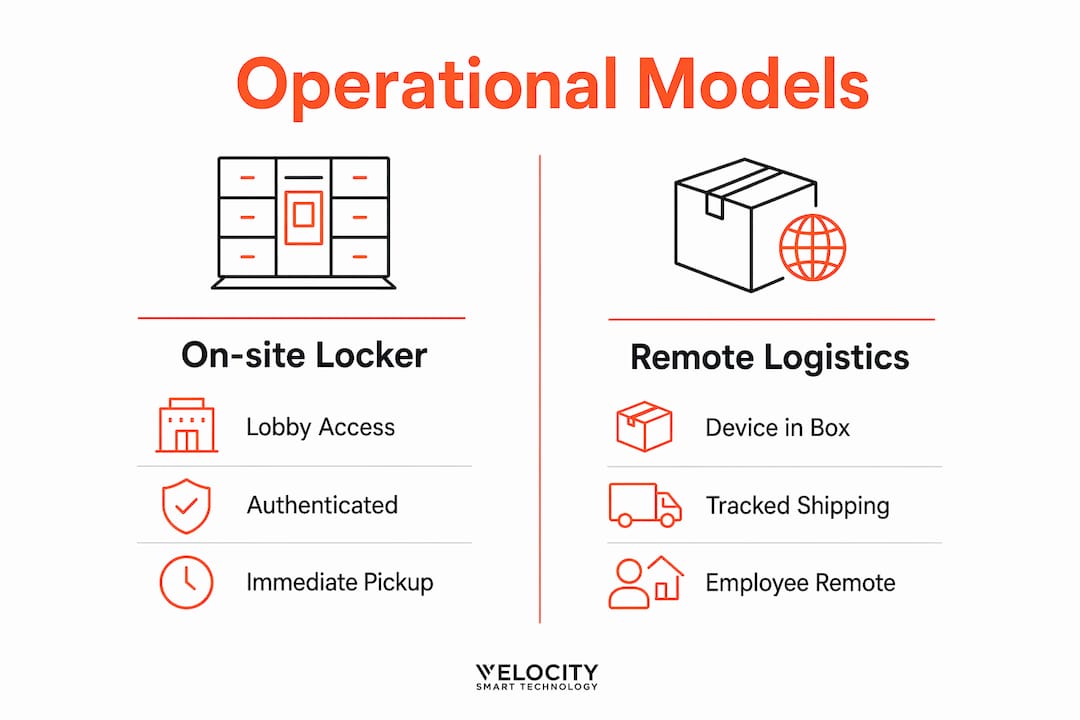
The table below compares the three models across key operational dimensions.
| Dimension | On-site locker | Break/fix exchange | Remote reverse logistics |
|---|---|---|---|
| Staff required on-site | None | None | None |
| Available hours | 24/7 | 24/7 | Asynchronous |
| Best for | New starters, loans, returns | Device failure, swap programmes | Remote/hybrid employees |
| Compliance output | Full audit trail | ITSM-linked audit trail | Destruction certificate |
| ITSM integration | Required | Required | Optional but recommended |
Hybrid enterprises gain full operational coverage by deploying on-site locker collection alongside a remote reverse logistics programme. Neither model alone serves a distributed workforce completely.
How do you troubleshoot common failures in device drop-off kiosk deployments?
Most self-service device collection failures trace back to one of three root causes: misconfigured permissions, incomplete return verification, or integration gaps between the locker system and the ITSM platform.
The most common failure: permission misconfiguration
A user with valid corporate credentials but missing locker authorisation gets refused device release. Pre-configured permissions must be set before the user arrives, not after. The fix is procedural: build locker authorisation into the ITSM ticket workflow so that it triggers automatically when a device is assigned, not as a separate manual step.
The second failure: unverified returns
Returning a device to a locker is not the same as completing the return. Without verified return logic, damaged or missing devices re-enter the available pool. Closing the loop means the system must confirm the physical return, flag any damage exceptions, and update the ITSM ticket state before the device becomes available again. This is a configuration choice, not a default behaviour in most systems.
The third failure: integration gaps
Locker systems that operate independently of the ITSM platform create a parallel record that diverges from the service record over time. The physical inventory and the ITSM CMDB fall out of sync. The resolution is to treat the locker system as a native ITSM component, not a peripheral add-on.
“Enforcing physical custody through smart locker authentication converts informal device issuance into an auditable transaction chain.” — LocknCharge
Pro Tip: Run a security compliance audit of your locker configuration quarterly. Permission drift, where users retain locker access after role changes, is a silent compliance risk that manual processes rarely catch.
Additional checks worth building into your deployment:
- Confirm that ITSM ticket state and locker compartment state update simultaneously, not sequentially
- Test the exception workflow for damaged returns before go-live, not after the first incident
- Validate that remote portal access for IT administrators is role-restricted and logged
- Schedule regular reconciliation between the CMDB and physical locker inventory
Key takeaways
Self service device collection delivers measurable operational gains only when identity verification, ITSM integration, and verified return logic are configured correctly before deployment.
| Point | Details |
|---|---|
| Pre-configuration is non-negotiable | Locker authorisation must align with ITSM and identity systems before users arrive. |
| Verified returns close the custody chain | Returns must trigger state transitions and damage checks, not just physical drop-off. |
| Two models cover distributed workforces | On-site smart lockers and remote reverse logistics together serve all employee locations. |
| Break/fix lockers enable 24/7 exchanges | Automated ITSM ticket creation at point of return removes the need for staff intervention. |
| Integration gaps cause CMDB drift | Locker systems must operate as native ITSM components to maintain inventory accuracy. |
Why physical custody enforcement is the part most enterprises underestimate
The operational efficiency argument for self service device collection is well understood by most IT leaders I speak with. The 93% reduction in staff time per transaction is a compelling number, and it tends to close the internal business case quickly. What gets underestimated, consistently, is the custody enforcement dimension.
Most enterprises run informal device issuance for longer than they admit. A device gets handed over at a desk, logged in a spreadsheet, and returned to a shelf without verification. The CMDB says the device is available. The shelf says it is damaged. Nobody knows who had it last. Smart locker authentication does not just automate the handover. It converts every transaction into a timestamped, identity-linked record that the CMDB can query like any other configuration item.
The second thing that gets underestimated is the dual-model requirement. Enterprises with even modest remote workforces cannot run a locker-only programme. The remote workforce deployment challenge is real, and reverse logistics programmes like Device in a Box fill a gap that no locker can. The organisations that treat these as two separate projects, rather than one integrated programme, end up with coverage gaps that show up as compliance exceptions.
My honest view is that the technology is mature enough in 2026 that the risk is no longer in the hardware or the software. The risk is in the deployment discipline: permissions configured correctly, return loops closed properly, and ITSM integration treated as a first-class requirement rather than an afterthought. Get those three things right and the system runs without staff involvement. Get them wrong and you have an expensive locker that frustrates employees and produces unreliable audit data.
— Anthony
How Velocity-smart automates enterprise device collection workflows
Global IT teams running distributed device programmes need more than hardware. They need a platform that manages the full workflow inside their existing ITSM environment.
Velocity-smart’s Smart Collect platform is a ServiceNow-native application that automates device assignment, collection, and return workflows without a separate database or middleware layer. Asset state, audit logs, and ownership history sit directly in the customer’s CMDB as native records. The platform supports smart locker collections, break/fix exchanges, and peripheral vending from a single management interface inside ServiceNow. For enterprises managing IT self-service hardware across multiple sites and geographies, Smart Collect provides the audit trail, exception management, and ITSM integration that manual or disconnected locker systems cannot deliver.
FAQ
What is self service device collection?
Self service device collection is a workflow where employees authenticate at a smart locker or kiosk to collect or return IT equipment without onsite IT staff. The process produces a timestamped, identity-linked audit record for every transaction.
How does a device drop-off kiosk differ from a standard locker?
A device drop-off kiosk typically handles returns and break/fix exchanges, while a standard smart locker manages pre-assigned collections. Break/fix systems such as those from iLockerz create ITSM incidents automatically at the point of return.
What ITSM platforms integrate with smart locker systems?
ServiceNow is the most widely deployed ITSM platform in enterprise smart locker integrations. Active Directory and Okta are the most common identity providers used for authentication at the locker terminal.
How do remote employees return devices without a locker?
Remote employees use reverse logistics programmes such as Device Europe’s Device in a Box, which combines secure tracked shipment with remote data wiping and a certified destruction record.
What is the biggest risk in a self service device collection deployment?
Permission misconfiguration is the highest-friction failure point. Locker authorisation must be pre-configured and aligned with the ITSM platform before users attempt collection, or the system refuses valid users at the point of pickup.
Recommended
See what Smart Collect® could save you
Model your savings in two minutes, or book a 60-minute workshop to pressure-test the numbers against your estate.