Last-Mile Automation in Enterprise IT Support, Explained
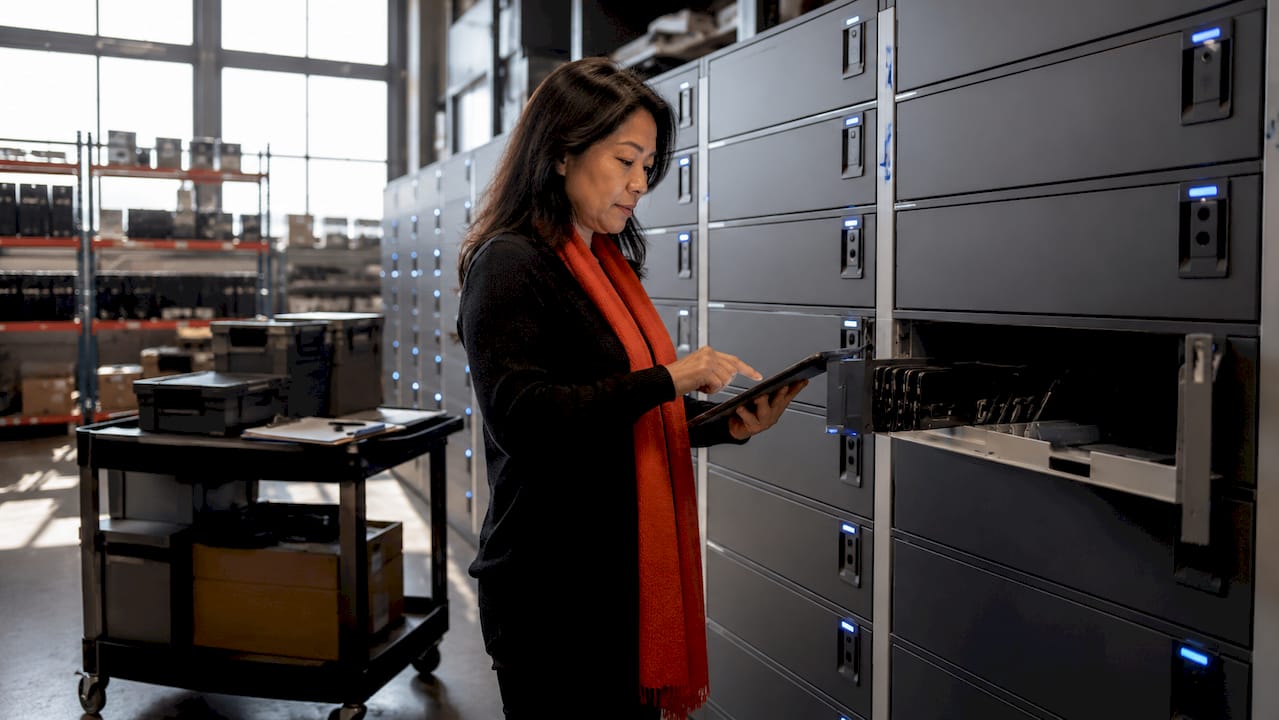
Last-mile automation, in enterprise IT, is the automation of the final physical step of a service request: the moment a laptop, peripheral or replacement device actually reaches the employee, or a faulty one comes back. Most of the ticket is already digital. Triage, approval, fulfilment orders and notifications run in the service management platform. The last stretch, handing an object to a person and recording that it happened, still tends to depend on an engineer being in the right building at the right time. Automating that stretch is what the term describes.
The phrase is borrowed from logistics, where it means something related but different. This article defines it for IT support, shows how a handover is automated end to end, sets out which tasks it can and cannot absorb, and lists what to assess before committing.
TL;DR
- Last-mile automation applies workflow, identity checks and secure storage to the physical handover of IT hardware, so a ticket can close with proof of who received what and when.
- It is distinct from parcel-delivery automation: the goal is custody, audit and asset-state accuracy inside the ITSM record, not route optimisation.
- It suits repeatable, low-judgement handovers (new-starter kit, loan devices, swaps, peripherals, returns). Cabling, installation and secure-environment work still need hands-on engineers.
- The decisive design questions are identity control, audit logging, charging, bay sizing, exception handling and whether data lives inside your own ITSM tenant.
Table of Contents
- What the term means in IT support
- How it differs from parcel-delivery automation
- How a handover is automated, step by step
- Why the record matters as much as the hardware
- Which physical tasks it can handle, and which it cannot
- What you can measure
- What to assess before you deploy
- Our perspective
- Where Smart Collect® fits
- Rolling it out in practice
- FAQ
- Sources
What the term means in IT support
In logistics, the last mile is the final leg of the supply chain, from a distribution hub or warehouse to the end customer. The IT meaning borrows the image but moves the problem. The distance is not the issue. The issue is the gap between a ticket that says “fulfilled” and a device that is demonstrably in the right person’s hands and ready to use.
That gap is common. A ticket can be marked complete without recording who collected the device, where it went or whether it was ready for use. The digital workflow reached its end, the physical one did not leave a trace.
A second, related problem is measurement. Many service desk automation projects automate ticket processing and describe it as resolution, so process metrics improve while the underlying issue can remain open. For hardware requests, the honest test of resolution is physical: the employee has a working device.
A working definition follows from this. Last-mile automation is the use of workflow-driven, authenticated, self-service hardware points to complete the physical leg of an IT request without dispatching a technician, with every custody change written back to the system of record.
How it differs from parcel-delivery automation
Search results for the phrase are dominated by delivery logistics: drones, route optimisation, autonomous vehicles and proof-of-delivery apps. The shared idea is real, since both address the most expensive and least predictable part of a process. The operating problems differ in four ways.
| Dimension | Parcel last mile | Enterprise IT last mile |
|---|---|---|
| Main objective | Speed, cost per drop, delivery success | Custody, audit, asset accuracy, employee readiness |
| Recipient | Anonymous consumer at an address | Verified employee, usually on a site the company controls |
| Record of truth | Carrier tracking system | ITSM platform and configuration database |
| Typical failure | Missed delivery, wrong address | Device collected by the wrong person, asset register out of step with reality |
| Reverse flow | Occasional consumer returns | Core to the process: faulty swaps, loans, leavers, refresh |
The practical consequence is that route and vehicle technology is largely irrelevant inside an office estate. What matters is identity, state tracking and the return path.
How a handover is automated, step by step
The sequence below is the pattern most enterprise implementations follow. The specifics vary by platform, but the guidance on smart-locker handoffs is consistent: the workflow should verify the user, secure the asset, record pickup or return and support charging where required.
- Request and approval. The employee, manager or an automated onboarding flow raises a request in the service catalogue. Approval rules run as they would for any other fulfilment.
- Preparation. The device is configured, tagged and loaded into a secure compartment. Staging can be done centrally or on site. Charging should be considered here for laptops that sit waiting.
- Notification and authentication. The recipient receives a collection prompt and authenticates at the point of handover, typically with a code, badge or similar credential defined by the organisation’s identity policy.
- Release. The correct compartment opens. Nothing else does.
- Record. Collection time, user and asset are written to the ticket and the asset record. The asset moves from stock or reserved to assigned, with the custody change captured.
- Return or swap. A faulty or surplus device goes back through the same point. The return is verified, the compartment is assigned, and the asset state updates so the device can be triaged, wiped or retired.
The ServiceNow “Now on Now” hardware-asset example from 2021 shows the broader lifecycle this fits into: automated approval and notification, shipment of replacement computers with return labels and asset-state updates. In that model, the physical handover is the one step that still involves a person or a courier. Last-mile automation replaces that step on site.
Why the record matters as much as the hardware
A locker, vending unit or kiosk on its own is a cabinet. The value comes from what it writes back. The same ServiceNow example describes automation of ordering, asset tagging, delivery, setup, refresh and return, with asset states updated across receiving, deployment, tracking and disposal.
Good inventory practice adds a useful distinction: custody changes are recorded separately from request status and from lifecycle state. In practice that means three questions have three answers:
- Request status: has the ticket been fulfilled?
- Lifecycle state: is the asset in stock, deployed, in repair or retired?
- Custody: who holds it right now, and since when?
If a handover system only updates the first, the asset register drifts. If it updates all three, an auditor, a security team or a service desk analyst can answer “where is this laptop?” from a single record.
Which physical tasks it can handle, and which it cannot
It is easy to overstate this. MetricNet’s 2026 analysis argues that AI can reduce desktop and field demand by moving eligible incidents to earlier support tiers, but that hardware replacement, cabling, physical installation, damaged devices, secure environments and complex infrastructure incidents generally still need hands-on expertise. The same perspective makes a useful point: automation does not have to replace a technician’s hands to cut workload. Prevention, better remote diagnosis and an automated handoff each remove visits.
That gives a practical sorting rule.
Good candidates for automated handover
- New-starter kit delivery, including laptop, headset and accessories
- Swap of a failed laptop for a ready replacement
- Short-term equipment loans and their returns
- Peripherals and consumables: keyboards, mice, chargers, adapters, cables
- Returns of leaver devices and end-of-refresh equipment
Still best handled by an engineer
- Rack, stack and structured cabling work
- Network equipment installation and patching
- Diagnosis of damaged or unusual devices
- Work inside secure or restricted environments
The second list matches the sort of task field-services providers describe: racking servers, cable management, switch and router installation, access-point mounting and site surveys. None of it is a locker job. The aim is not to remove engineers but to stop spending their time on the first list.
Another effect is on demand. As AI-powered infrastructure troubleshooting resolves more faults remotely, the visits that remain are more often handovers and physical swaps, which makes automating that residue more valuable, not less.
What you can measure
Be careful with borrowed benchmarks. Evidence for automation in IT support is broad but uneven, and little of it is specific to physical handover. One company example: NetApp reported that tickets handled with automated responses took about one day to resolve on average, against three days without. That is a digital case, but it illustrates the type of before-and-after comparison worth running.
For a structured set of measures, an academic review of automation benefits identifies efficiency, availability, cost, quality, compliance, scalability, interoperability, implementation effort and satisfaction as the usual dimensions. Translated for physical handover, a baseline might include:
| Measure | What to capture before and after |
|---|---|
| Time to device | Hours from approval to employee holding the device |
| Engineer time | Hours spent on handovers and travel per month |
| Out-of-hours availability | Share of handovers possible outside office hours |
| Asset accuracy | Mismatches between register and physical audit |
| Exceptions | Overdue loans, wrong returns, unavailable bays |
| Employee satisfaction | Survey score on device-related requests |
Baseline first, then pilot. Without the baseline, any later improvement is an anecdote.
What to assess before you deploy
The questions that separate a sound deployment from a troublesome one are mostly operational. Guidance on device handoffs recommends assessing charging support, bay dimensions, identity controls, audit logs, integration options and handling of overdue devices, wrong returns, unavailable bays and integration failures. Expanded for an enterprise estate:
Identity and access
Decide which credentials release a device and who may override. Role-based access to the management console should follow the same model as the rest of your service platform, not a separate user list.
Audit and evidence
Every open, close, failed attempt and administrator action should be logged and retrievable. Inventory is better treated as an ongoing operational control, with evidence, ownership and updates defined as assets move, than as a periodic count.
Sizing and charging
Measure real devices, including cases and docking accessories, against compartment dimensions. Decide whether laptops must charge while waiting. Plan capacity for peaks such as large starter cohorts.
Exceptions
Write the rules for the awkward cases before launch: a device left uncollected, a wrong item returned, a full unit, a network outage. A process that handles only the happy path creates more tickets than it removes.
Where the data lives
This is the architectural question. An application that runs inside your ServiceNow tenant inherits its access model, audit trail and release cycle. One that connects through middleware or keeps a parallel database adds a data flow to govern, a sync to monitor and often a separate security review. Neither is automatically wrong, but the difference should be explicit in the evaluation.

Our perspective
We build this layer, so we are not neutral, but the case for it rests on a simple observation. Service platforms and AI assistants can now carry a request almost to the end, then stop at the desk. The remaining step is physical, and it is where records are weakest.

Our view is that the handover should be treated as a workflow step, not a logistics event. That means the lockers, vending units and kiosks are endpoints of the platform, not separate systems. In our own design, Smart Collect® runs natively in the customer’s ServiceNow tenant, so asset state, location, ownership history and audit data are configuration records in the CMDB, and access control comes from the tenant rather than from a second system.
We also hold a cautious line on scope. Automation should take the repeatable handovers and leave judgement-heavy field work to engineers. The most credible projects start with one or two use cases, a measured baseline and a live pilot, then extend site by site.
— Anthony
Where Smart Collect® fits
Smart Collect® is a ServiceNow-native platform that orchestrates three form factors: Smart Lockers for full-device handovers such as starter kit, swaps and loans; Smart Vending for peripherals and consumables; and Smart Kiosks for AI-powered IT support. Teams that want to test the model first can look at use case validation and a live pilot programme, which are designed to establish a baseline before scaling.
Rolling it out in practice
A sensible sequence for an enterprise estate:
- Pick the use case with the clearest pain. Starter kit-out and break-fix swaps are common first choices because volumes are predictable.
- Baseline the current process. Record time to device, engineer hours and register accuracy at the pilot site.
- Define identity, exception and audit rules with security and the platform owner before hardware arrives.
- Run a limited live pilot at one site, with a named owner and a fixed review point.
- Review against the baseline, adjust bay layouts and rules, then extend to further sites and use cases.
Change management deserves its own line. Employees need to know where the point is, how to collect, and what happens if something fails. Engineers need to see that the work being removed is the work they least want.
FAQ
What is last-mile automation in IT support?
It is the automation of the physical step that closes a hardware-related ticket: the handover or return of a device. Authenticated self-service points release or receive equipment and write the custody change back to the service management record. The goal is a ticket that closes with proof, not just a status change.
Is it the same as last-mile delivery automation?
They share a concept but not a purpose. Parcel logistics focuses on routes, vehicles and delivery success to consumers. In IT support the delivery distance is usually within a building or campus, and the priorities are identity verification, audit trail and accurate asset state.
Does it replace desktop and field engineers?
No. It removes repeatable handovers, such as collections, loans and peripheral requests. Installation, cabling, damaged-device diagnosis and secure-environment work still generally require hands-on expertise, so engineers keep that work.
What should we check before choosing a solution?
Start with identity controls, audit logging, charging, compartment dimensions and the handling of exceptions. Then ask where data is stored and how the application follows your platform’s upgrade cycle. Those answers determine how much governance and maintenance you take on.
Sources
- Understanding Last-Mile Delivery in Logistics
- ITSM Device Handoffs: Improve Asset Tracking & Visibility
- Service Desk Automation: Resolution, Not Just Tickets
- ServiceNow Now on Now: Hardware Asset Management Use Case
- IT Inventory Management Process: SOP & RACI
- The Unexpected Effect of AI on Desktop Support and Field Services (MetricNet)
- Smart Hands / Site Hands IT Field Services
- AI-Powered Infrastructure Troubleshooting Guide for IT Pros
- How Automated Response Takes Pressure Off IT Tech Support (NetApp)
- How to Measure RPA’s Benefits? A Review on Metrics
See what Smart Collect® could save you
Model your savings in two minutes, or book a 60-minute workshop to pressure-test the numbers against your estate.