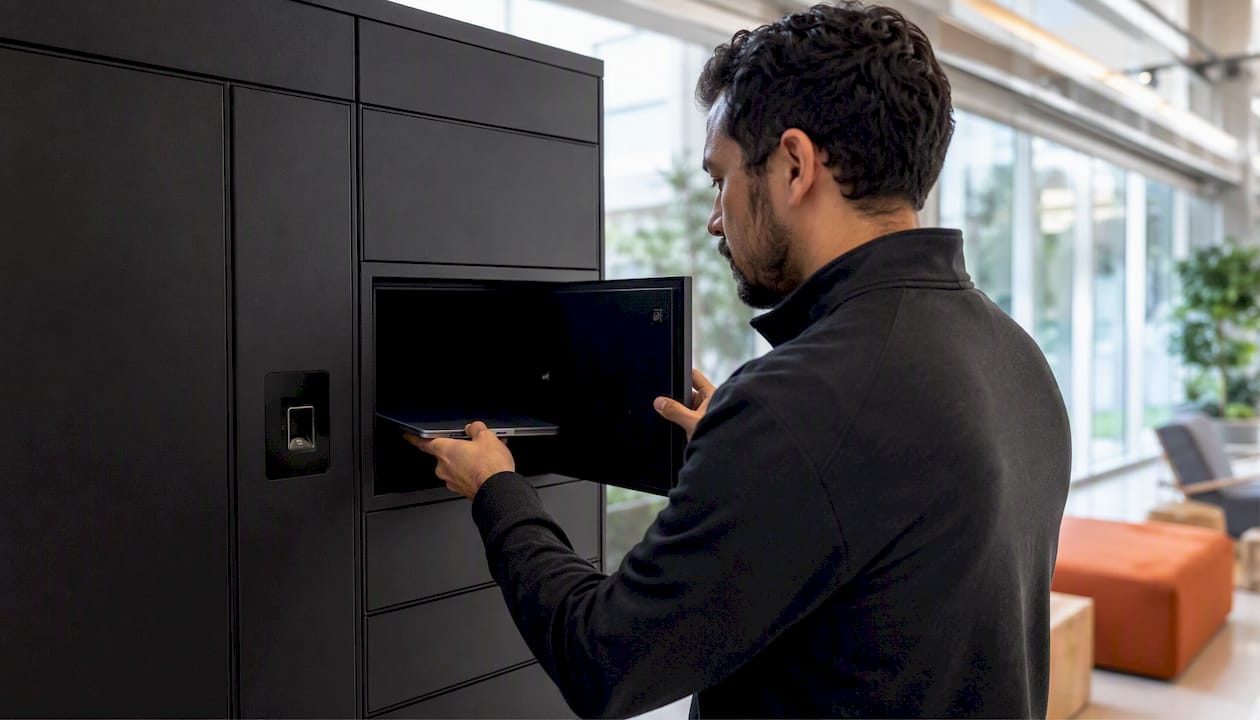
 Workplace Automation Step by Step for ServiceNow Success">
Workplace Automation Step by Step for ServiceNow Success
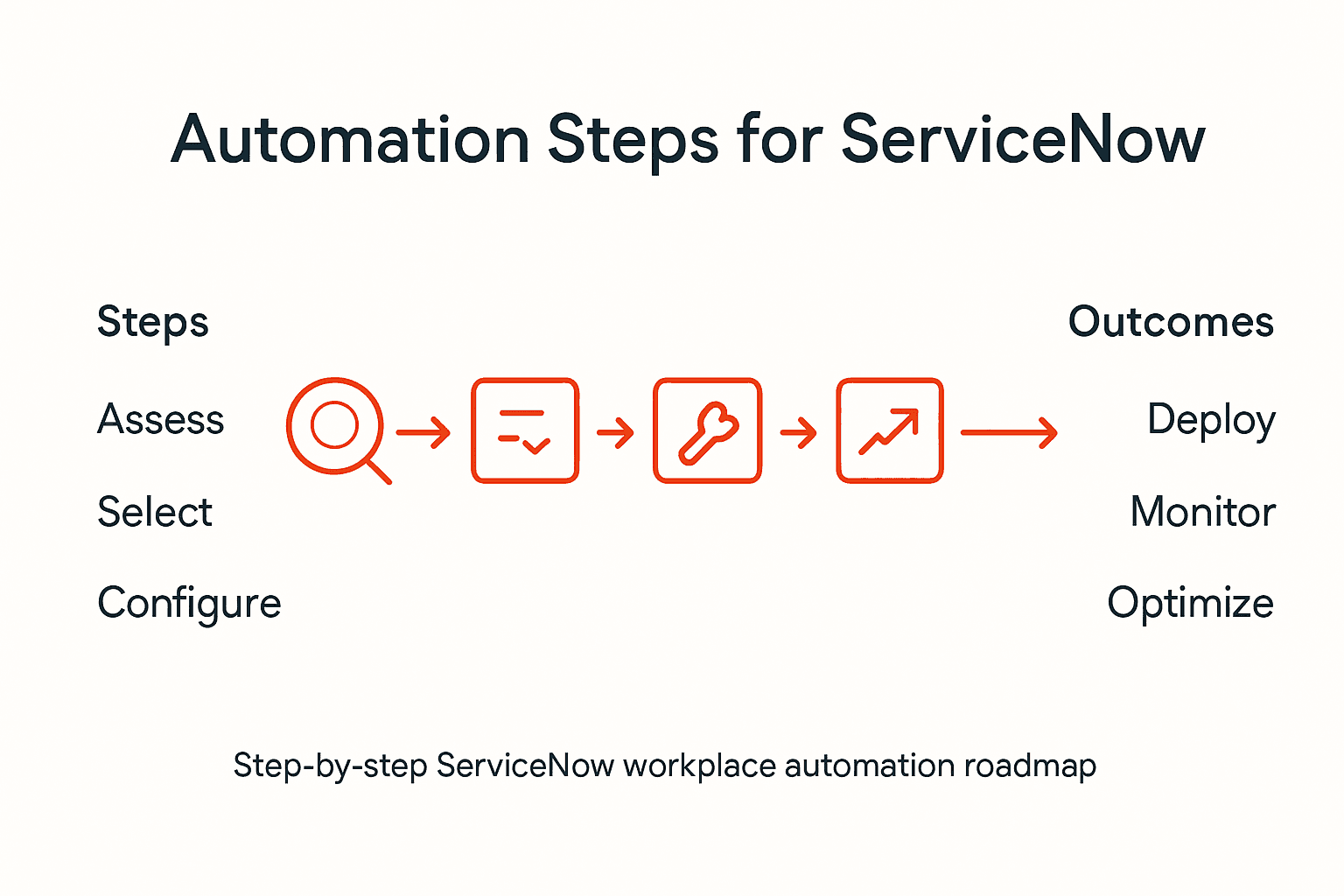
Nearly 60 percent of Fortune 500 IT Operations Directors report that manual equipment management eats up valuable time and resources. Whether in a British corporate headquarters or a bustling American data center, outdated processes can slow response times and hurt employee satisfaction. By assessing automated options with ServiceNow and advanced solutions like smart lockers, you gain actionable strategies for cutting costs and creating a better workplace.
Table of Contents
- Step 1: Assess Current Equipment Management Processes
- Step 2: Evaluate And Select Automation Solutions On ServiceNow
- Step 3: Configure Velocity Smart Collect For Integration
- Step 4: Deploy Smart Lockers And Vending Systems
- Step 5: Monitor And Verify Automation Outcomes
Quick Summary
| Key Point | Explanation |
|---|---|
| 1. Assess Existing Equipment Management | Evaluate current processes to identify inefficiencies in procurement, maintenance, and tracking. |
| 2. Select Appropriate Automation Solutions | Identify ServiceNow tools that best fit your workflows and evaluate them for compatibility and scalability. |
| 3. Configure Smart Collect Integration | Establish a secure connection between ServiceNow and smart asset management systems to streamline operations. |
| 4. Plan Smart Locker Deployment | Conduct site assessments and develop governance strategies to ensure successful implementation of smart systems. |
| 5. Monitor Automation Performance Regularly | Use ServiceNow’s tools to analyse performance metrics and verify that automation aligns with business objectives. |
Step 1: Assess current equipment management processes
Understanding your current equipment management landscape requires a systematic evaluation that goes beyond surface observations. Effective asset management demands comprehensive inventory control and strategic lifecycle approaches, which means diving deep into your existing processes to identify potential inefficiencies.
Begin by mapping out your entire equipment management workflow. Document each step involved in equipment procurement, tracking, maintenance, and replacement. Pay special attention to critical touchpoints such as initial asset registration, periodic maintenance scheduling, tracking mechanisms, and retirement protocols. Look for bottlenecks where manual interventions create delays or potential errors. Consider interviewing staff across different departments to gather qualitative insights about current pain points and process limitations.
Analyse your current data collection and reporting systems. Determine how equipment status is currently monitored and whether real-time tracking capabilities exist. Assess the accuracy and completeness of your existing asset records. Your objective assessment should incorporate multiple indicators that provide a holistic view of equipment management performance, moving beyond subjective judgments to create a data-driven evaluation framework.
Top professional recommendation: Create a detailed spreadsheet capturing all existing equipment management processes, highlighting inefficiencies and potential automation opportunities to streamline your ServiceNow implementation.
Step 2: Evaluate and select automation solutions on ServiceNow
Understanding the multifaceted tools available for ServiceNow automation is crucial for creating an effective digital transformation strategy. Your goal is to identify the most appropriate automation solutions that align with your organisation’s specific workflow requirements and technical capabilities.
Start by conducting a comprehensive assessment of your current processes and identifying areas where automation can deliver the most significant impact. ServiceNow offers multiple automation tools including Flow Designer, Business Rules, IntegrationHub, RPA Hub, and Scheduled Jobs. Each tool serves different automation needs with varying levels of complexity. Evaluate these tools based on factors such as workflow intricacy, system integration requirements, scalability potential, and alignment with your broader business objectives.

Carefully analyse each automation tool’s capabilities and limitations. Low-code and no-code platforms can accelerate development, while robotic process automation (RPA) solutions provide excellent options for managing legacy application workflows. Consider technical compatibility, ease of implementation, potential return on investment, and the skill level of your existing IT team when making your selections.
Top professional recommendation: Conduct a pilot test with your selected ServiceNow automation tools to validate their effectiveness and gather empirical performance data before full-scale implementation.
Here is a comparison of key ServiceNow automation tools and their organisational benefits:
| Tool Name | Suitable For | Complexity Level | Organisational Benefit |
|---|---|---|---|
| Flow Designer | Workflow automation | Low | Rapid process digitisation |
| Business Rules | System actions and validation | Medium | Enforces data integrity |
| IntegrationHub | Third-party integration | High | Expands system connectivity |
| RPA Hub | Legacy system automation | High | Reduces manual effort on legacy |
| Scheduled Jobs | Periodic automated tasks | Low | Automates recurring operations |
Step 3: Configure Velocity Smart Collect for integration
Integrating Velocity Smart Collect requires a meticulous workflow configuration that ensures seamless communication between your existing ServiceNow infrastructure and smart asset management systems. Your primary objective is to establish a robust connection that streamlines equipment tracking and user access protocols.
Begin by mapping out your current IT asset management processes and identifying precise integration points within ServiceNow. This involves configuring security settings, defining access controls, and establishing user notification mechanisms. Carefully review your organisation’s specific requirements to customise the integration settings. Pay particular attention to authentication protocols, data synchronisation rules, and user permission levels to guarantee a secure and efficient workflow.
Implement a comprehensive testing strategy that simulates real-world user interactions before full deployment. This approach allows you to validate the integration’s performance, identify potential bottlenecks, and make necessary adjustments. Consider creating test scenarios that reflect your organisation’s typical equipment management workflows, ensuring the Velocity Smart Collect solution meets your specific operational needs.
Top professional recommendation: Schedule multiple validation rounds with key stakeholders from IT and operational teams to gather feedback and refine the integration configuration progressively.
Step 4: Deploy smart lockers and vending systems
Implementing smart locker and vending systems requires strategic planning and comprehensive governance considerations to ensure seamless integration into your organisational infrastructure. Your deployment strategy must address technical, security, and operational challenges while maximising the potential for automated asset management.
Begin by conducting a detailed site assessment to identify optimal locations for your smart lockers and vending systems. Engage with governance and security boards early in the process to align deployment with your organisation’s compliance requirements. Carefully evaluate technical integration challenges, focusing on network connectivity, power infrastructure, and potential physical constraints. Develop a phased implementation approach that allows for gradual rollout and continuous performance monitoring.
Establish robust administrative access policies and user management protocols. Configure detailed tracking and reporting mechanisms to monitor system utilisation, inventory levels, and user interactions. This approach enables your organisation to shift towards a more automated asset management model, reducing onsite IT support hours and associated costs. Implement comprehensive training programmes for staff and end users to ensure smooth adoption and maximise the potential of your new smart asset management infrastructure.
Top professional recommendation: Create a comprehensive deployment checklist that includes technical specifications, security protocols, and user acceptance criteria to guide a systematic and controlled implementation.
Step 5: Monitor and verify automation outcomes
ServiceNow’s comprehensive monitoring framework provides critical insights into automation performance and operational reliability, enabling organisations to systematically track and validate their digital transformation initiatives. Your objective is to establish a robust verification process that ensures automation solutions deliver expected business value and operational efficiency.
Leverage the centralized Automation Center to manage and analyse performance metrics across your entire automation landscape. Configure detailed dashboards that track key performance indicators, including job completion rates, incident responses, change management effectiveness, and overall system health. Pay close attention to metrics that reveal operational bottlenecks, unexpected process variations, and potential areas for further optimization. Develop a continuous monitoring approach that captures both quantitative performance data and qualitative user feedback.
Implement a structured verification protocol that compares actual automation outcomes against predefined business goals. Use ServiceNow’s integrated tools to detect potential failures proactively, analyse log data, and generate comprehensive performance reports. This approach allows you to identify improvement opportunities, validate the return on investment, and ensure your automation strategies remain aligned with organisational objectives.
Top professional recommendation: Establish a quarterly automation performance review that includes detailed analytics, stakeholder feedback, and strategic recommendations for continuous improvement.
Below is a summary of crucial metrics for ongoing automation monitoring:
| Metric | Definition | Improvement Opportunity |
|---|---|---|
| Job Completion Rate | Percentage of automated tasks finalised | Identify failed workflow patterns |
| Incident Response Time | Speed to resolve triggered incidents | Locate system bottlenecks |
| Change Management Success | Rate of successful change implementations | Refine rollout protocols |
| User Satisfaction Feedback | Qualitative input from end users | Drive usability enhancements |
Unlock Seamless Workplace Automation with Velocity Smart Collect
The article highlights crucial steps to achieve ServiceNow success by streamlining equipment management and automation. If you are struggling with inefficient workflows, manual tracking errors, or complex integration challenges, Velocity Smart Technology offers a proven solution. Our ServiceNow-certified Velocity Smart Collect application eliminates the hassle of manual data entry and ensures secure, real-time asset tracking directly inside your ServiceNow instance.
Take control of your asset issuing and management today by leveraging smart locker and vending systems that integrate effortlessly with your ServiceNow environment. Experience reduced support costs, improved employee satisfaction, and enhanced operational efficiency. Discover how to transform your digital workplace by visiting Velocity Smart Collect and start modernising your IT and asset automation with confidence.
Frequently Asked Questions
How do I assess my current equipment management processes in a workplace?
To assess your current equipment management processes, map out your entire workflow from procurement to replacement. Document each step, identify inefficiencies, and consider interviewing staff to gain insights on potential bottlenecks.
What automation solutions are available on ServiceNow for my organisation?
ServiceNow offers various automation solutions, including Flow Designer, Business Rules, IntegrationHub, RPA Hub, and Scheduled Jobs. Evaluate these tools based on your specific workflow requirements and select the ones that will have the most significant impact on your processes.
How do I integrate Velocity Smart Collect with ServiceNow?
To integrate Velocity Smart Collect with ServiceNow, start by mapping out your IT asset management processes and identifying integration points. Ensure you configure security settings, access controls, and conduct thorough testing to validate the performance of the integration before full deployment.
What strategies should I implement for deploying smart lockers in my workplace?
When deploying smart lockers, conduct a detailed site assessment to select optimal locations and engage with governance bodies early on for compliance. Develop a phased implementation approach and establish access policies to maximise system efficiency and user acceptance.
How can I monitor the success of automation initiatives in ServiceNow?
To monitor the success of automation initiatives, use ServiceNow’s Automation Center to track key performance indicators such as job completion rates and incident response times. Set up a quarterly performance review to evaluate results, gather stakeholder feedback, and identify areas for improvement.
Recommended
See what Smart Collect® could save you
Model your savings in two minutes, or book a 60-minute workshop to pressure-test the numbers against your estate.