
Top digital workplace tools to boost enterprise efficiency
TL;DR:
- Choosing enterprise digital tools requires evaluating automation, integration, security, and employee experience.
- Smart locker systems streamline device distribution, reduce IT workload, and support hybrid work.
- Automation platforms connect systems, optimize workflows, and enhance support efficiency at scale.
Choosing the right digital workplace tools is one of the most consequential decisions an IT leader can make. With dozens of platforms competing for budget and attention, the risk of investing in tools that underdeliver on automation, device management, or employee experience is very real. Large enterprises face unique pressures: distributed workforces, complex IT environments, strict compliance requirements, and employees who expect seamless, consumer-grade technology at work. This article walks you through the key evaluation criteria, the most impactful tool categories, and practical comparisons to help you make a confident, well-informed decision.
Table of Contents
- Evaluating digital workplace tools: Key criteria for enterprises
- Smart vending and locker systems: Streamlining IT support and device distribution
- Automation platforms: Transforming workflows and business processes
- Cloud collaboration tools: Empowering communication and teamwork
- What enterprises miss when choosing digital workplace tools
- Discover enterprise solutions for digital workplace success
- Frequently asked questions
Key Takeaways
| Point | Details |
|---|---|
| Automation drives efficiency | Selecting workplace tools with automation capabilities streamlines processes and saves time for enterprise IT teams. |
| Smart lockers enable hybrid work | Device management solutions like smart lockers support remote and hybrid workforces by automating asset distribution and return. |
| Integration is critical | Tools must integrate seamlessly with existing infrastructure to maximise value and adoption across large organisations. |
| Cloud collaboration boosts productivity | Cloud-based tools empower teams to communicate and collaborate efficiently, regardless of location. |
| Prioritise data security | Robust security features are essential in digital workplace tools to protect sensitive enterprise data. |
Evaluating digital workplace tools: Key criteria for enterprises
Before shortlisting any platform, you need a clear framework for evaluation. Not every tool that works well for a 200-person company will hold up across 20,000 employees and multiple sites. Enterprise requirements are fundamentally different, and your criteria must reflect that.
Here are the core dimensions to assess:
- Automation capability: Can the tool reduce manual processes at scale? Look for native workflow automation, not just basic task scheduling.
- Device management and IT support: Does it support the full lifecycle of workplace devices, from distribution and tracking to return and replacement?
- Integration with existing infrastructure: Will it connect cleanly with your ITSM platform, HR systems, and identity management without creating data silos?
- Data privacy and security: Data security and privacy are essential when adopting digital workplace solutions, particularly in regulated industries such as financial services, healthcare, and government.
- Employee experience: Does the tool reduce friction for end users, or does it add steps and complexity to everyday tasks?
Integration deserves particular attention. Many enterprises adopt tools in isolation, only to discover that they create new manual processes rather than eliminating them. A tool that does not connect to your ServiceNow instance, for example, may require staff to re-enter data manually, which defeats the purpose of automation entirely.
Understanding your workforce technology requirements before you evaluate vendors saves significant time and prevents costly mistakes. It also gives you a basis for scoring vendors objectively rather than being swayed by impressive product demonstrations.
Security is non-negotiable. Review digital locker security tips and apply the same rigour to any tool that handles device data, employee information, or access credentials. Encryption standards, audit logging, and role-based access controls should all be baseline requirements, not optional extras.
Pro Tip: Build a weighted scoring matrix before you speak to any vendor. Assign weights to each criterion based on your organisation’s priorities. This keeps evaluation objective and makes it far easier to justify your final recommendation to senior stakeholders.
Smart vending and locker systems: Streamlining IT support and device distribution
Smart vending machines and locker systems represent one of the most practical and immediately impactful categories of digital workplace tools available to enterprises today. They solve a problem that many IT teams quietly struggle with: how to get the right device into the right employee’s hands, quickly, securely, and without consuming IT staff time.
Hybrid workplace locker systems support hybrid work and enable automated asset collection, removing the need for employees to queue at IT helpdesks or wait days for equipment to be manually processed. In a large enterprise with hundreds of daily device requests, this is a meaningful operational gain.
Here is what a well-implemented smart locker and vending solution delivers:
- 24/7 self-service access: Employees collect and return devices at any time, without requiring IT staff to be present.
- Automated asset tracking: Every transaction is logged, giving IT teams a real-time view of device location, condition, and availability.
- Secure, role-based access: Employees authenticate via SSO or badge, ensuring only authorised individuals can access specific equipment.
- Reduced IT helpdesk load: Routine device requests are handled automatically, freeing IT staff for higher-value work.
| Feature | Traditional IT desk | Smart locker/vending system |
|---|---|---|
| Availability | Business hours only | 24/7 |
| Asset tracking | Manual, error-prone | Automated, real-time |
| Employee wait time | Hours to days | Minutes |
| IT staff required | Yes | No |
| Audit trail | Inconsistent | Full and automatic |
ServiceNow Smart Locker and Vending Software offers automated distribution and device tracking built natively within the ServiceNow platform, meaning all asset data flows directly into your existing ITSM workflows without duplication or GDPR risk.
For organisations supporting remote workforce locker support, these systems can be deployed across multiple sites, enabling consistent device management regardless of where employees are based.
Pro Tip: When scoping a smart locker deployment, map your highest-volume device request locations first. Deploying at those sites delivers the fastest return on investment and builds internal confidence for wider rollout.
Automation platforms: Transforming workflows and business processes
Smart lockers handle the physical layer of device management. Automation platforms handle everything else. They are the engine room of a modern digital workplace, connecting systems, triggering actions, and eliminating the manual steps that slow IT operations down.
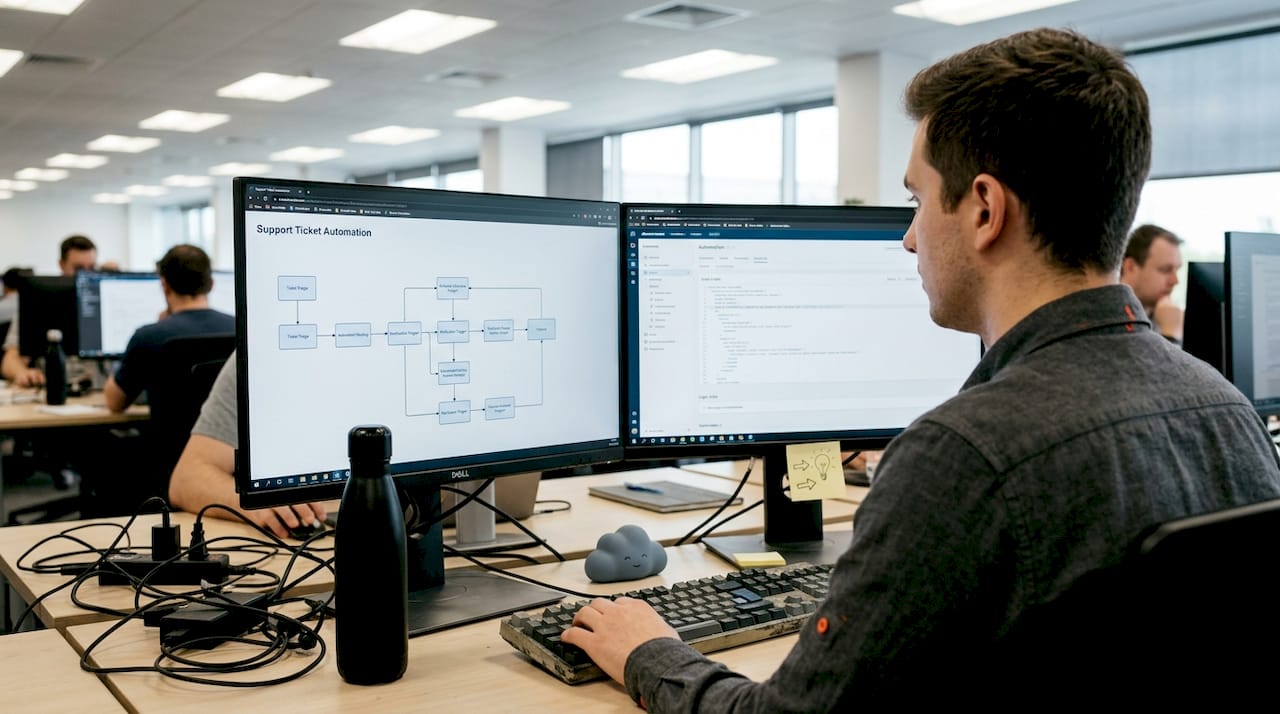
Automation platforms such as ServiceNow streamline IT service management by providing a single platform for workflow orchestration, incident management, asset tracking, and service delivery. Rather than managing multiple disconnected tools, IT teams can automate end-to-end processes from a single pane of glass.
Key capabilities to look for in an enterprise automation platform include:
- Workflow orchestration: The ability to design, automate, and monitor multi-step processes across departments.
- Pre-built integrations: Connectors for HR, finance, identity management, and communication tools.
- Analytics and reporting: Real-time dashboards that give IT leaders visibility into performance, bottlenecks, and service levels.
- Low-code/no-code tools: Enabling business users to build simple automations without IT involvement.
“The organisations seeing the greatest return from automation are not those with the most tools. They are those with the fewest, integrated most deeply.” This is a lesson that applies directly to IT leaders evaluating automation platforms in 2026.
Automated support workflows lead to more efficient IT operations by reducing the time staff spend on repetitive tasks and accelerating resolution times for employees. The downstream effect on employee experience is significant: faster support means less frustration and more productive working time.
For enterprises with complex logistics or multi-site operations, automation in logistics and IT support can dramatically reduce the cost and complexity of keeping distributed teams equipped and supported. Pairing this with intelligent automation strategies ensures that automation investments compound over time rather than delivering one-off gains.
Cloud collaboration tools: Empowering communication and teamwork
No digital workplace strategy is complete without robust cloud collaboration tools. These platforms are the connective tissue of modern enterprise work, enabling teams to communicate, share information, and collaborate in real time regardless of location.
Cloud technologies optimise digital work environments for enterprises adopting hybrid working models, providing the infrastructure needed to support both office-based and remote employees without compromising productivity or security.
The leading platforms in this category each have distinct strengths:
- Microsoft Teams: Deep integration with the Microsoft 365 ecosystem makes it the natural choice for enterprises already running Exchange, SharePoint, and Azure Active Directory. It supports video, chat, file sharing, and app integrations within a single interface.
- Slack: Favoured for its channel-based communication model and extensive third-party app marketplace. Particularly strong in technology and product-led organisations where developers and cross-functional teams need flexible, fast communication.
- Zoom: Best known for video conferencing, Zoom has expanded into team chat, webinars, and phone systems. Its reliability and ease of use have made it a staple in enterprises with large meeting volumes.
When evaluating collaboration tools, consider the following:
- Scalability: Can the platform support your current headcount and anticipated growth without performance degradation?
- Security and compliance: Does it offer enterprise-grade encryption, data residency options, and compliance certifications relevant to your industry?
- Integration with IT systems: Can it connect with your ITSM platform, identity provider, and device management tools?
- Adoption and usability: A tool that employees do not use delivers no value. Ease of use is a strategic requirement, not a nice-to-have.
Investing in flexible working tech alongside collaboration platforms ensures that employees have everything they need to work effectively, whether they are in the office, at home, or travelling. Understanding hybrid work trends also helps IT leaders anticipate where collaboration demands will shift over the next two to three years.
What enterprises miss when choosing digital workplace tools
Most enterprises approach tool selection by comparing feature lists and negotiating on price. Both matter, but they are rarely the reason a digital workplace programme succeeds or fails.
The real differentiators are integration depth and employee adoption. A platform with 200 features that sits alongside your existing systems rather than inside them will generate more manual work, not less. We have seen enterprises invest heavily in automation platforms only to find that their IT teams are still re-entering data between systems because the integration was never properly configured.
Employee buy-in is equally underestimated. The best technology fails if employees route around it. Involving end users in tool selection, piloting before full deployment, and investing in change management are not optional steps. They are the difference between a tool that transforms operations and one that quietly gathers dust.
Scalability is the third blind spot. A tool that works well for one region may buckle under the demands of a global rollout. Evaluate platforms against your three-year growth plan, not just today’s headcount. Intelligent automation recommendations consistently point to scalability as a defining factor in long-term ROI. Choose tools that grow with you.
Discover enterprise solutions for digital workplace success
The categories covered in this article, from smart lockers and vending systems to automation platforms and cloud collaboration tools, represent the building blocks of a modern, efficient digital workplace. Selecting the right combination requires both strategic clarity and practical experience.
Velocity Smart Technology offers a portfolio of solutions designed specifically for large enterprises. Our smart IT support kiosk enables real-time remote IT support and device exchange without onsite technicians. Our smart locker software automates device distribution and tracking natively within ServiceNow. Explore our full range of enterprise automation solutions to see how we help IT leaders modernise operations, reduce costs, and improve employee experience at scale.
Frequently asked questions
What security features should digital workplace tools have?
Digital workplace tools should offer robust encryption, access controls, audit logs, and compliance with industry regulations. Data security and privacy are essential considerations when adopting any new workplace solution at enterprise scale.
How do automation solutions improve enterprise IT support?
Automated support workflows reduce manual tasks and accelerate response times, allowing IT teams to focus on higher-value activities rather than repetitive service requests.
Can cloud-based collaboration tools scale for large enterprises?
Yes. Leading cloud collaboration platforms handle thousands of concurrent users and integrate with enterprise identity, security, and ITSM systems. Cloud technologies optimise digital work environments and are built to scale with enterprise growth.
What are the benefits of smart locker systems in hybrid workplaces?
Smart locker systems automate asset collection and device returns, enhancing flexibility and security for hybrid and remote workers while significantly reducing the burden on IT helpdesk teams.
Recommended
See what Smart Collect® could save you
Model your savings in two minutes, or book a 60-minute workshop to pressure-test the numbers against your estate.