
Locker audit trails: Boost IT support visibility in 2026
TL;DR:
- Locker audit trails record every transaction, access event, and user interaction in detail.
- They enable proactive asset management, security compliance, and reduced equipment loss.
- Integrating audit data into workflows improves support efficiency and operational decision-making.
Many IT operations leaders invest heavily in smart locker infrastructure, then consider the job done once the hardware is installed. That assumption leaves a significant gap. The audit trail running beneath every locker transaction is where real operational intelligence lives, recording who accessed what, when, and whether anything went wrong. Without it, you are managing assets in the dark. This article explains what locker audit trails are, how they work technically, and how enterprise IT teams are using them to improve compliance, reduce asset loss, and deliver faster, more accountable support across large, distributed workplaces.
Table of Contents
- Defining locker audit trails: The basics you need to know
- How do locker audit trails work? Key technologies and process flow
- Top benefits of locker audit trails for enterprise IT operations
- Enterprise applications: Practical examples and best practices
- Why most IT leaders overlook audit trails and why they shouldn’t
- How Velocity Smart Technology can help your IT operations
- Frequently asked questions
Key Takeaways
| Point | Details |
|---|---|
| Audit trails explained | Locker audit trails are digital logs that track every transaction, aiding transparency and compliance. |
| Technology integration | Modern lockers use audit trails to integrate with IT systems and security platforms for real-time monitoring. |
| Compliance made simple | Detailed audit logs help enterprises meet security and regulatory requirements effortlessly. |
| Operational efficiency | Smart use of audit trails allows IT teams to resolve issues faster and reduce asset loss. |
| Actionable insights | Analysed audit data can reveal patterns that optimise IT support and asset workflows. |
Defining locker audit trails: The basics you need to know
A locker audit trail is a digital log that records every transaction, access event, or attempted interaction involving a smart locker. Think of it as a continuous, tamper-resistant record of your equipment’s entire lifecycle at the point of collection and return. Every time an employee picks up a laptop, returns a device, or even fails to authenticate correctly, the system writes an entry to that log.
What gets recorded is more detailed than most people expect. A well-configured audit trail captures:
- Date and time of every event, down to the second
- User identity, typically via employee ID, badge, or biometric data
- Item details, including asset tag, device type, and serial number
- Transaction type, whether that is a pickup, return, or exchange
- Failed access attempts, including the user ID and timestamp
- Locker compartment number and physical location
- System-generated alerts, such as a door left open or an unrecognised credential
These records are not simply stored for posterity. As noted in smart locker systems overview, audit trails record all events relating to locker use, including access times and user IDs, making them essential for both compliance and operational review.
“In best-in-class IT environments, the audit trail is not an afterthought. It is the primary mechanism by which IT leaders demonstrate control over their asset estate and respond to incidents with confidence.”
For enterprise IT operations, this matters enormously. Compliance frameworks such as ISO 27001 and Cyber Essentials require demonstrable controls over how IT assets are accessed and by whom. An audit trail provides exactly that evidence, without requiring manual logging or reliance on employee memory. It also enables process optimisation: if you can see that certain locker banks are accessed heavily between 8am and 9am, you can plan restocking and support resource accordingly.
How do locker audit trails work? Key technologies and process flow
Understanding the mechanics helps you evaluate whether your current setup is capturing everything it should. The typical flow works like this:
- Employee requests an asset via a service portal, mobile app, or directly at the locker terminal
- The system authenticates the user using RFID, PIN, single sign-on, or biometric verification
- The assigned compartment unlocks and the system logs the door-open event with a timestamp
- The employee collects the item, and a sensor or weight detection confirms removal
- The transaction closes and the full event record is written to the audit log in real time
- The data syncs to your IT service management platform, updating the asset record automatically
The smart locker components that underpin this process vary, but the audit capability of each technology differs meaningfully:
| Technology | Authentication method | Audit capability |
|---|---|---|
| RFID | Badge or card scan | User ID, time, location |
| PIN entry | Numeric code | Time and compartment only |
| Biometrics | Fingerprint or facial scan | High-confidence user identity |
| SSO integration | Corporate credentials | Full user and device linkage |
| Cloud platform | Software-based logging | Real-time sync and reporting |
As smart locker audit trails integrate with access control systems, they enable comprehensive user tracking across multiple sites from a single reporting interface. This integration is what separates a basic locker from a genuinely intelligent asset management tool. Systems that connect to real-time inventory tracking platforms extend this visibility even further, linking locker events to broader stock and procurement data.

Pro Tip: Audit trail reliability increases significantly when your locker system is designed for real-time synchronisation and cloud backup. A system that logs events locally but only syncs nightly creates a window of vulnerability if hardware fails or is tampered with.
Top benefits of locker audit trails for enterprise IT operations
Knowing how audit trails work is one thing. Understanding why they deliver real business value is what drives adoption at scale.
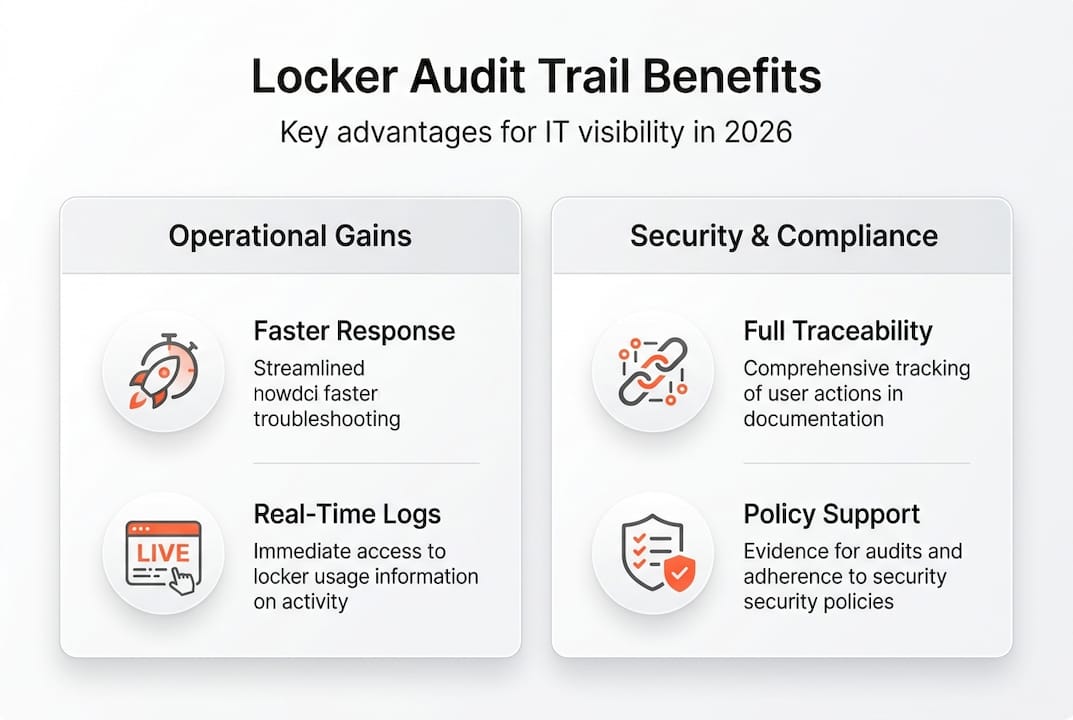
The shift from reactive to proactive IT asset management is perhaps the most significant benefit. Consider the difference:
| Reactive approach | Proactive approach with audit trails |
|---|---|
| Asset reported missing; investigation begins | Unusual access pattern flagged before loss occurs |
| Manual stocktake to verify inventory | Real-time inventory status from locker log data |
| Support ticket raised; IT team investigates | Audit data linked to ticket automatically |
| Compliance report assembled manually | Audit log exported directly for regulatory review |
The automation benefits of moving to a data-driven model are well established across logistics and operations, and IT asset management is no different. When you apply the same discipline to locker management, the results are measurable.
Key enterprise benefits include:
- Improved security: Every access event is traceable, reducing the risk of unauthorised equipment removal
- Compliance readiness: Audit logs provide the documented evidence required by ISO 27001, GDPR, and sector-specific regulations
- Reduced asset loss: Organisations that implement structured audit trails report meaningful reductions in unaccounted equipment
- Clearer support workflows: IT teams can link locker events directly to service desk tickets, reducing resolution time
- Accountability at every level: From the employee collecting a device to the IT manager reviewing monthly reports, everyone operates within a transparent framework
As security compliance via audit trails becomes a board-level concern in regulated industries, the workplace benefits of robust audit data extend well beyond the IT department. Consider a practical example: a financial services firm notices an after-hours access event on a locker containing encrypted devices. The audit trail identifies the employee, the exact time, and the asset removed. What could have been a serious incident is resolved in minutes rather than days.
Enterprise applications: Practical examples and best practices
Audit trails are most valuable when they are woven into everyday IT workflows rather than reviewed only during incidents. Here is how leading organisations are applying them right now.
New staff laptop deployment: When a new employee joins, the locker system logs their first collection, confirms the correct device was issued, and updates the asset register automatically. No paperwork, no manual entry, and a clear record from day one.
Emergency asset swap: If a device fails mid-shift, the employee collects a replacement from a nearby locker. The audit trail records the swap, links it to the original asset record, and flags the faulty device for collection, all without IT intervention.
End-of-life equipment collection: As devices reach the end of their lifecycle, audit data shows which assets have not been returned, prompting automated reminders and reducing write-off costs.
To get the most from your audit trail capability, follow these steps:
- Map your audit data fields to your existing IT service management system before go-live
- Set alert thresholds for unusual events such as repeated failed access attempts or after-hours activity
- Schedule monthly audit reviews and assign ownership to a named IT team member
- Link locker events to support tickets automatically, so resolution data enriches your service records
- Export compliance reports on a defined schedule to reduce the burden of ad hoc regulatory requests
As automated audit trails streamline IT support operations through transparent equipment tracking, the organisations seeing the greatest return are those that treat audit data as a live management tool rather than a historical archive. Connecting this data to automated inventory management processes further reduces manual workload and improves forecasting accuracy.
Pro Tip: Use audit trail analytics to identify patterns in equipment demand. If a particular locker bank consistently empties by Tuesday afternoon, you can pre-position stock and avoid the support calls that follow when employees cannot find available equipment.
For teams focused on improving support efficiency, audit trail data is one of the most underused levers available.
Why most IT leaders overlook audit trails and why they shouldn’t
In our experience working with enterprise IT teams, audit trails are frequently treated as a compliance tick-box. The system captures data, the data sits in a log, and it is only retrieved when something goes wrong. That is a significant missed opportunity.
The most forward-thinking IT leaders we work with use audit trail data the way a retail operation uses footfall analytics: to understand behaviour, anticipate demand, and improve the experience before problems arise. The data is already there. The question is whether anyone is acting on it.
There is also a cultural dimension. When employees know that equipment access is logged and accountable, behaviour changes. Loss rates fall. Returns happen on time. Support requests become more specific and easier to resolve. As smart locker systems become standard infrastructure in large enterprises, the audit trail is the feature that separates a storage solution from a genuine IT management tool. Data is only as useful as the action it inspires. If your audit trail is not driving weekly decisions, it is not working hard enough for you.
How Velocity Smart Technology can help your IT operations
If the benefits described above resonate, the next step is choosing a platform that makes audit trail implementation straightforward rather than a project in itself.
Velocity Smart Technology builds audit trail capability directly into its smart locker and vending solutions, with everything running natively inside your ServiceNow instance. That means no additional data platforms, no GDPR risk from third-party integrations, and no manual re-keying of asset data. Our Smart Collect platform gives IT operations leaders real-time visibility across every locker transaction, while our Smart IT Support Kiosk extends that accountability to device diagnostics and remote support. Explore our Automation Unboxed resources to see how organisations like yours are putting audit trail data to work every day.
Frequently asked questions
What types of actions are recorded in a locker audit trail?
Locker audit trails log all access attempts, successful pickups and returns, and user identification details, giving IT teams a complete picture of every equipment interaction.
How do audit trails help with security compliance?
They provide full traceability for every asset movement, so you can monitor and report on sensitive items as required by regulations. Audit trails enhance security compliance in managed locker environments by creating an evidence base that satisfies auditors without manual effort.
Can audit trails be integrated with existing IT management systems?
Yes. Smart locker audit trails integrate with access control and IT service management platforms, enabling seamless reporting and automatic asset record updates without duplicate data entry.
What is the main benefit of using a locker audit trail?
It improves accountability and transparency across your asset estate. Automated audit trails streamline IT support operations by giving teams the data they need to resolve access issues quickly and prevent equipment loss before it becomes a problem.
Recommended
See what Smart Collect® could save you
Model your savings in two minutes, or book a 60-minute workshop to pressure-test the numbers against your estate.